
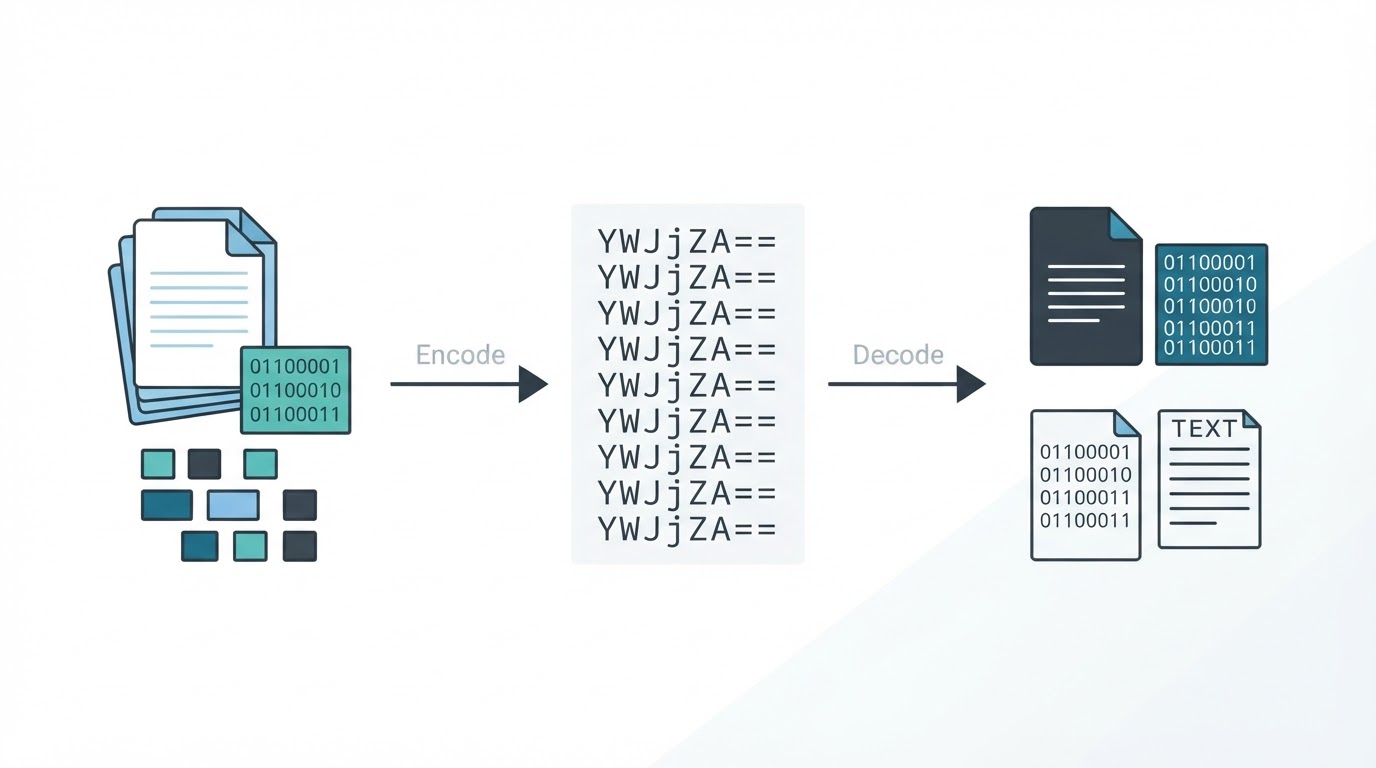
A Base64 encoder and decoder converts data between raw bytes and a text-based representation. This is useful when binary data must pass through text-oriented systems such as JSON APIs, email, configuration files, and data URLs.
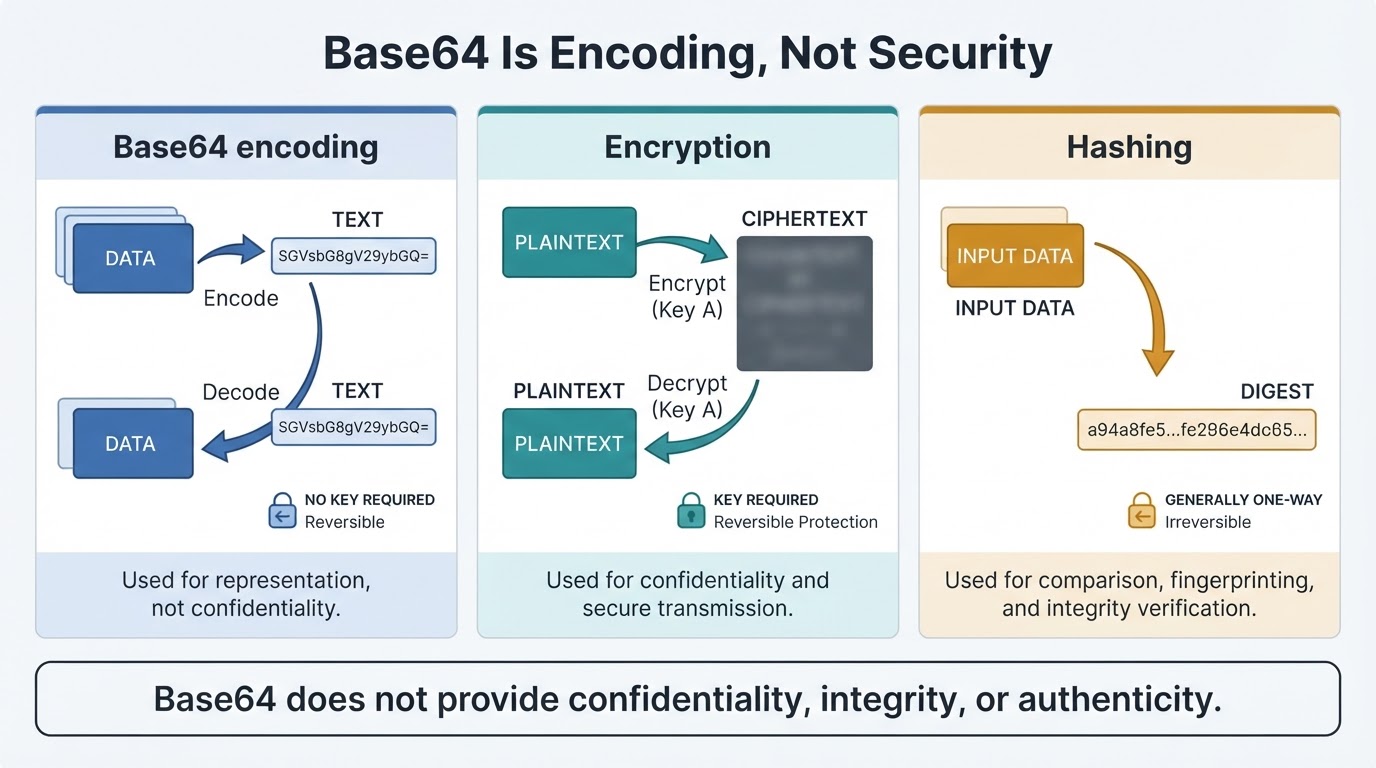
Base64 is reversible and requires no password or secret key. It does not provide confidentiality, compression, authentication, or integrity. Anyone who obtains a Base64 value can attempt to decode it, although the resulting bytes may be encrypted, compressed, malformed, or otherwise unreadable.
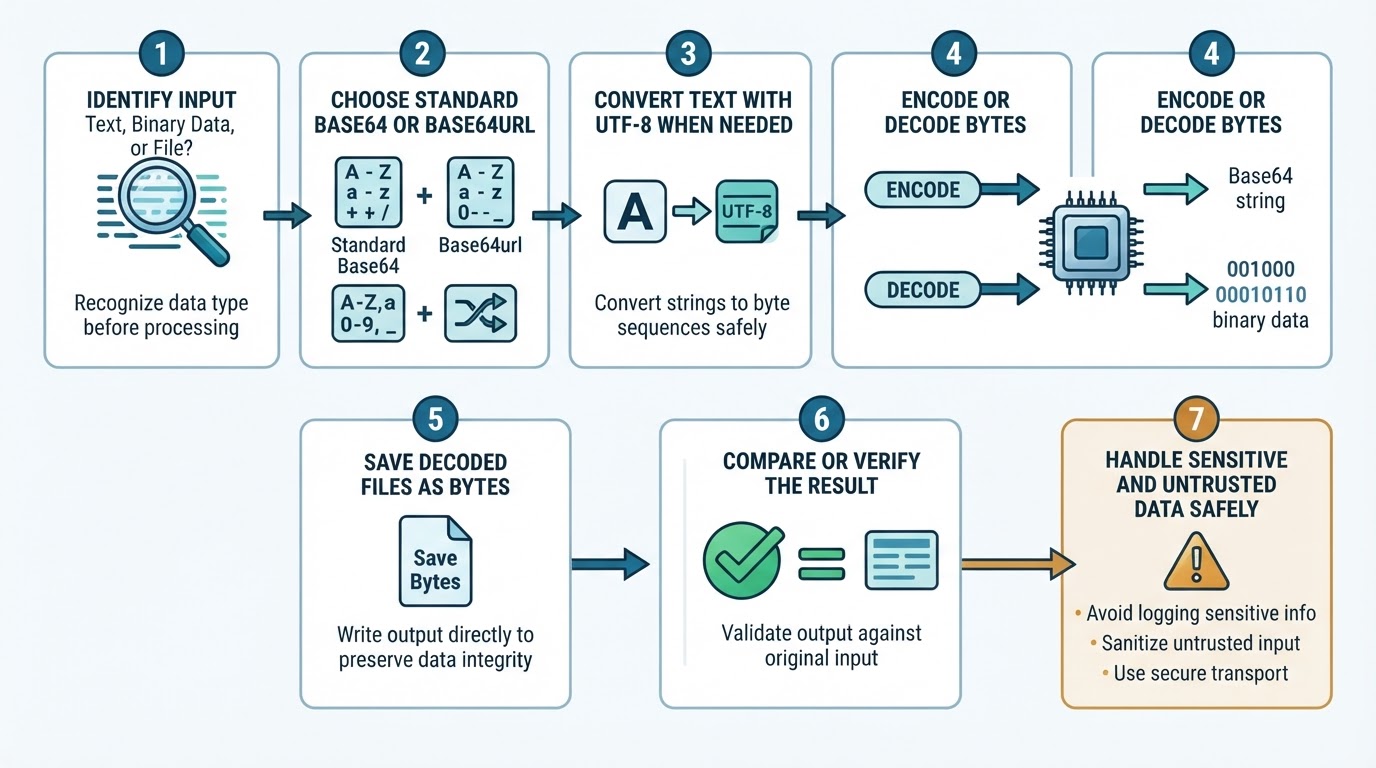
For a quick conversion, identify the input type, choose standard Base64 or Base64url as required, encode or decode the bytes, and verify the result. Keep confidential data in a trusted local workflow unless an online service's processing, retention, and privacy practices are clearly understood.
Quick Base64 Encoder and Decoder Workflow
Use this process for most text and file conversions:
- Identify the input. It may be text, a file, a JSON value, a data URL, or a token segment.
- Choose the required format: standard Base64 or Base64url.
- For text, use the expected character encoding, usually UTF-8.
- Encode raw bytes into Base64, or decode Base64 back into bytes.
- Save decoded files as binary data rather than UTF-8 text.
- Compare the decoded text or file with the original whenever accuracy matters.
- Validate untrusted decoded content before opening or sending it to another system.
Do not paste passwords, API keys, session tokens, private documents, regulated information, or confidential business data into an online converter unless its upload, processing, retention, logging, and deletion practices are documented and acceptable. Local tools are generally more appropriate for sensitive or high-volume work, but local processing still requires ordinary security controls.
What Is Base64 Encoding?
Base64 is a binary-to-text encoding scheme. RFC 4648 defines the standard and URL-safe Base64 encodings, while MIME email usage adds transport requirements under specifications such as RFC 2045.
The standard alphabet contains A through Z, a through z, 0 through 9, plus (+), and slash (/). The equals sign (=) is padding rather than a data character. Base64 can represent any bytes, including images, PDFs, archives, and other binary files.
Text must first be converted to bytes using a character encoding such as UTF-8. During decoding, the bytes must be interpreted using the expected encoding if the result is supposed to be text.
How Base64 Works
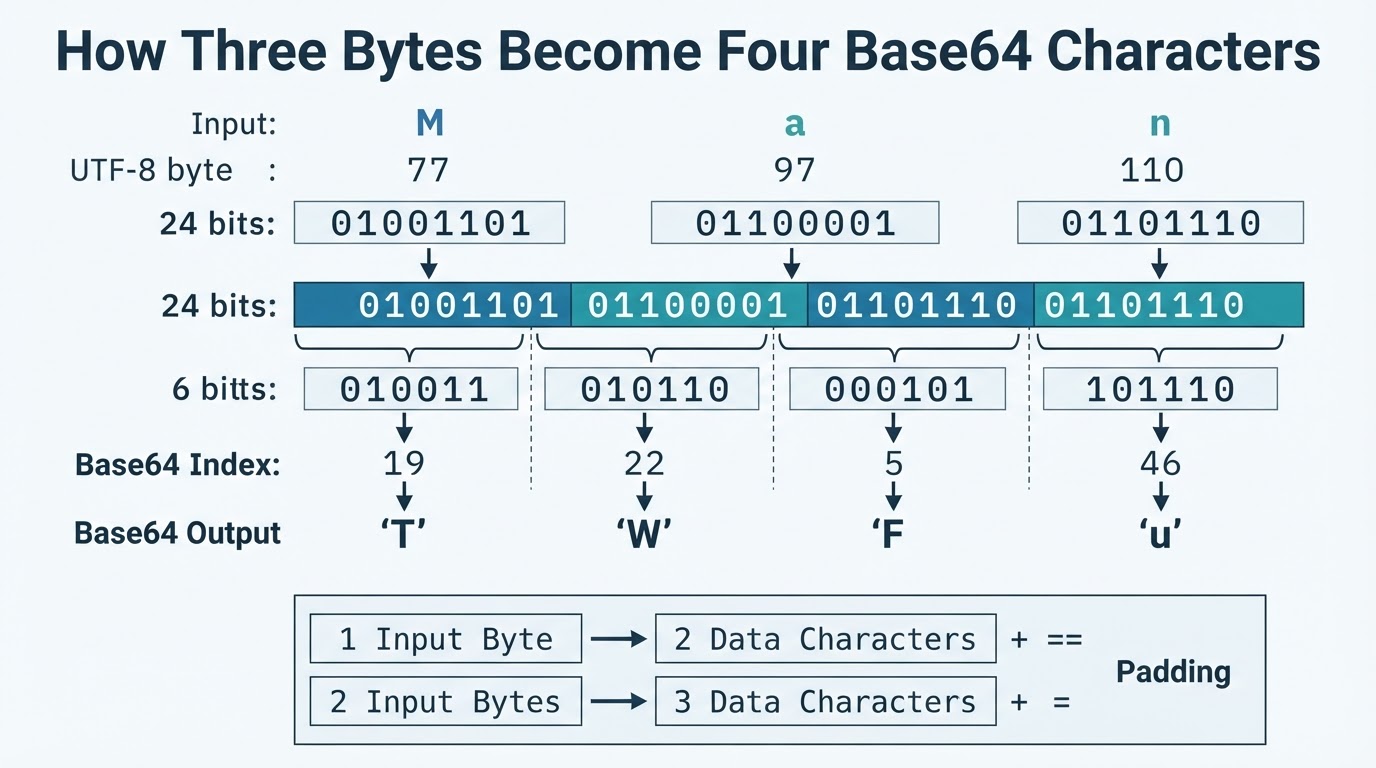
Base64 processes input in groups of three bytes. Three bytes contain 24 bits, which are divided into four groups of six bits. Each six-bit value maps to one character in the Base64 alphabet.
For the text "Man", the byte values are 77, 97, and 110. Splitting their 24 bits into four six-bit values produces 19, 22, 5, and 46. Those values map to T, W, F, and u.
When the input contains one byte, two Base64 characters represent data and two equals signs provide padding. Two input bytes produce three data characters and one padding character. Canonical standard Base64 normally uses padding so the output length is divisible by four, but some applications permit or require unpadded output. The receiving protocol determines what is valid.
Standard Base64 Versus Base64url
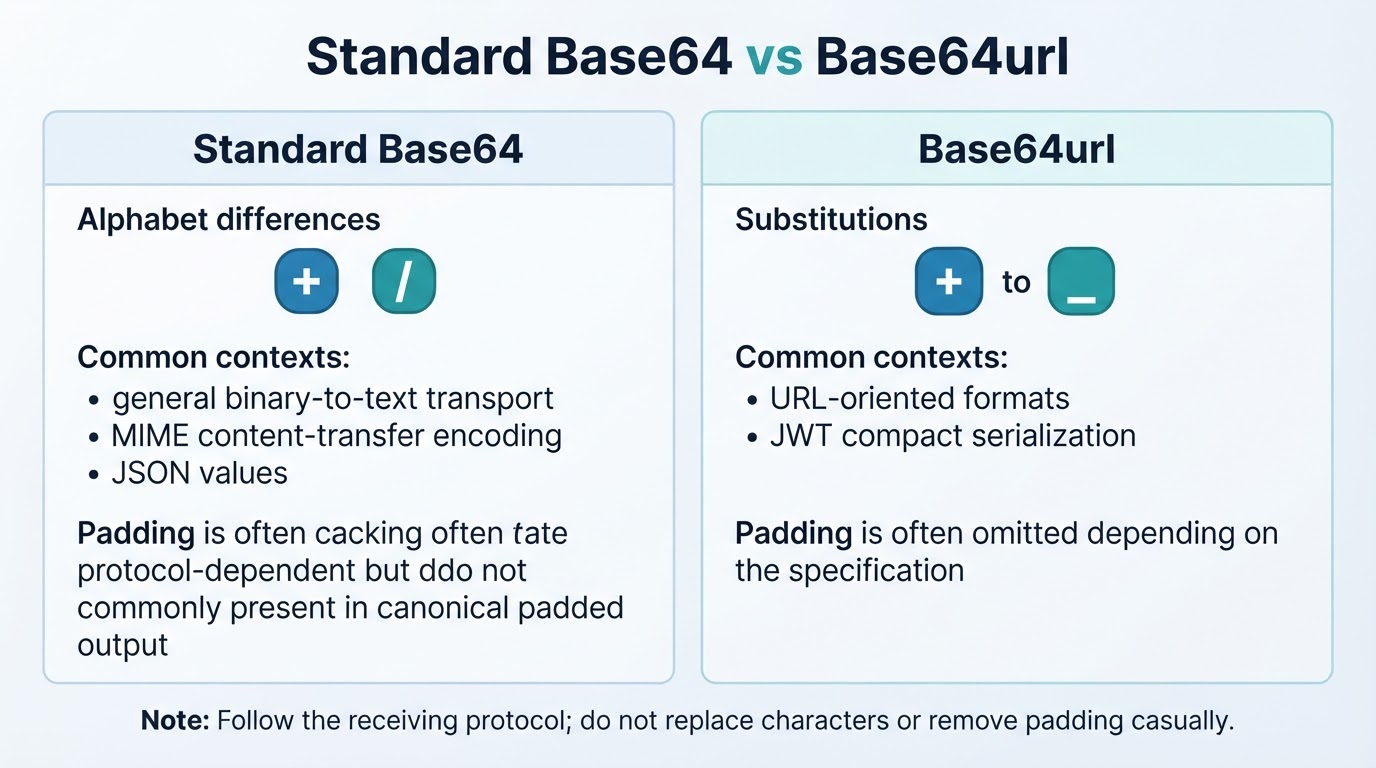
Base64url is a related alphabet defined by RFC 4648. It replaces plus (+) with hyphen (-) and slash (/) with underscore (_). Padding rules are protocol-specific: many applications omit trailing equals signs, while others require them.
Base64url is intended for URL- and filename-friendly contexts, but it is not automatically safe in every URL component, query string, filesystem, shell, or surrounding protocol. Additional escaping or validation may still be required.
Do not replace characters or remove padding casually. Follow the exact specification of the system receiving the value.
Encoding and Decoding Text Correctly
Text should be converted to bytes before Base64 encoding. UTF-8 is the usual choice for modern text. During decoding, reconstruct the bytes first and then interpret them using the same character encoding.
ASCII examples can conceal mistakes because basic Latin characters are handled similarly by many systems. Emojis and other non-ASCII characters use multiple UTF-8 bytes and must not be treated as though each character were already one arbitrary byte.
Encoding and Decoding Files
Read and write files as raw bytes. Do not copy arbitrary binary data through a text editor or save decoded output as UTF-8 text, because either action can change the bytes and corrupt the file.
After decoding, check the expected size and content. For important files, compare the original and restored bytes or calculate a cryptographic hash to detect accidental changes. A hash or checksum can detect changes when compared with a trusted value, but it does not authenticate a file against an active attacker.
Data URLs, APIs, Email, and JWTs
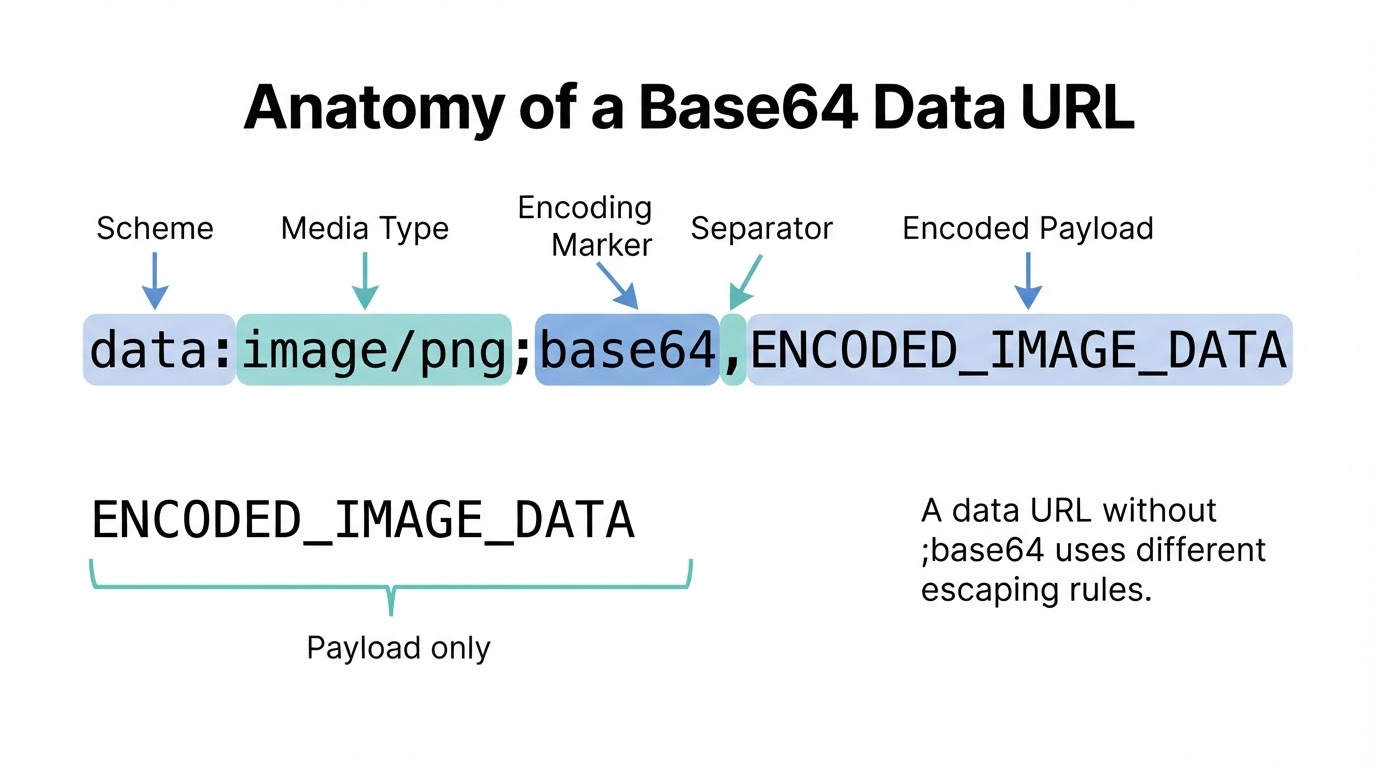
The surrounding protocol determines whether a value should include a wrapper, padding, line breaks, or a particular alphabet.
Troubleshooting Base64 Errors
When decoding fails, check the format before changing the value. A decoder that accepts relaxed input may produce data that another application rejects.
Limitations and Privacy Considerations
Base64 adds approximately one-third to the representation size and does not compress data. Use native binary transfer when the transport supports it, especially for large files.
Decoding also does not sanitize content. A Base64 value can conceal an executable or malicious file. Before opening or passing decoded content to another system, apply appropriate size limits, inspect file signatures or magic bytes, use safe parsers, scan for malware where appropriate, and isolate untrusted processing.
A Safe Base64 Checklist
Before encoding or decoding, confirm the following:
- The input type: text, raw bytes, file, JSON field, data URL, or token segment.
- The text encoding, usually UTF-8.
- Standard Base64 versus Base64url.
- Padding, whitespace, line-wrapping, and maximum-size requirements.
- Whether a complete wrapper such as a data URL is required.
- Whether decoded output will be saved as bytes rather than text.
- Whether untrusted files will be inspected and handled in an isolated workflow.
- Whether a byte comparison or trusted hash is needed to verify a restored file.
- Whether encryption, authentication, or a digital signature is required separately.
A round trip—encode, decode, and compare with the original—can reveal wrong alphabets, missing padding, Unicode mistakes, line-ending changes, and accidental binary-to-text conversion.
Conclusion
Base64 is a reversible way to represent bytes as text when a system cannot easily carry arbitrary binary data. Reliable results depend on using the correct text encoding, alphabet, padding rules, and protocol format.
Standard Base64, Base64url, MIME Base64, data URLs, JSON fields, and JWT segments can have different requirements. Base64 also increases size and provides neither secrecy nor authenticity. Use encryption or authentication separately when the application requires them, preserve decoded binary data as bytes, and verify important round trips.