
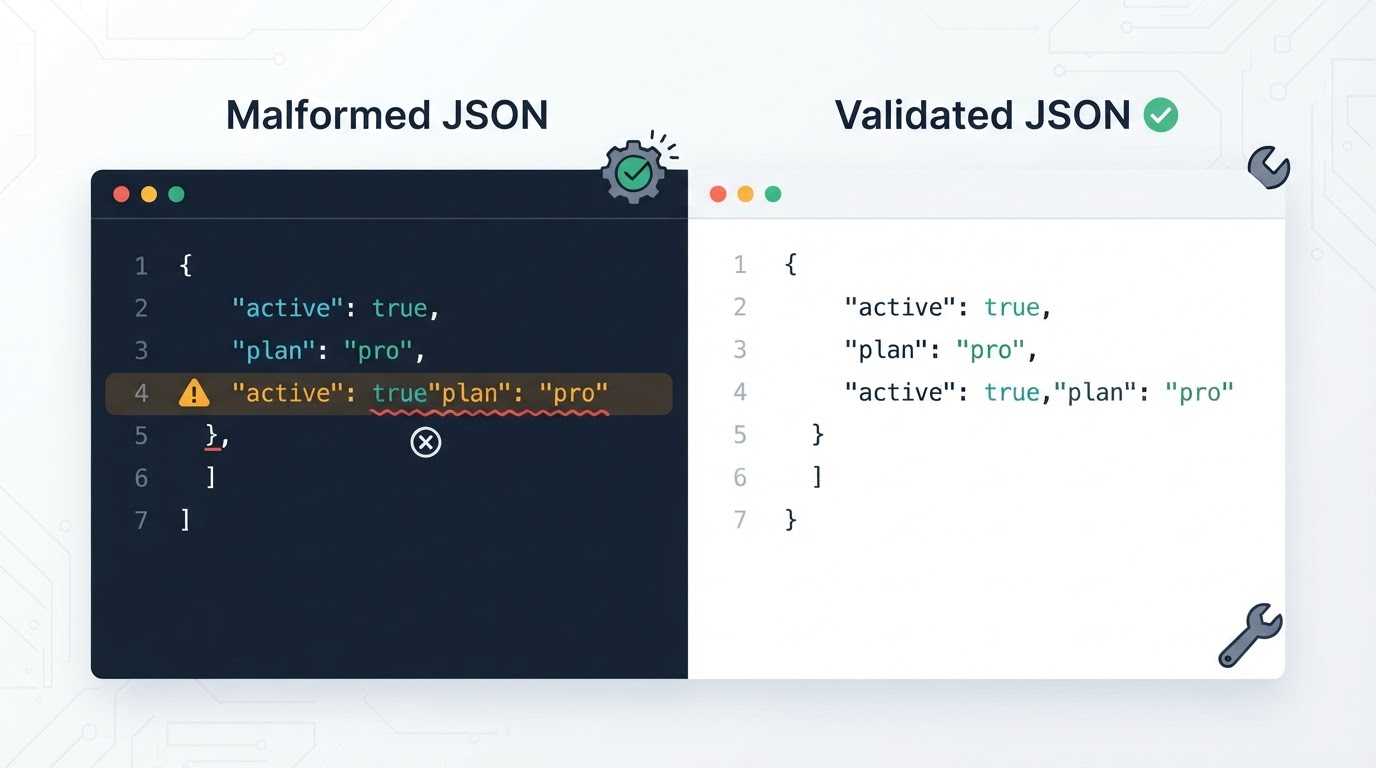
A JSON validator checks whether text follows standard JSON syntax. It can identify problems with quotation marks, commas, brackets, braces, strings, numbers, escape sequences, and incomplete input.
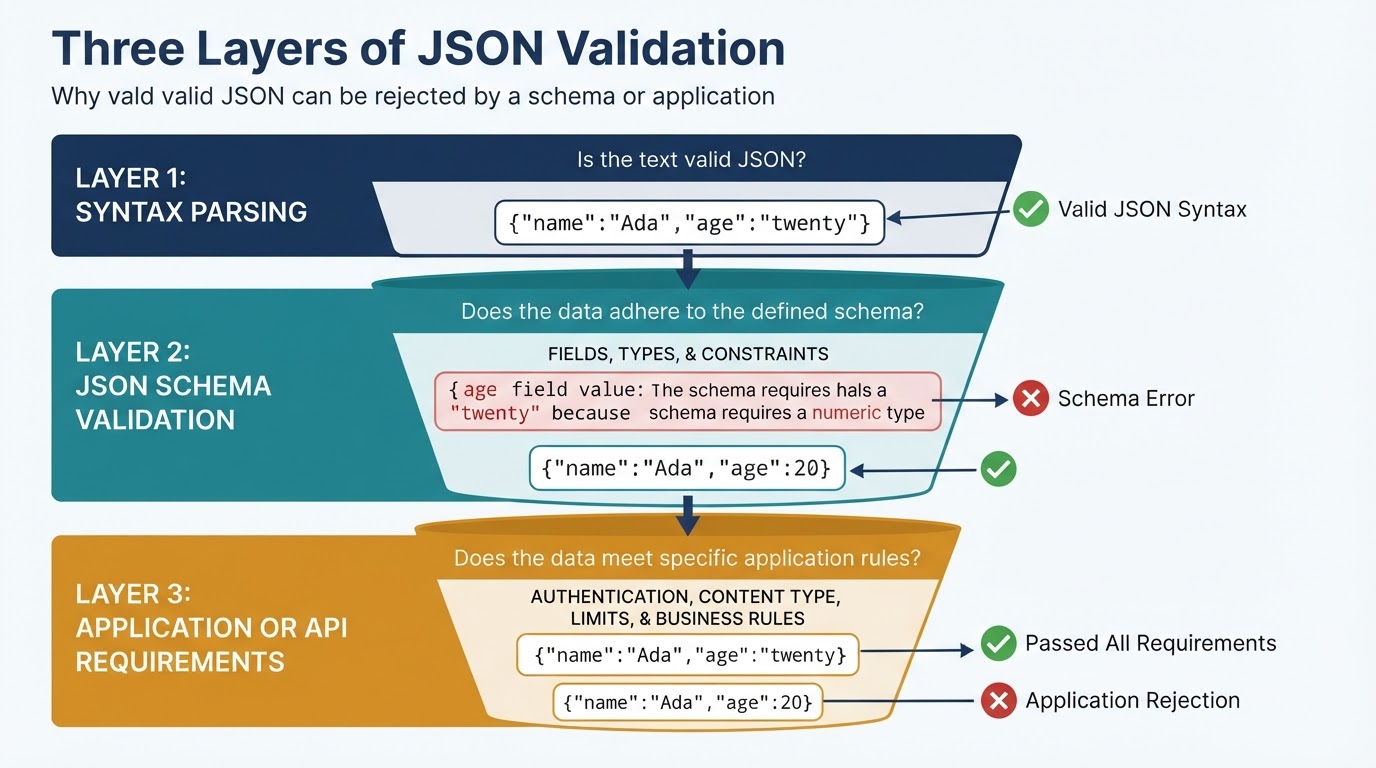
Syntax validation is only the first layer of checking. Valid JSON can still have missing fields, incorrect data types, duplicate object names, unsafe values, imprecise numbers, or a structure that an API does not accept. A reliable workflow preserves the original payload, uses strict JSON mode, fixes one issue at a time, and then checks the result against a JSON Schema or the target application's requirements.
For credentials, personal information, production records, or confidential business data, use a trusted local parser or a carefully redacted sample instead of uploading the original file to an online service.
What Is a JSON Validator?
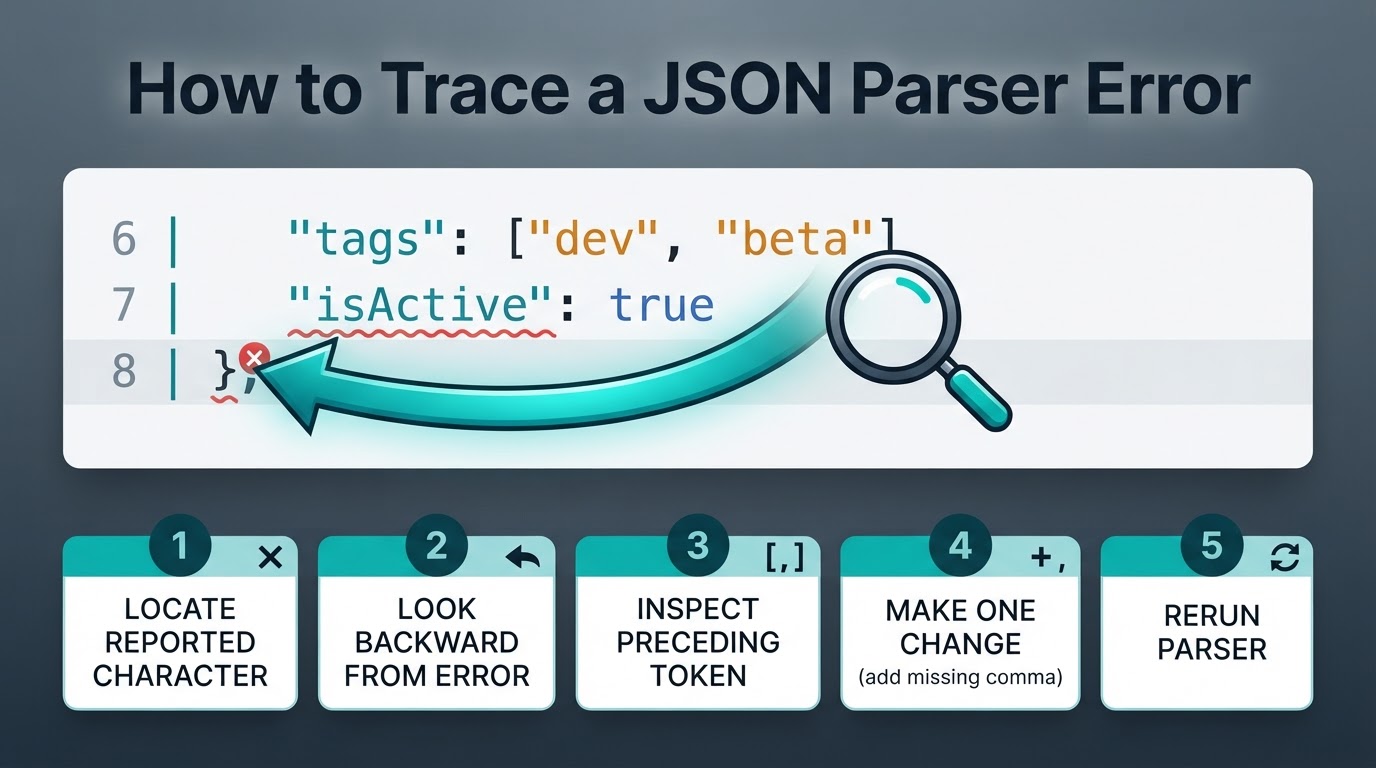
A JSON validator parses text according to the JSON grammar. Many validators report an error message and a line, column, character position, or unexpected token, but the exact information depends on the parser. The reported location is usually where parsing became impossible, not necessarily where the mistake began.
A standalone JSON value may be an object, array, string, number, true, false, or null. However, an API or configuration system may separately require a top-level object or array. JSON exchanged between systems should use UTF-8. Local files can involve other encodings, and handling of those files depends on the parser and application.
A Practical JSON Validation Workflow
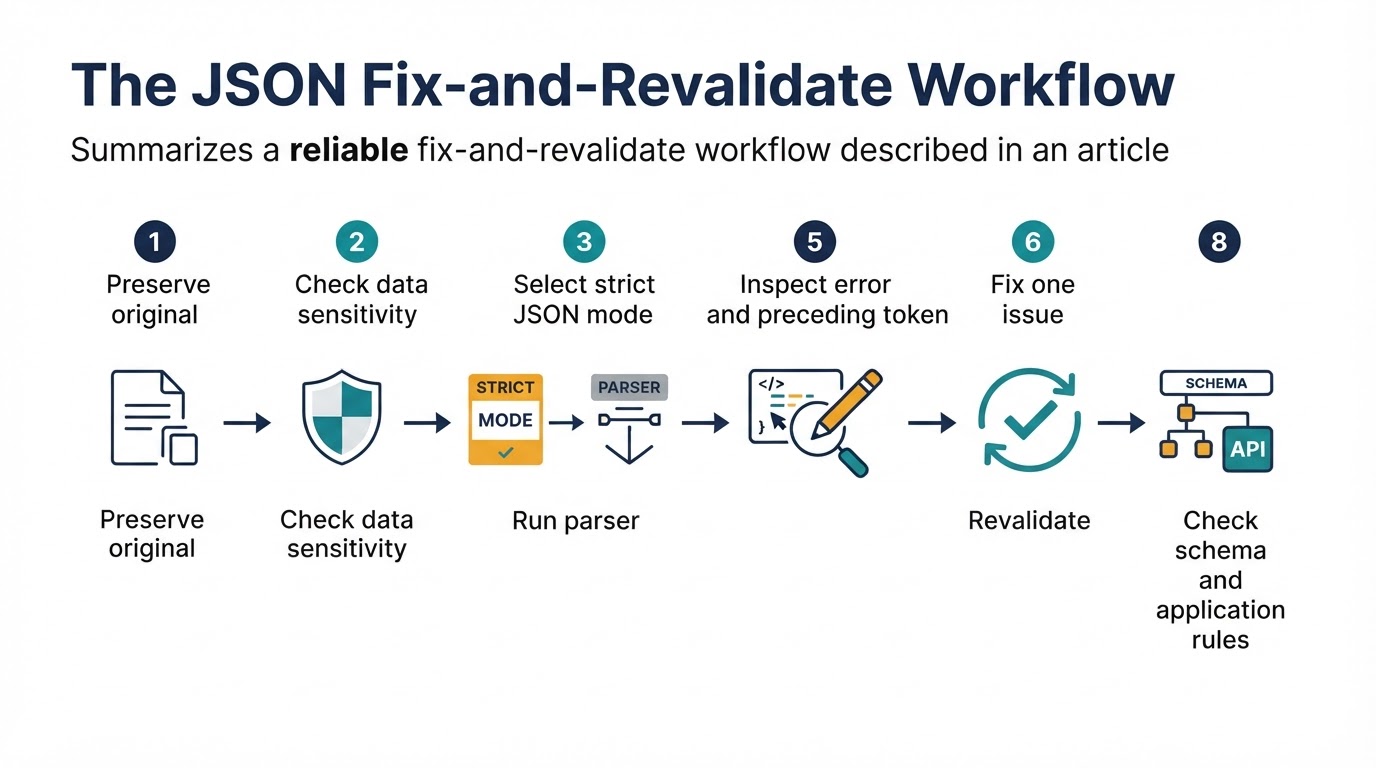
Use this process for a JSON response, configuration file, export, script output, or user submission:
- Preserve the original input and record where it came from.
- Decide whether the data is safe to process online. Use a local parser for sensitive content or a redacted sample for demonstrations.
- Confirm that the validator uses strict standard JSON rather than JSON5, JSONC, a JavaScript object-literal mode, or an automatic repair mode.
- If the input is wrapped in a log prefix or Markdown code fence, preserve the original and extract a copy only after confirming that the wrapper is not part of the actual payload.
- Run the syntax check and record the exact error and reported location.
- Inspect the reported character, the preceding token, and the surrounding object or array.
- Fix one clear problem, preserve a diff, and run the parser again.
- After syntax succeeds, check duplicate names, data types, required fields, and other application rules.
- Validate against JSON Schema when a schema exists, then test the exact payload in the target application.
How to Read JSON Parser Errors
Parser wording varies, so treat an error message as a clue rather than a complete diagnosis. The first structural mistake often appears before the highlighted position. Fixing one early missing comma, quotation mark, or closing delimiter can eliminate several later errors.
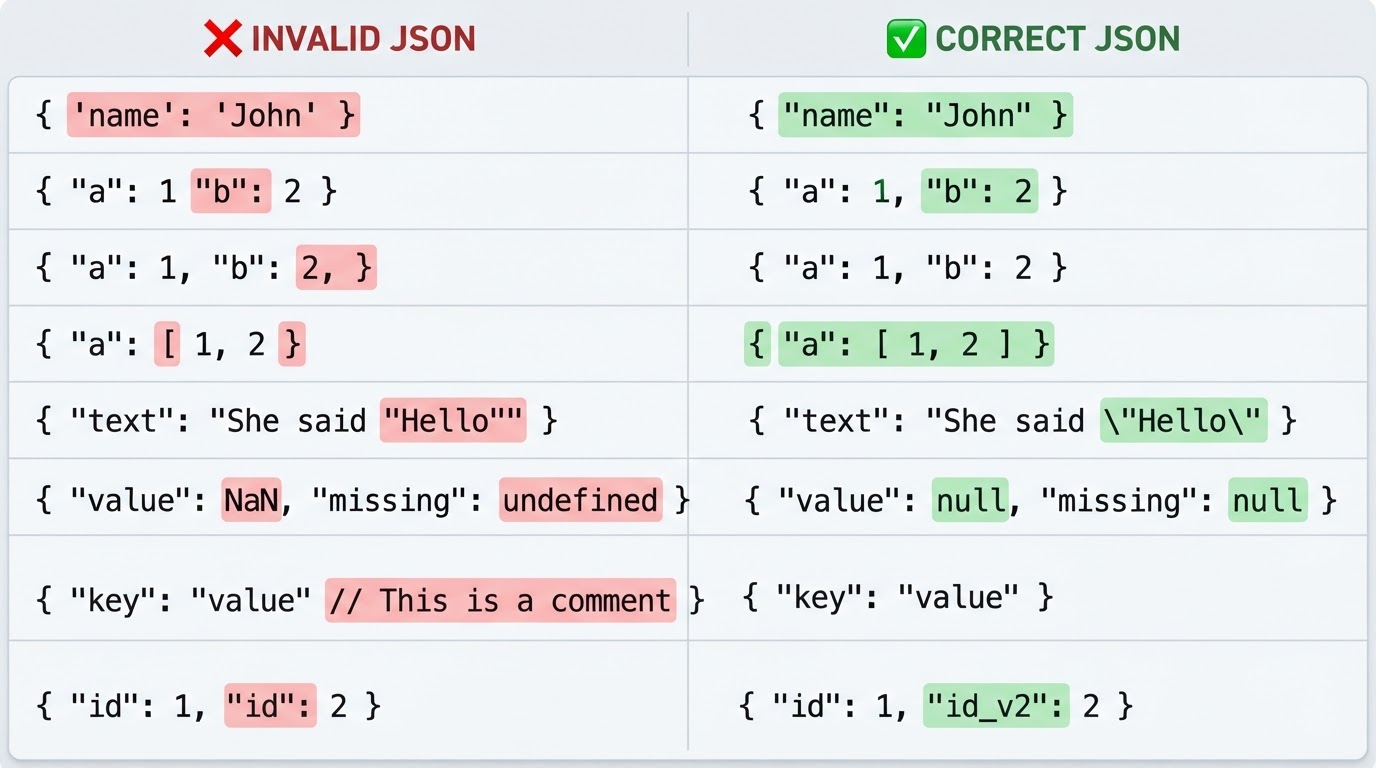
Common JSON Syntax Errors and Fixes
Standard JSON is stricter than a JavaScript object literal. The examples below use strict JSON syntax.
Validator, Formatter, Linter, Repair Tool, and Schema Validator
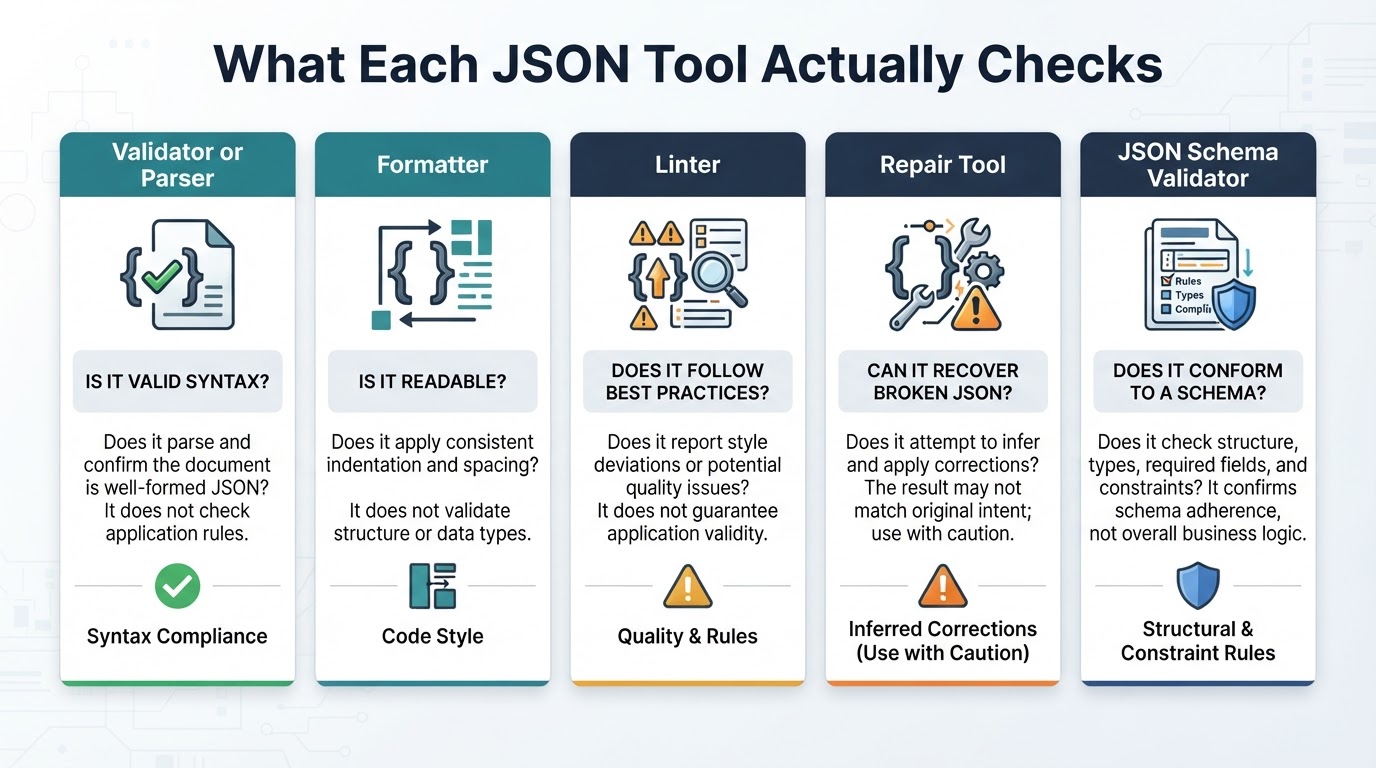
These tools answer different questions:
| Tool | Main purpose | Main limitation |
|---|---|---|
| Validator or parser | Determines whether text can be read as standard JSON | Does not check business rules or permissions |
| Formatter or beautifier | Adds indentation and line breaks | May require valid JSON or silently use an extension mode |
| Linter | Reports style and quality issues, depending on its rules | Rules vary between tools |
| Repair tool | Attempts to infer corrections | May change the author's intended data |
| JSON Schema validator | Checks a parsed value against declared constraints | Requires the correct schema draft and validator settings |
A successful formatting operation is not proof that the original text was strict JSON if the tool repaired input or accepted extensions. Review changes and compare the result with the original.
JSON Syntax Validation and JSON Schema
Syntax validation asks whether text can be parsed. JSON Schema validation asks whether the parsed value matches an expected structure and set of constraints. A schema can describe required properties, permitted properties, types, patterns, ranges, enumerations, and array rules.
The format keyword requires special care. Whether formats are treated as enforced assertions or informational annotations depends on the schema draft, vocabulary, validator, and configuration. Confirm the selected validator's format settings instead of assuming that every format value will be rejected when invalid.
When Valid JSON Fails in an Application
If a parser accepts the document but an API, script, or deployment process rejects it, separate syntax problems from schema errors, authentication failures, content-type problems, request-size limits, unsupported values, and business rules.
The application may also receive different content from the text tested manually. A log prefix, Markdown fence, wrapper object, truncation, encoding difference, or byte-order mark may have been added or removed in transit. A system may receive a string containing JSON rather than a parsed object and require an additional parsing step.
Privacy and Security Considerations
Do not upload API keys, passwords, bearer tokens, private keys, cookies, signed URLs, connection strings, personal information, private certificates, production records, or confidential business data to an online validator without an approved reason and a clear understanding of its data handling. Credentials accidentally submitted to a third-party service should be revoked or rotated according to the relevant incident procedure.
HTTPS protects data in transit, but it does not prove that a service does not retain, log, analyze, or share submitted content. Before using an online service, check whether files are uploaded, how long they are retained, whether they appear in logs or analytics, whether third-party processors or subprocessors are involved, whether an account is required, how deletion works, how backups are handled, and where processing occurs.
Local validation reduces third-party upload exposure, but it is not an automatic security guarantee. Editors, extensions, logs, backups, endpoint compromise, and untrusted software can still expose data.
A JSON Validation Checklist
Before submitting, deploying, or sharing JSON:
- Preserve the original input and record its source.
- Use strict JSON mode when testing portability.
- Remove only confirmed wrappers, such as a log prefix or code fence, and keep the original unchanged.
- Use local processing or a redacted sample for sensitive data.
- Record the parser error and inspect the preceding token.
- Fix one structural issue at a time and review the diff.
- Check quotes, commas, colons, escapes, braces, brackets, and literals.
- Check duplicate names, unexpected nulls, wrong types, truncation, encoding, BOM handling, and invisible characters.
- Consider numeric precision and runtime-specific number limits.
- Validate against JSON Schema when a schema exists, including the validator's format settings.
- Confirm content type, authentication, endpoint requirements, request limits, and business rules.
- Test the exact payload in the target system using production-safe diagnostics.
Conclusion
A JSON validator is the right starting point for finding syntax errors, but a successful parse does not prove that a payload is complete, safe, precise, schema-compliant, or acceptable to an application. Use strict JSON mode, inspect the token before the reported error, fix one issue at a time, and preserve a diff.
After syntax validation, check duplicate names, numeric handling, schema constraints, privacy risks, endpoint requirements, and application behavior. For sensitive or very large files, prefer an appropriate local or streaming workflow and verify the exact payload safely.