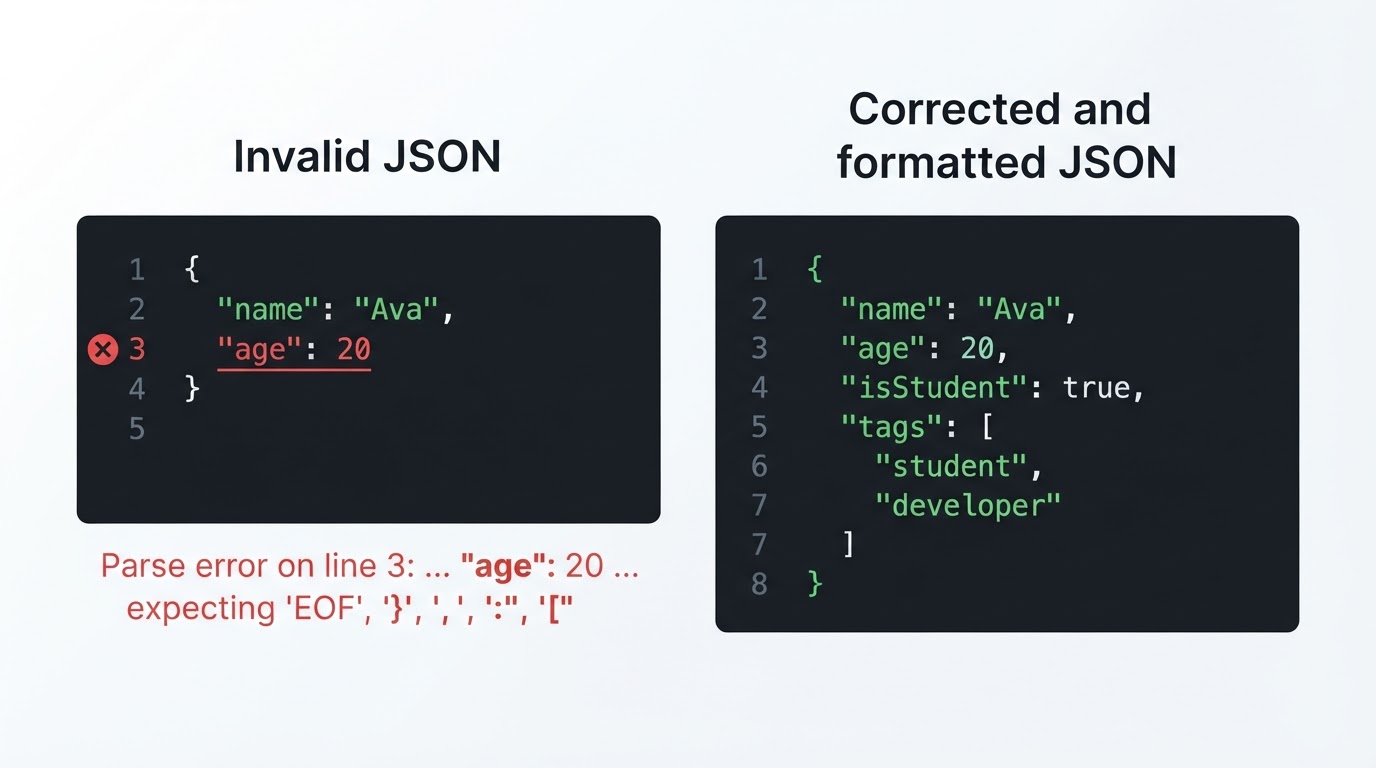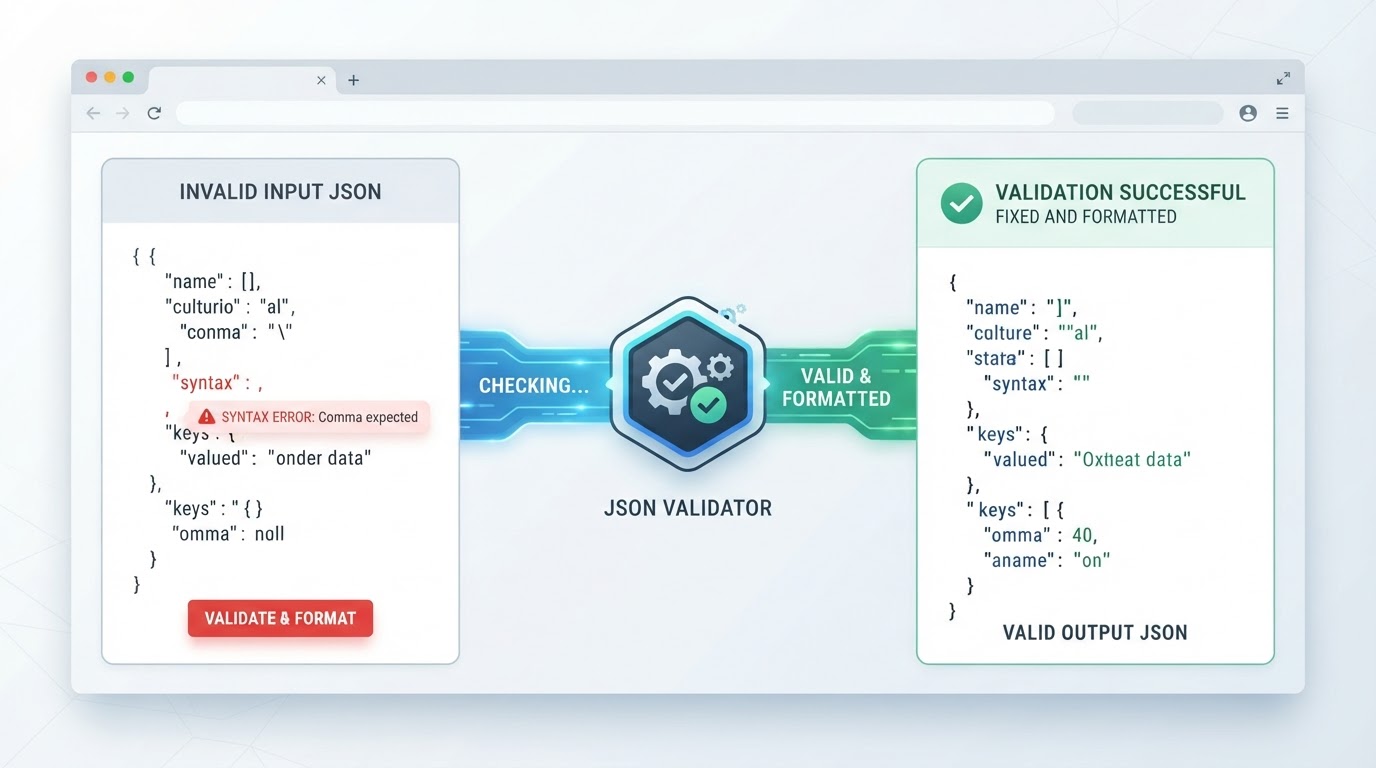
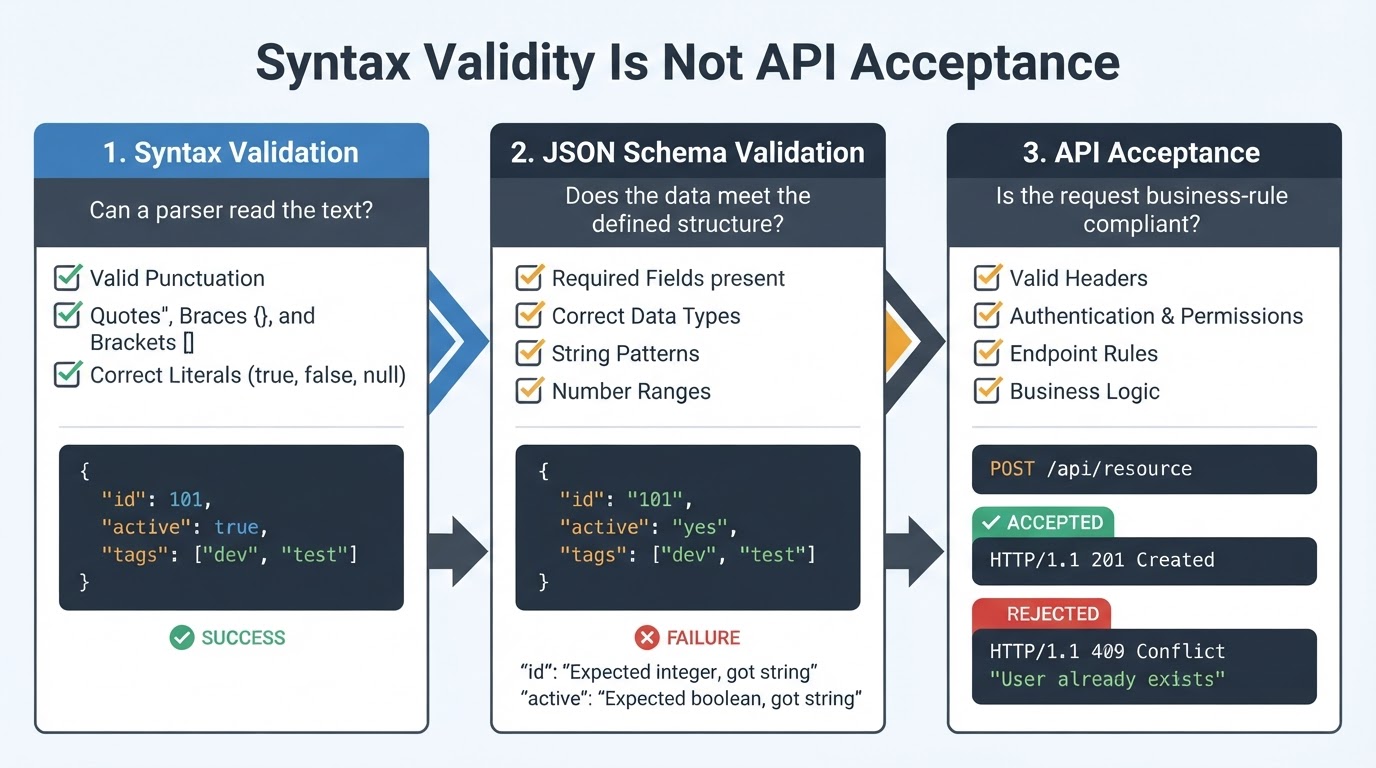
A JSON validator checks whether text follows the grammar expected by a JSON parser. It can identify missing commas, trailing commas, single quotes, unquoted property names, mismatched brackets, comments, invalid escapes, malformed numbers, and extra text around a document. Valid syntax is only the first step: an API can still reject the data because of missing fields, incorrect types, headers, authentication, permissions, or business rules. This guide explains how to validate JSON online or locally, interpret parser errors, fix common problems, format valid data, and check whether a payload also meets a JSON Schema or API contract. For confidential information, prefer an approved local or internal tool rather than an unverified online service.
Quick JSON Validation Workflow
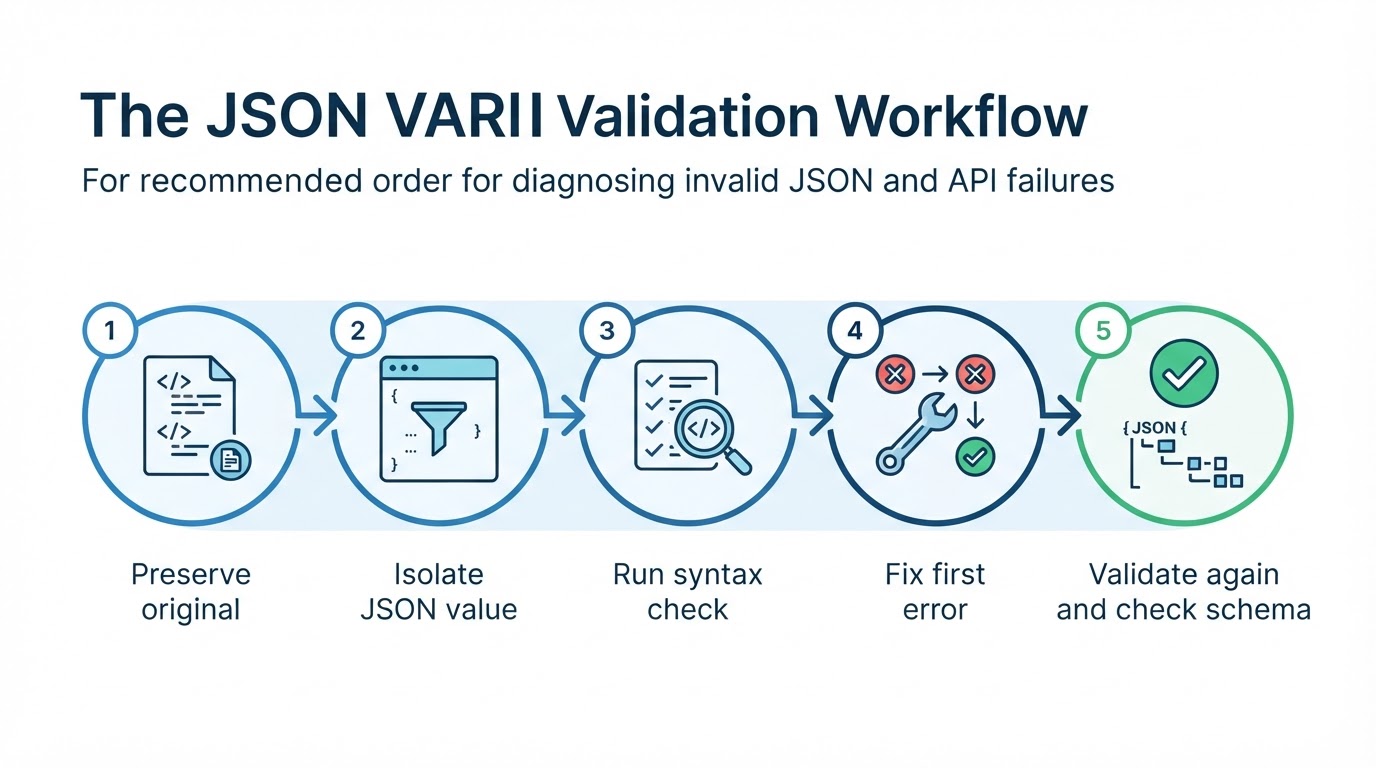
Use this process when you need to check or fix invalid JSON:
What Is a JSON Validator?
JSON stands for JavaScript Object Notation. It represents structured data using objects, arrays, strings, numbers, true, false, and null. A JSON validator parses text according to the JSON grammar and reports whether the complete input is syntactically valid. Standard JSON permits one complete root value, including an object, array, string, number, true, false, or null. Particular APIs may impose an additional requirement that the root be an object or array.
The JSON Syntax Rules You Need to Know
JSON has a small but strict grammar. Objects use curly braces and contain name/value pairs. Arrays use square brackets and contain ordered values. Property names and string values use double quotation marks. Values can be strings, numbers, objects, arrays, true, false, or null.
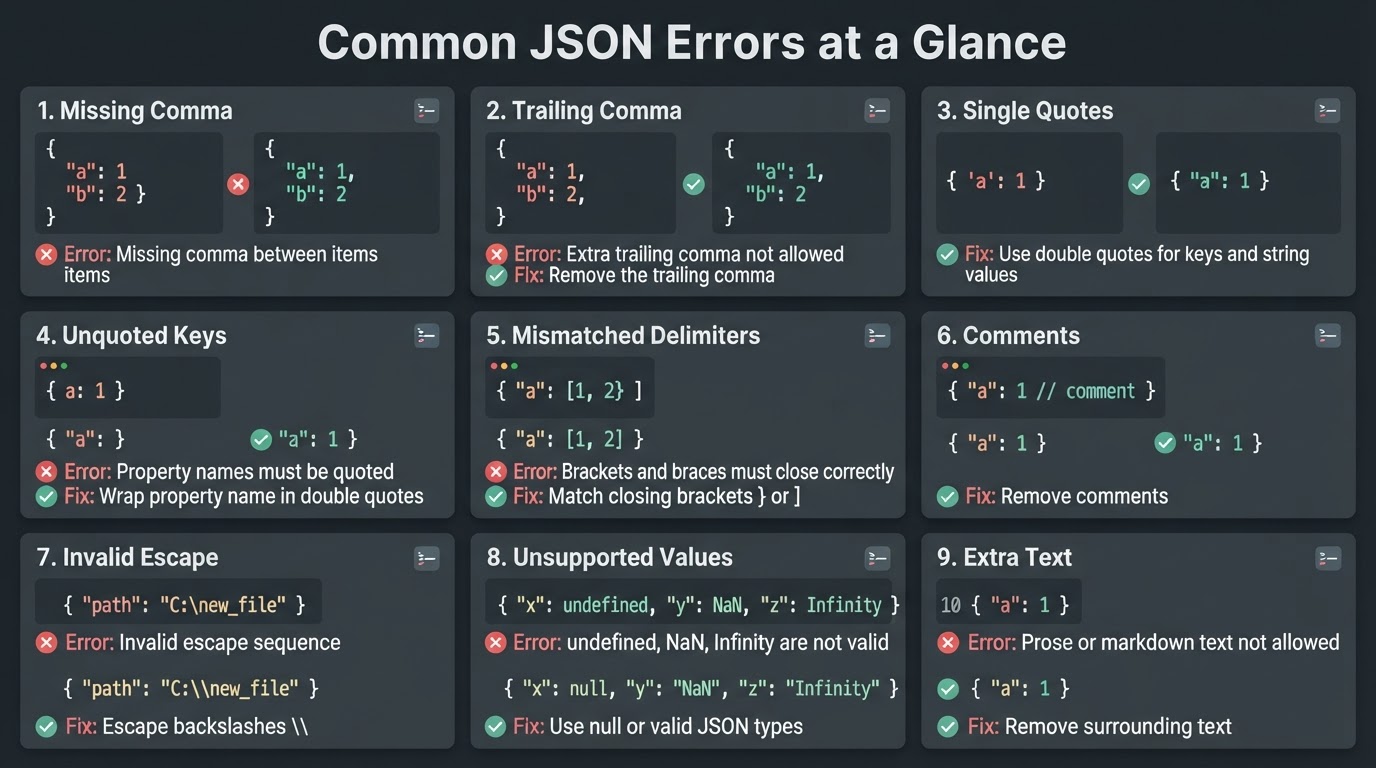
Common JSON Errors and How to Fix Them
Most JSON errors are punctuation, quoting, or delimiter problems. Make one correction at a time and validate again so you can identify which change resolved the error.
Common JSON Parser Errors Explained
Parser messages vary between validators, browsers, programming languages, and implementations. Treat each message as a clue and inspect the reported token along with the text immediately before it.
JSON Syntax Validation vs. JSON Schema Validation
Syntax validation asks, "Can a JSON parser read this text?" JSON Schema validation asks, "Does the parsed JSON value match the required structure, types, and constraints?" Schema validation generally operates on the parsed value, so insignificant whitespace and indentation do not affect the result.
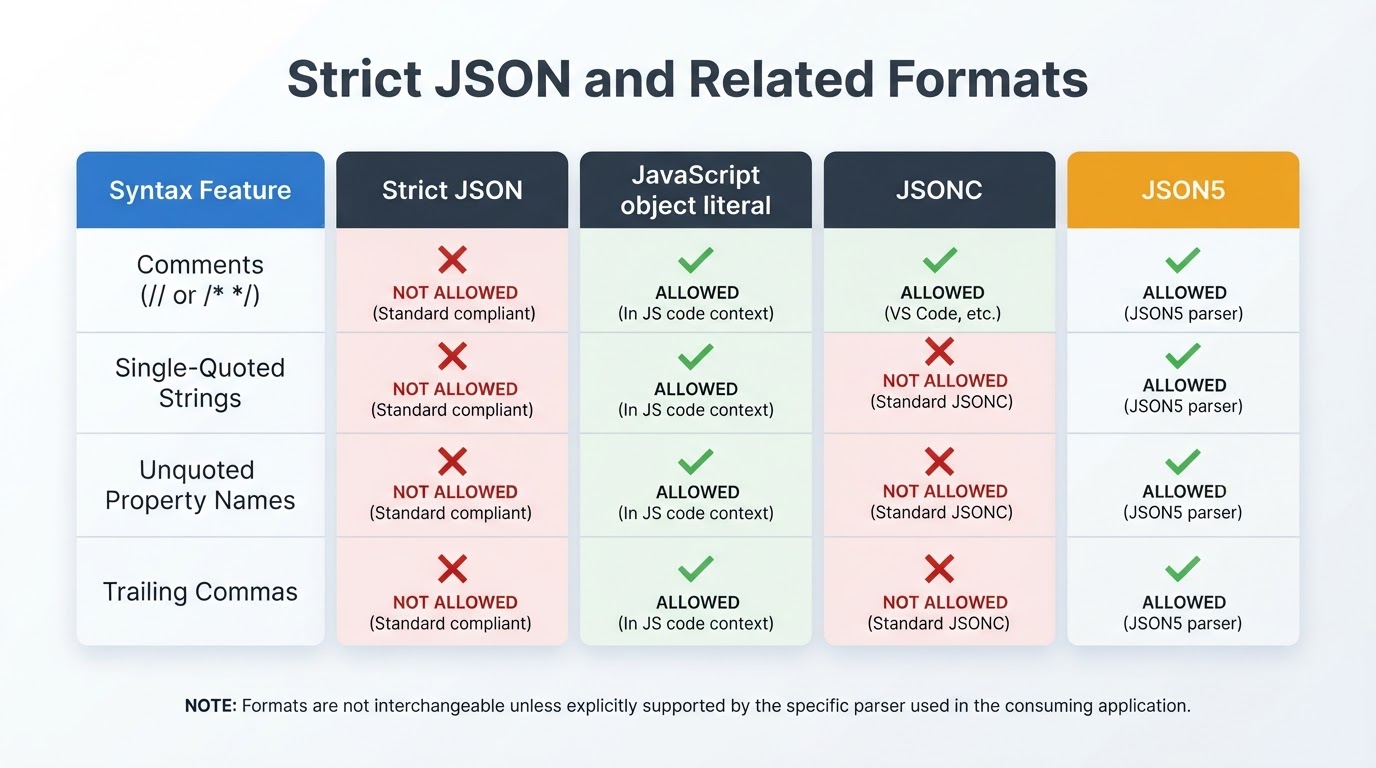
JSON, JavaScript Objects, JSONC, and JSON5
JSON resembles JavaScript object syntax but follows a stricter, language-independent grammar. JSONC and JSON5 add extensions that strict JSON parsers may reject. Use the format required by the consuming application rather than relying on a file extension or JavaScript-like appearance.
Formatting and Repairing JSON
A formatter normally works after the text has passed a syntax check. It adds whitespace, indentation, and line breaks to improve readability. A repair or fixer feature is different: it may infer missing punctuation or quotes and can change the document incorrectly.
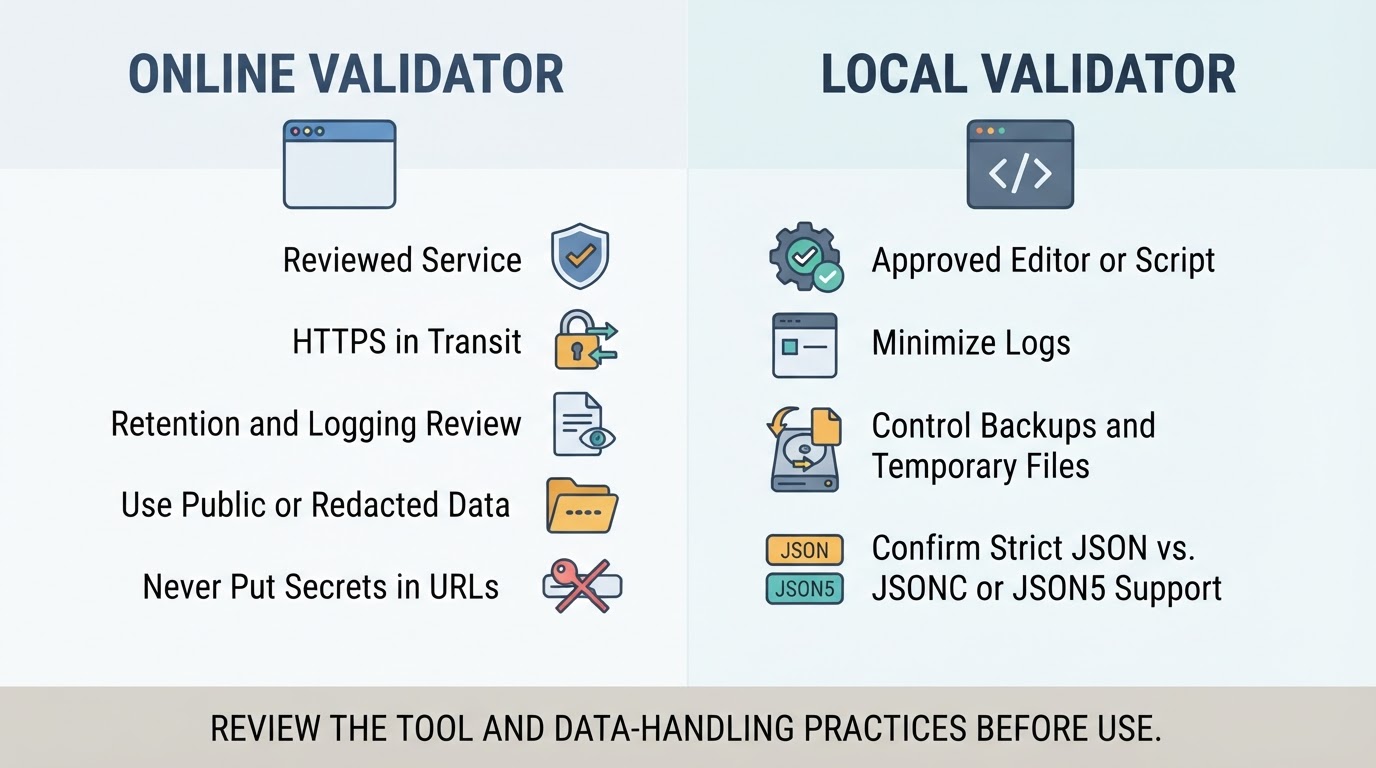
Validate JSON Locally
Local processing can reduce third-party exposure for confidential data, but it is not automatically secure. Approved software, editor extensions, scripts, shell history, logs, backups, crash reports, and endpoint access can still expose sensitive content.
Online JSON Validator Privacy and Security
Use an online JSON validator only for public, synthetic, minimized, or fully redacted examples unless the service has been reviewed and approved. HTTPS protects data in transit, but it does not establish how a service stores, logs, processes, shares, deletes, or backs up submissions.
JSON Validator Limitations and Edge Cases
A syntax validator cannot determine whether field names, values, or business rules are correct for a particular system. Large or deeply nested documents may exceed browser, parser, memory, or service limits even when their grammar is valid.
Conclusion
Use a JSON validator to confirm syntax, fix the first reported error, and validate again. Remember the core rules: use double quotes, avoid comments and trailing commas, use valid literals and numbers, escape characters inside strings, and balance every brace and bracket. Format the document after it becomes valid, then use JSON Schema or API documentation to check required fields, data types, and application rules. Use approved local processing for confidential data, and do not treat a successful syntax result as proof that an API will accept the payload.