
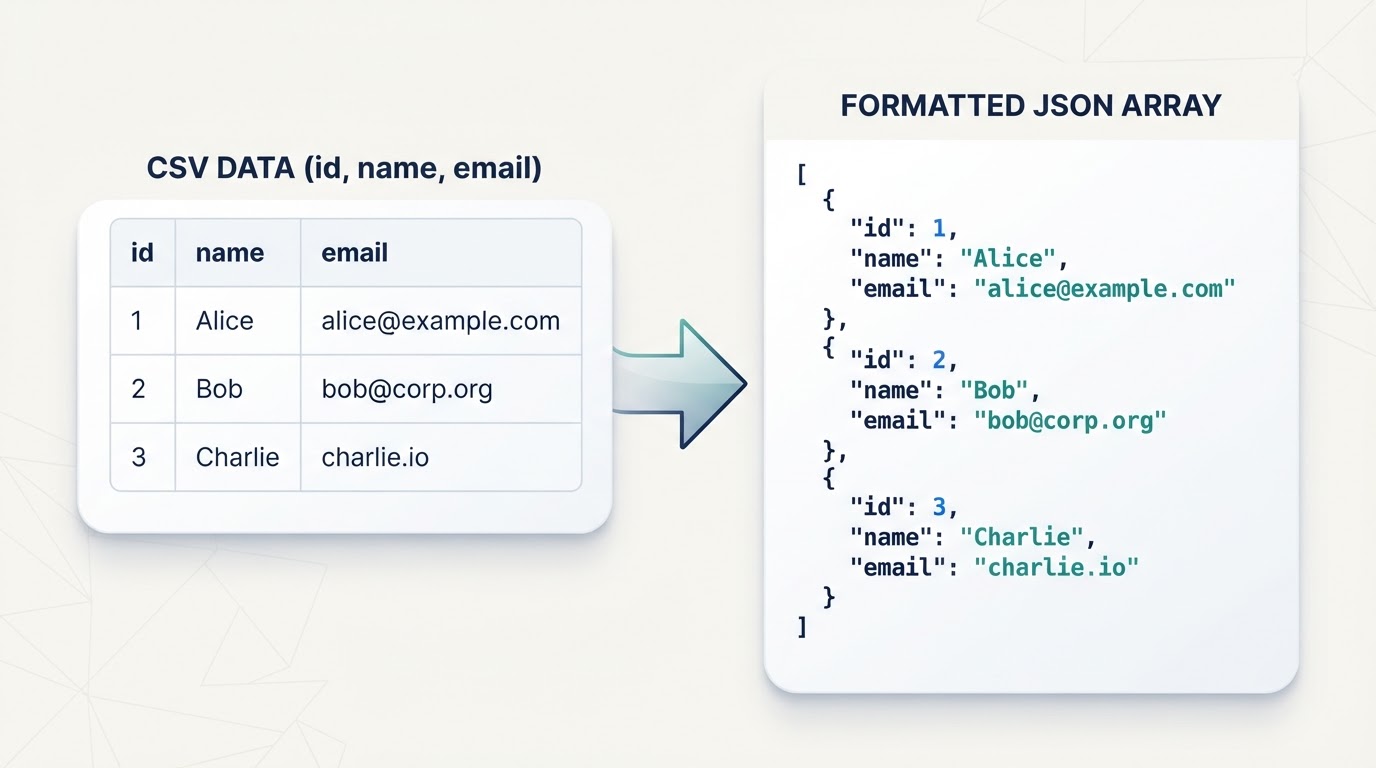
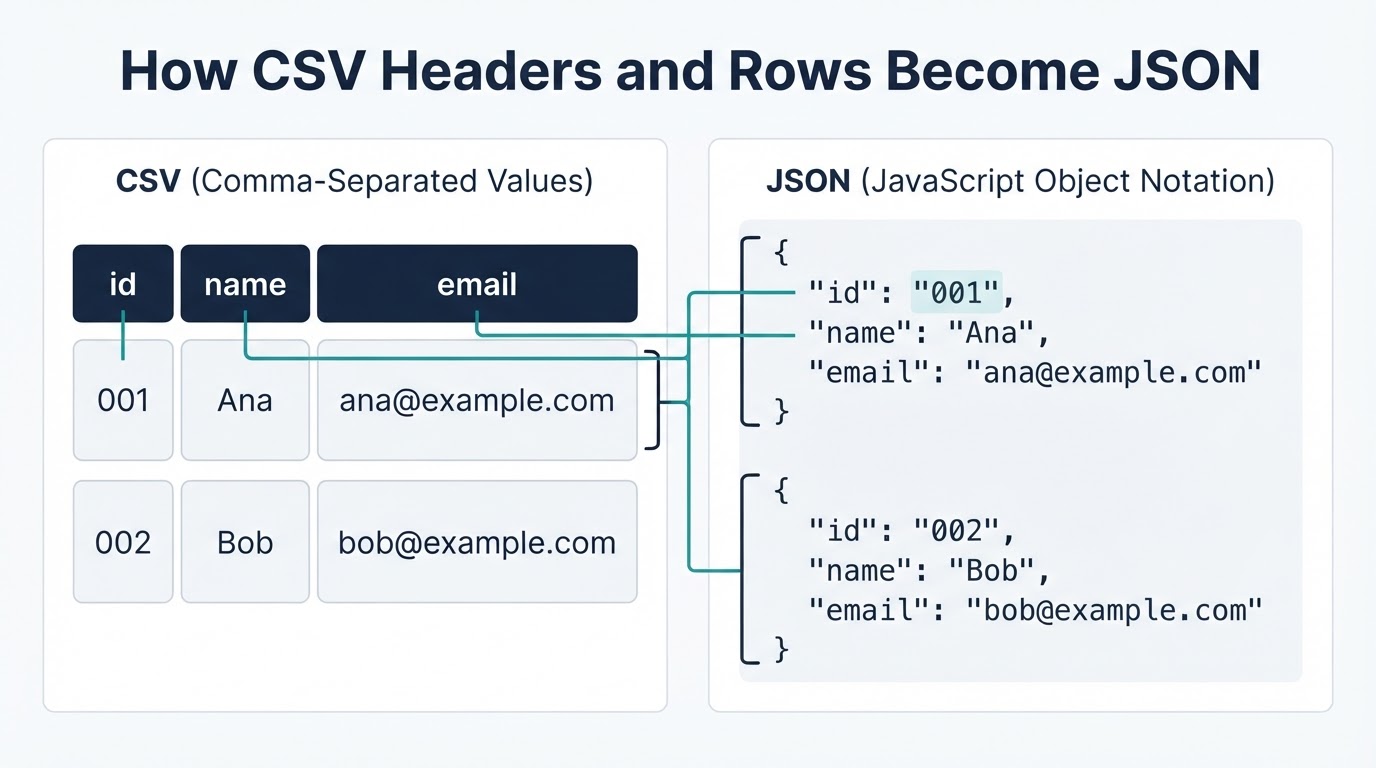
When you convert CSV to JSON, the usual result is an array in which each data row becomes a JSON object and each header becomes a property name. Reliable conversion involves more than replacing commas: delimiters, quoted fields, embedded line breaks, character encoding, missing values, data types, and the required output structure all affect the result.
For a small, non-sensitive file, an online converter may be the quickest option. Python or Node.js provides more control for confidential or repeatable work, while a controlled batch process is better for scheduled jobs. Whichever method you choose, validate the output and compare it with the source before using it in an application or API.
Quick Answer: Choose a Conversion Method
Use this practical guide:
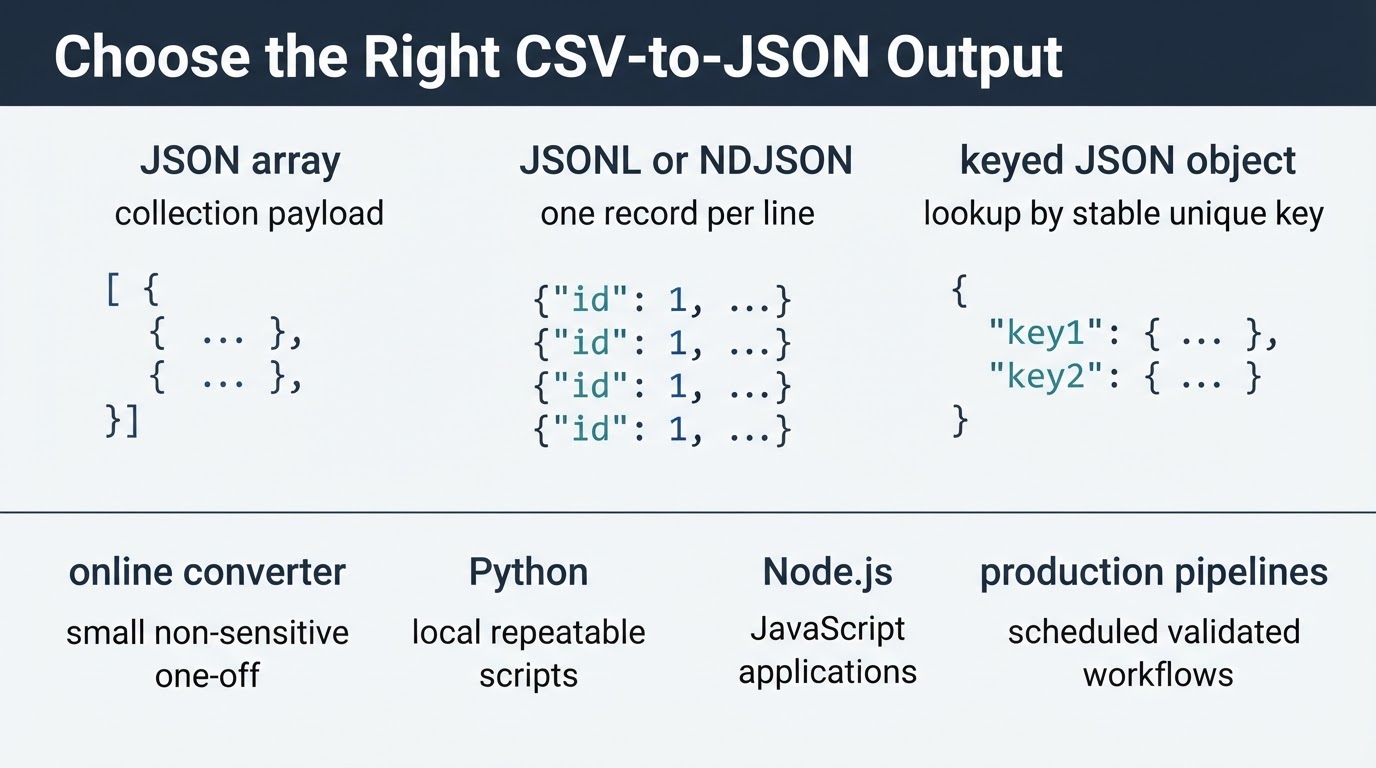
- Online converter: Best for a small, non-sensitive, one-time conversion. Confirm how the service handles uploads, delimiters, headers, and retention before using it.
- Python: Best for local processing, custom rules, repeatable scripts, and controlled validation.
- Node.js: Best when CSV conversion is part of a JavaScript application or service.
- JSONL: Useful for append-only or line-oriented processing when the receiving system supports newline-delimited records.
- Production pipeline: Best for scheduled imports, large files, logging, rejected-row reporting, and auditability.
Before converting, identify whether the destination requires a JSON array, a single object, a keyed object, or newline-delimited JSON. The destination format should determine the output.
CSV and JSON: What Changes During Conversion?
CSV is a text-based table. Rows represent records, and a delimiter separates fields. Commas are common, but tabs, semicolons, and pipes are also used. JSON represents structured data using objects, arrays, strings, numbers, booleans, and null.
CSV does not include a universal type system. A value such as 42, true, or 2025-01-01 may remain a string or be converted according to the parser's rules. Type conversion should be deliberate rather than based only on how a value looks.
Prepare the CSV Before Conversion
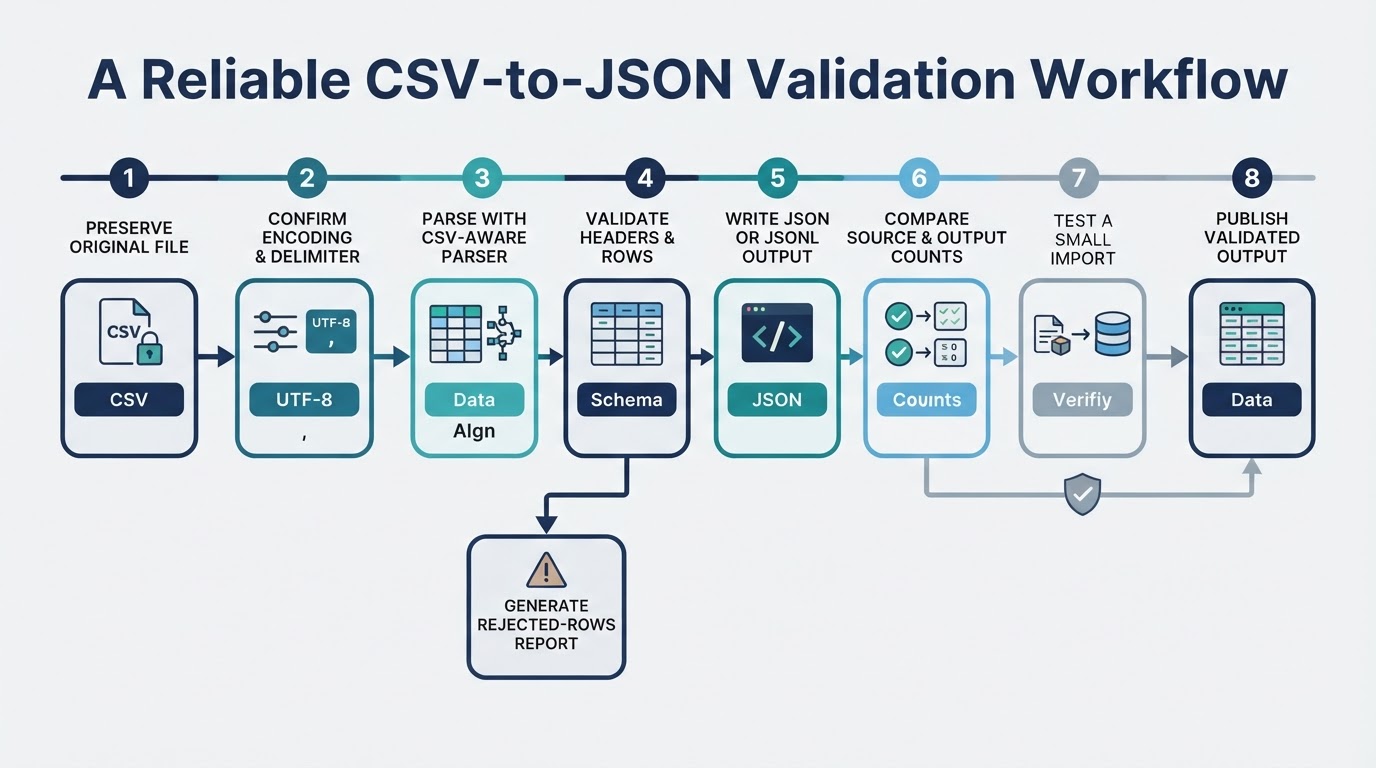
A dependable workflow starts by defining the source and destination rules:
- Make a backup of the original CSV.
- Confirm the delimiter, quote character, encoding, and line endings.
- Determine whether the first row contains headers.
- Check for duplicate headers, missing fields, extra fields, blank records, and malformed quoting.
- Decide whether empty cells become empty strings, null, or omitted properties.
- Decide which columns remain strings and which may become numbers or booleans.
- Select the required output structure.
- Convert with a CSV-aware parser and JSON serializer.
- Validate the output and compare it with the source.
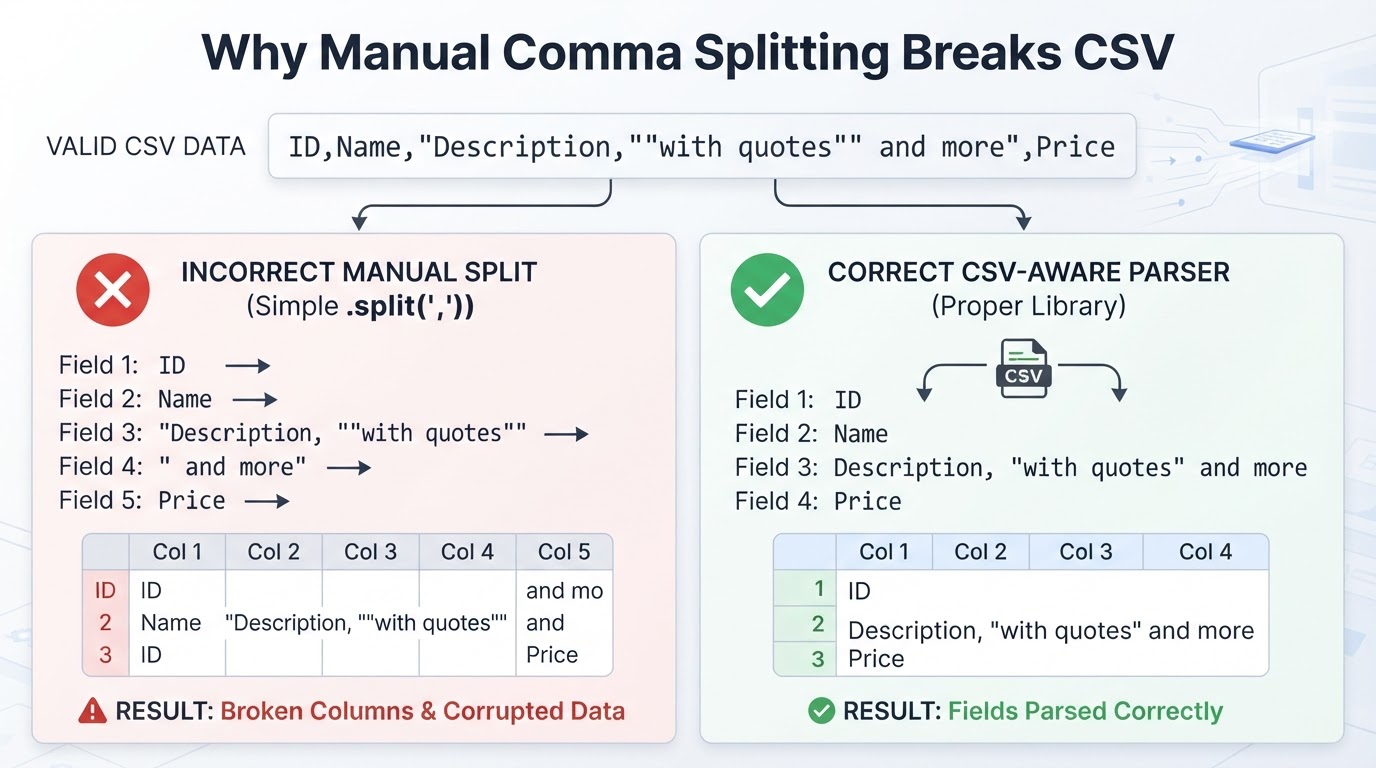
CSV fields can legally contain delimiters, quotation marks, and line breaks when they are quoted and escaped. For example:
1,"Austin, Texas","She said ""hello""",active
A standards-aware parser keeps the quoted comma and doubled quotation marks inside their fields. Splitting text manually on commas or newline characters can shift columns or break multi-line records. See RFC 4180 for the documented CSV conventions: https://www.rfc-editor.org/rfc/rfc4180.
Convert CSV to JSON Online
An online converter can be convenient for a small, non-sensitive, one-off file. Depending on the service, you may paste text or select a file, choose a delimiter and header setting, select an output format, and download or copy the result. These features are not universal, so verify the current interface before relying on them.
Before uploading data, remove unnecessary columns and use a synthetic or redacted sample when possible. Do not upload passwords, access tokens, private keys, confidential customer records, or regulated information unless the service has been approved for that data.
Choose the JSON Output Format
The receiving application or API should determine the output structure.
Convert CSV to JSON with Python
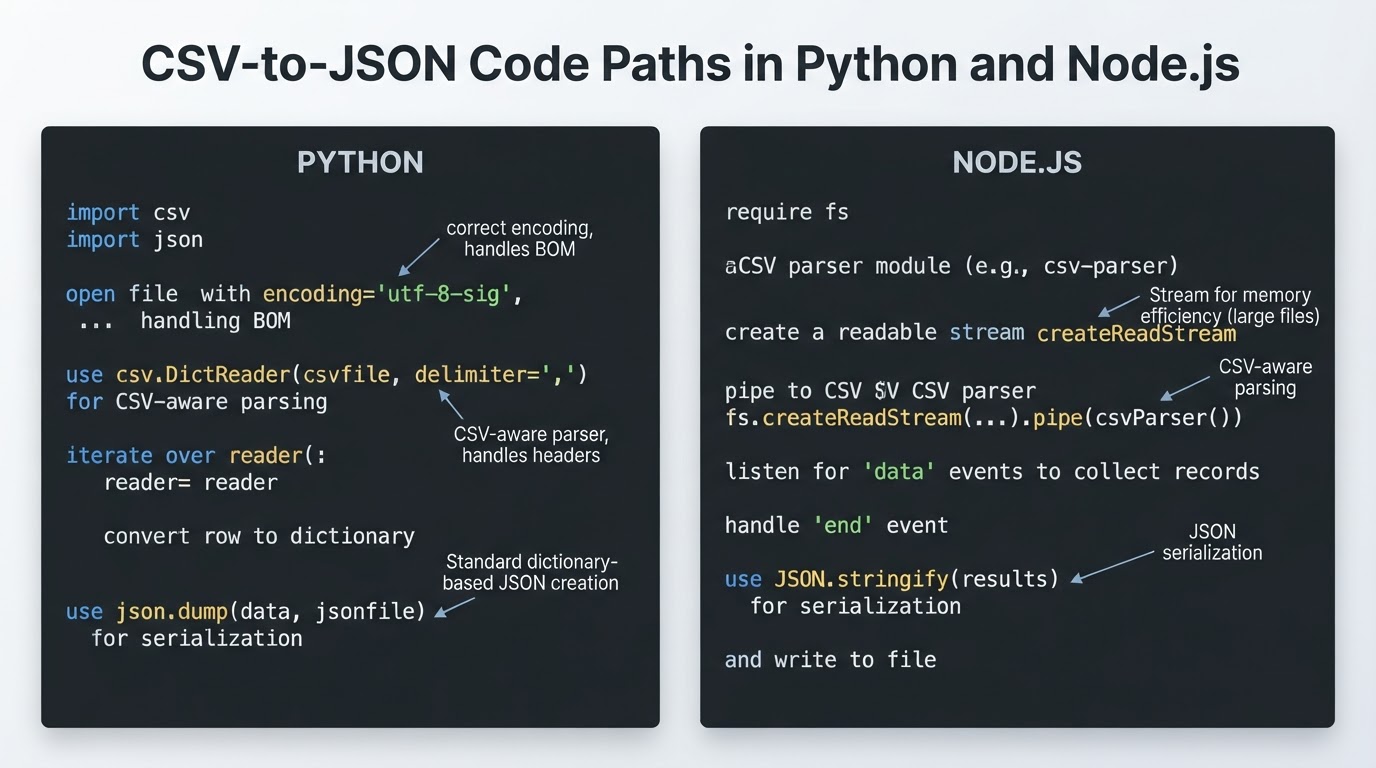
Python's standard-library csv module handles delimiters, quoting, and embedded line breaks more reliably than manual string splitting. DictReader maps header fields to row values, and json.dump writes valid JSON. The Python documentation recommends opening CSV files with newline='': https://docs.python.org/3/library/csv.html.
Convert CSV to JSON with Node.js
In Node.js, use a CSV parser that supports the source file's delimiters, quoted fields, embedded line breaks, and error reporting. The example below uses the csv-parse package and writes a JSON array. Review the package documentation and lock a tested version in the project before using it in production.
Validate the JSON Before Using It
A JSON parser can confirm syntax, but valid syntax does not prove that the data matches an API or application schema. Validate both the JSON structure and the source-to-output transformation.
Large Files and Repeatable Workflows
For scheduled or repeatable conversion, use a deterministic script or controlled job with explicit inputs, validation, logging, and failure handling. A practical batch pattern is:
- Read a new source file from a controlled input directory.
- Record the source filename, encoding, delimiter, and processing time.
- Parse records and write rejected rows to a separate report.
- Validate counts, required fields, and destination structure.
- Write the output to a temporary file and move it into place only after validation succeeds.
- Store logs and the validation result.
- Secure or delete temporary copies according to organizational policy.
A scheduler can run a command such as python convert.py --input input.csv --output output.json, followed by a validation command. The exact scheduler and command-line options depend on your application; the important safeguards are repeatability, observable failures, and no silent data loss.
For large collections, JSONL is often simpler for incremental, append-only, or line-oriented processing. A streaming JSON-array serializer is another option when the destination requires an array.
Privacy and Spreadsheet Security Considerations
CSV conversion does not make sensitive data safe. Local processing can reduce third-party upload exposure, but local software, temporary files, logs, backups, and the computer itself still require appropriate protection. Use trusted and updated software, least-privilege access, and secure storage.
If the JSON may later be exported to CSV or opened in spreadsheet software, consider formula-injection risks. Values beginning with characters such as =, +, -, or @ may be interpreted as formulas in some applications and import paths. A minus sign also begins legitimate negative numbers, so do not apply blanket sanitization that corrupts valid data. Identify the target spreadsheet application, test its behavior, preserve original values separately, and apply a documented export-specific mitigation only where appropriate. OWASP provides background at https://owasp.org/www-community/attacks/CSV_Injection.
Can CSV Become Nested JSON?
A basic conversion produces flat objects with one property per column. Nested objects and arrays cannot be inferred reliably from arbitrary column names. They require an explicit mapping, naming convention, grouping key, or custom transformation.
For example, columns such as customer_name and customer_email could map to:
{
  "customer": {
    "name": "Ana",
    "email": "ana@example.com"
  }
}
Multiple rows could also be grouped by order_id to create one order with an items array. Grouping changes the relationship between source rows and output objects, so validate grouping rules and record counts separately from basic parsing.
Conclusion
To convert CSV to JSON reliably, use a CSV-aware parser, confirm the source encoding and delimiter, define header, type, and missing-value rules, and choose the output structure required by the destination. Use an online converter for suitable non-sensitive one-off files, Python or Node.js for controlled repeatable work, and a validated pipeline for scheduled or large-scale processing. Always compare source and output records before relying on the result.