
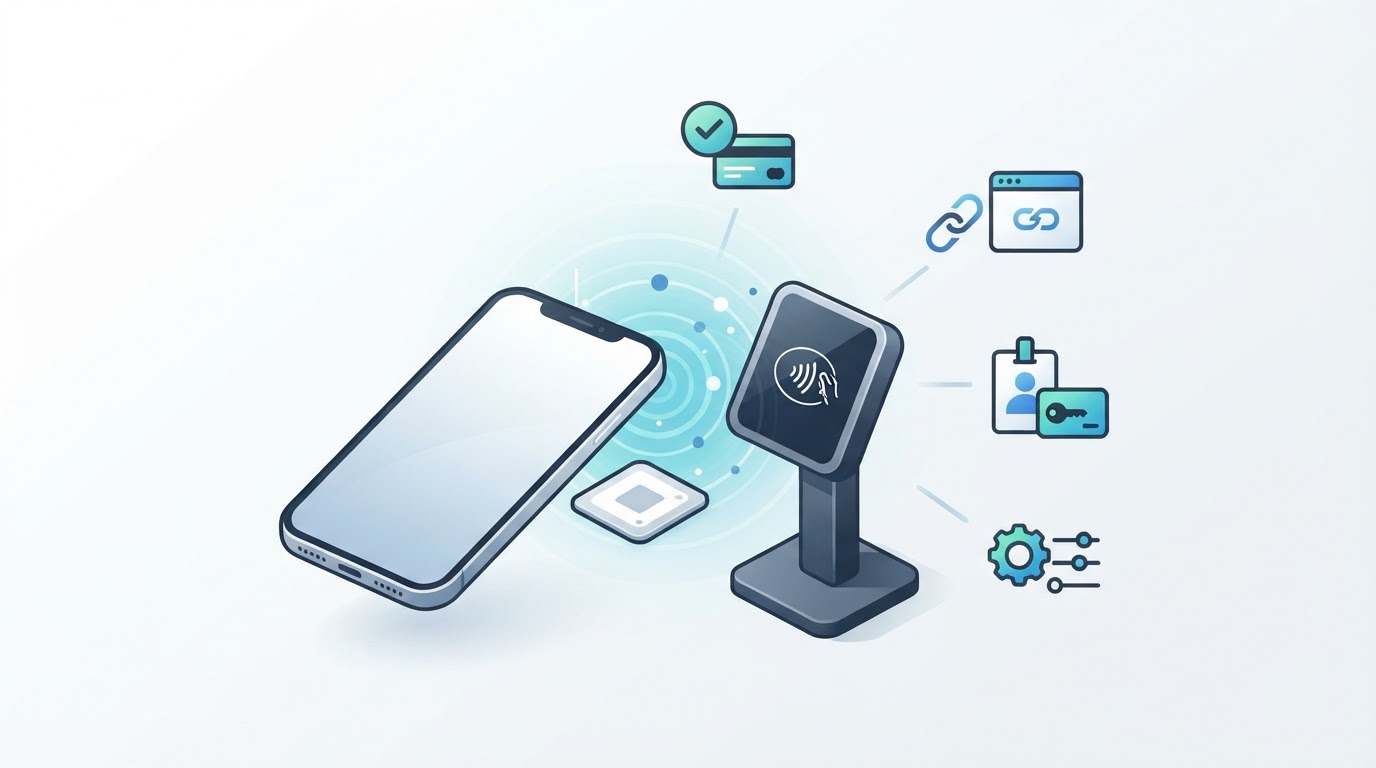
NFC stands for Near Field Communication. It is a short-range wireless technology that lets compatible phones, cards, tags, readers, and wearables exchange small amounts of data when they are brought close together. You may use NFC to tap a phone to pay, scan a smart poster, present a transit or access credential, pair an accessory, or open a website from a physical tag. NFC is convenient because the interaction is close-range and intentional, but short range does not automatically make every NFC interaction secure. The result depends on the device, tag, reader, wallet, application, service, and security controls involved.
What Is NFC in Simple Terms?
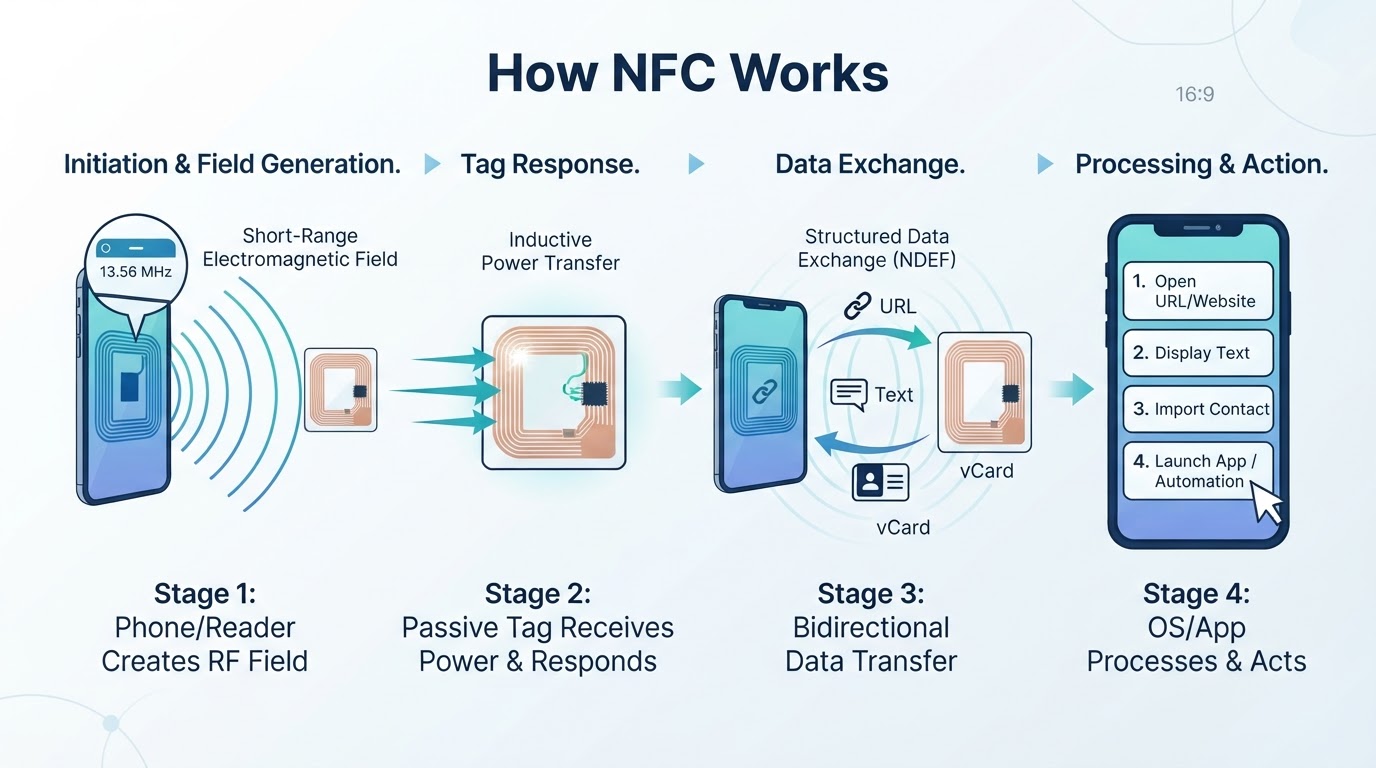
NFC is a wireless communication method designed for very close-range interactions. It generally works when compatible devices or objects are brought within a few centimeters of one another. Most NFC exchanges are brief and involve a small amount of information rather than continuous, high-bandwidth communication. NFC operates at 13.56 MHz. Real-world performance depends on antenna placement, alignment, device design, the tag or reader, protective cases, and nearby materials. NFC is related to RFID, but it is designed for close-range communication between compatible devices and objects.
How Does NFC Work on a Phone?
An NFC interaction uses antennas to create or detect a short-range electromagnetic field. In a reader-to-tag interaction, a powered reader can provide enough energy for a passive tag to respond, so the tag does not need a conventional battery. Other NFC workflows, such as device-to-device communication or card emulation, can involve different device roles. After the connection is established, the devices exchange structured information. The operating system, wallet, or relevant app then determines whether to display data, open a link, present a credential, start a payment, or request another action.
Common NFC Operating Modes
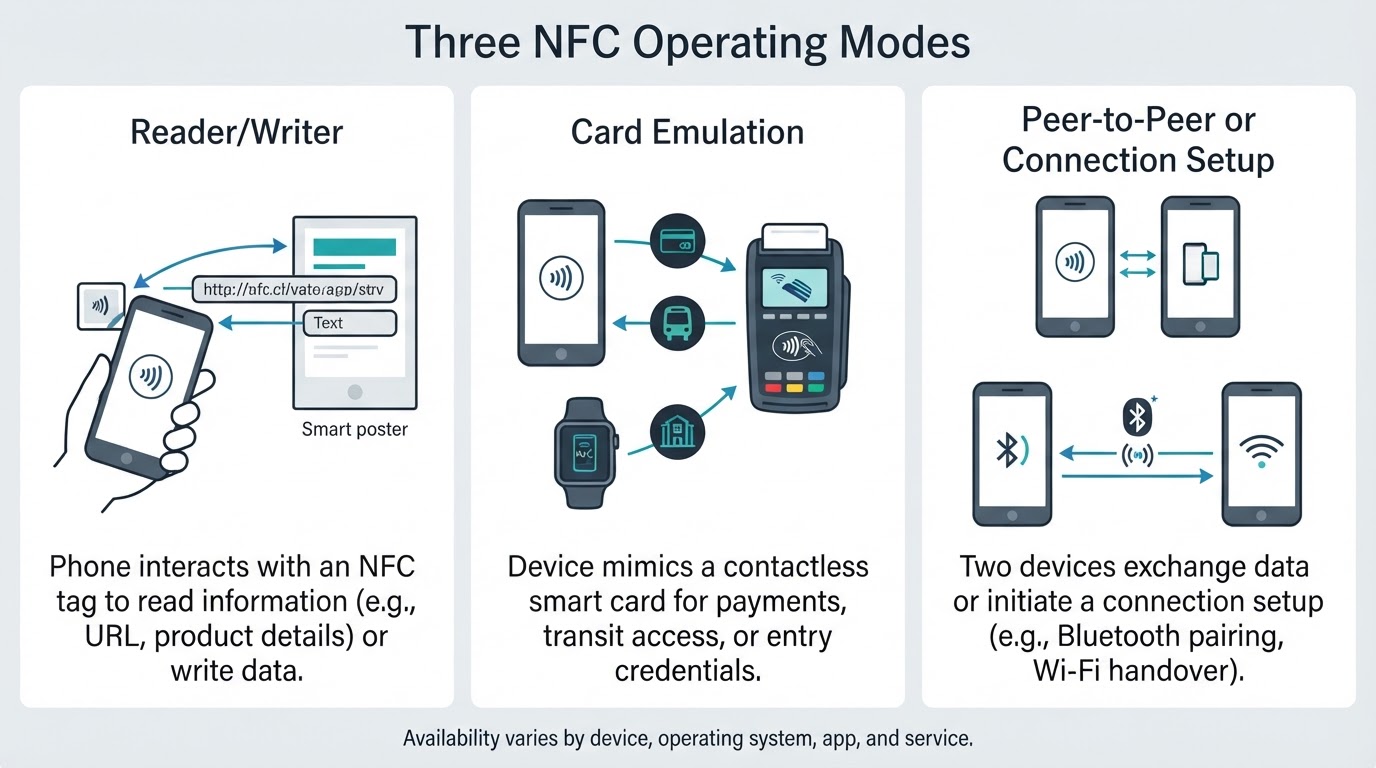
NFC is commonly described through three operating modes: reader/writer, card emulation, and peer-to-peer. These categories help explain tag scanning, contactless payments, and device-to-device exchanges. They should not be interpreted as a promise that every current phone supports every mode equally. Practical availability depends on the device, operating system, application, and service.
What Is NFC Used For?
NFC is useful when an interaction should begin with a deliberate tap or close-range presentation. Common uses include contactless payments, transit and access credentials, NFC tags, smart posters, accessory pairing, and supported app or automation actions.
NFC Payments: Convenience Versus Security
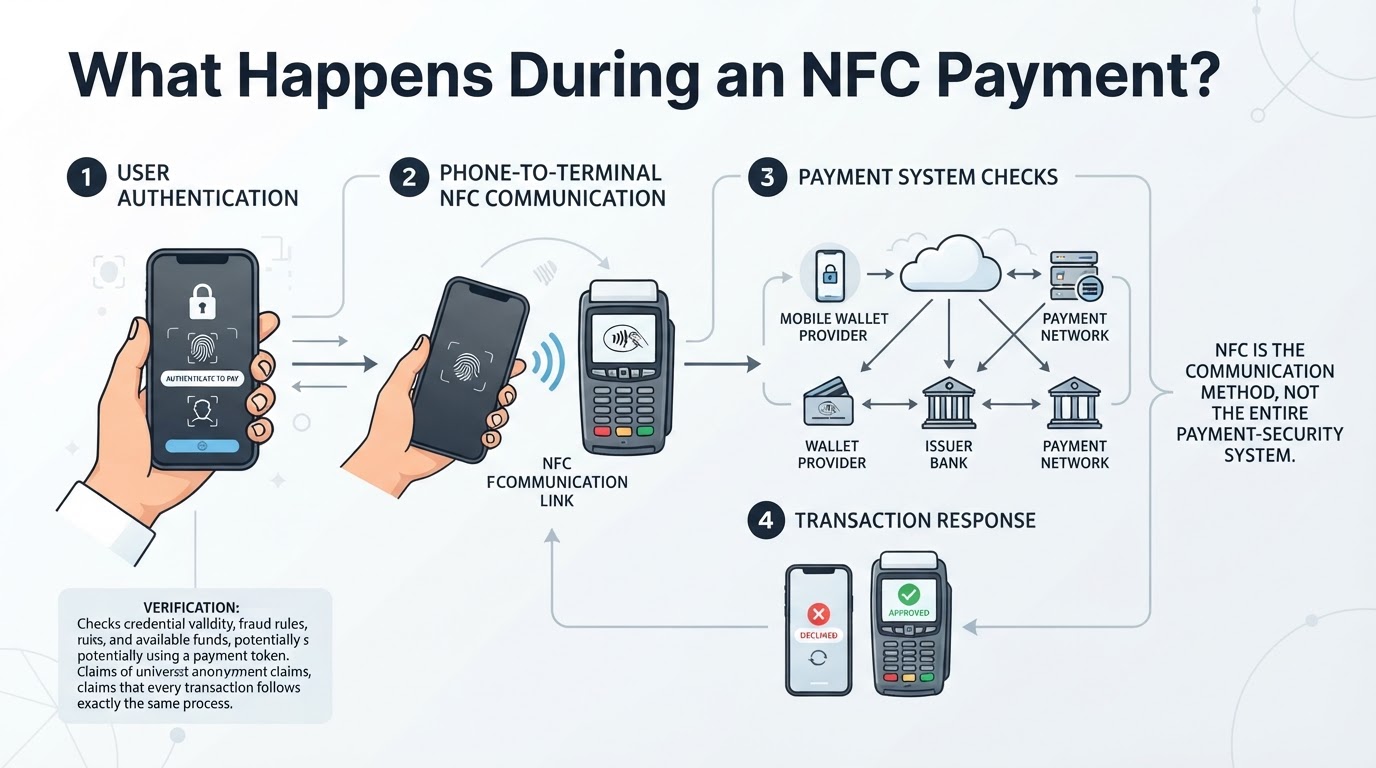
NFC payments allow a phone, wearable, or contactless card to communicate with a compatible payment terminal. A mobile wallet may use device or wallet authentication, payment credentials or tokens, and other transaction controls rather than simply exposing the underlying card number in the same way as a physical card. Exact details vary by wallet, payment network, card product, terminal, device, and transaction type. NFC is only the communication method; it is not the entire payment-security system.
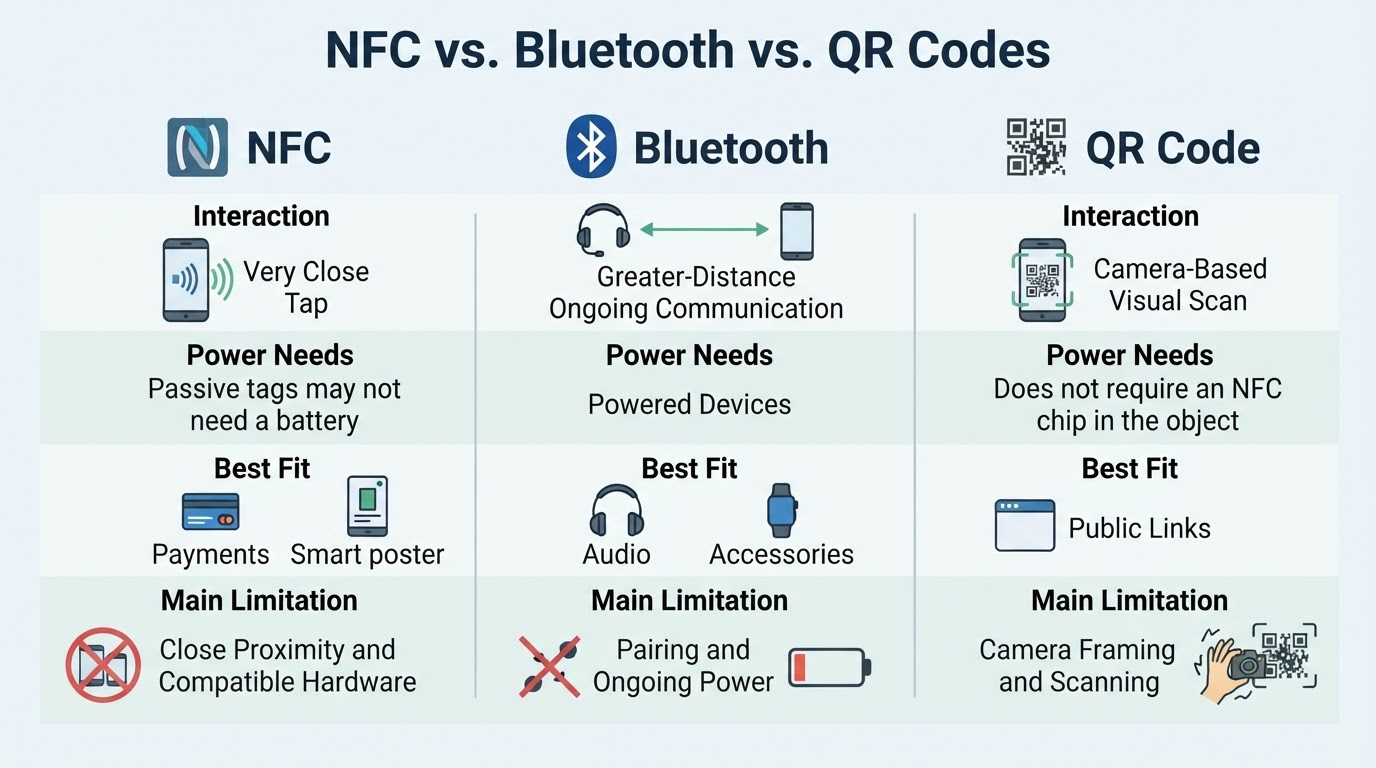
NFC vs. Bluetooth vs. QR Codes
There is no universal winner among NFC, Bluetooth, and QR codes. The right choice depends on distance, power, data volume, hardware, and the desired user experience.
How to Check, Scan, and Write NFC Tags
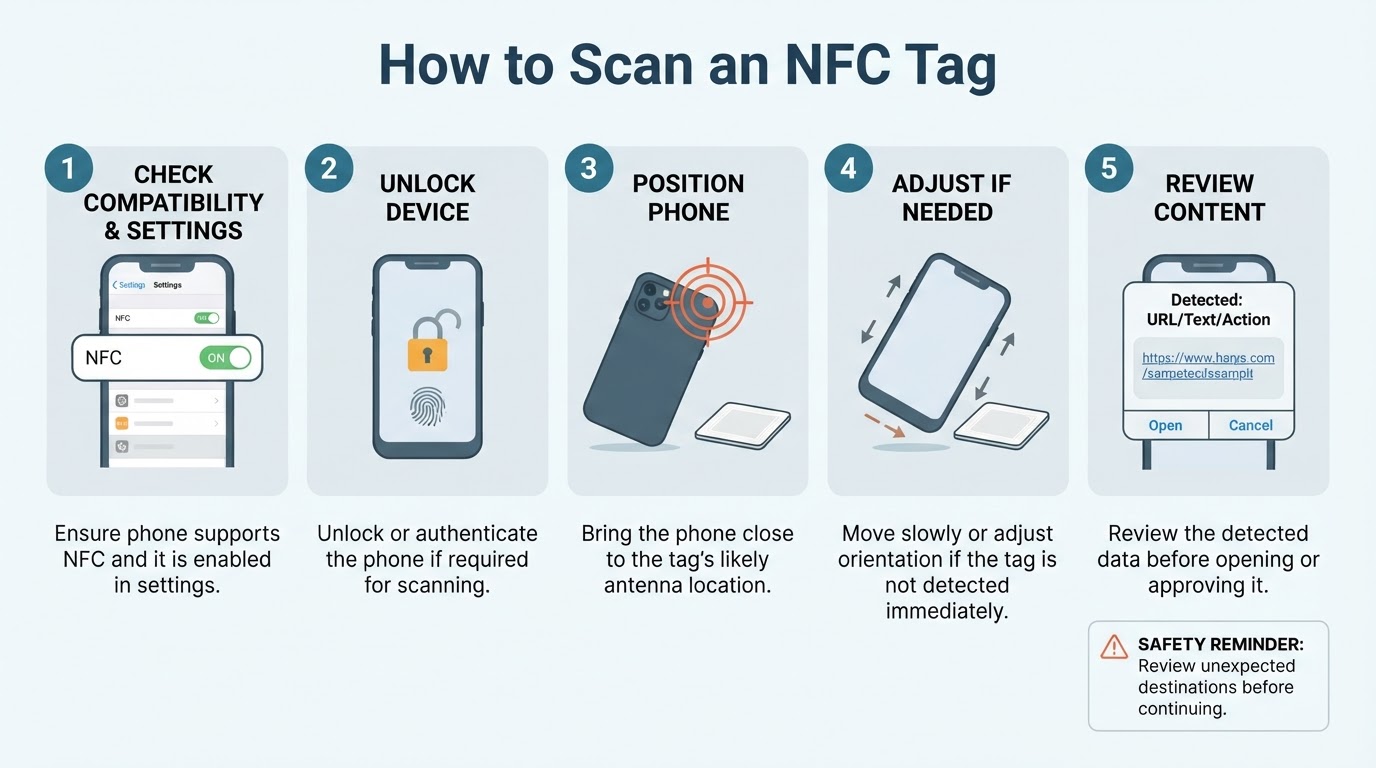
First identify the workflow you need: tag scanning, tag writing, payment, pairing, access, transit, or automation. Check the phone's official documentation and settings for NFC support, but do not assume that every phone exposes the same NFC control or supports the same features. Also check the requirements of the relevant wallet, app, tag, reader, credential, issuer, or service.
Is NFC Safe? Privacy and Security Considerations
NFC's short range can reduce accidental interactions, but it does not provide complete authentication, privacy, or content safety by itself. The security of an NFC workflow depends on the application, tag configuration, authentication, authorization, device controls, reader, and backend systems. Treat an unexpected NFC prompt or tag URL like any unsolicited link: review the destination and avoid entering passwords, payment details, or personal information into suspicious pages.
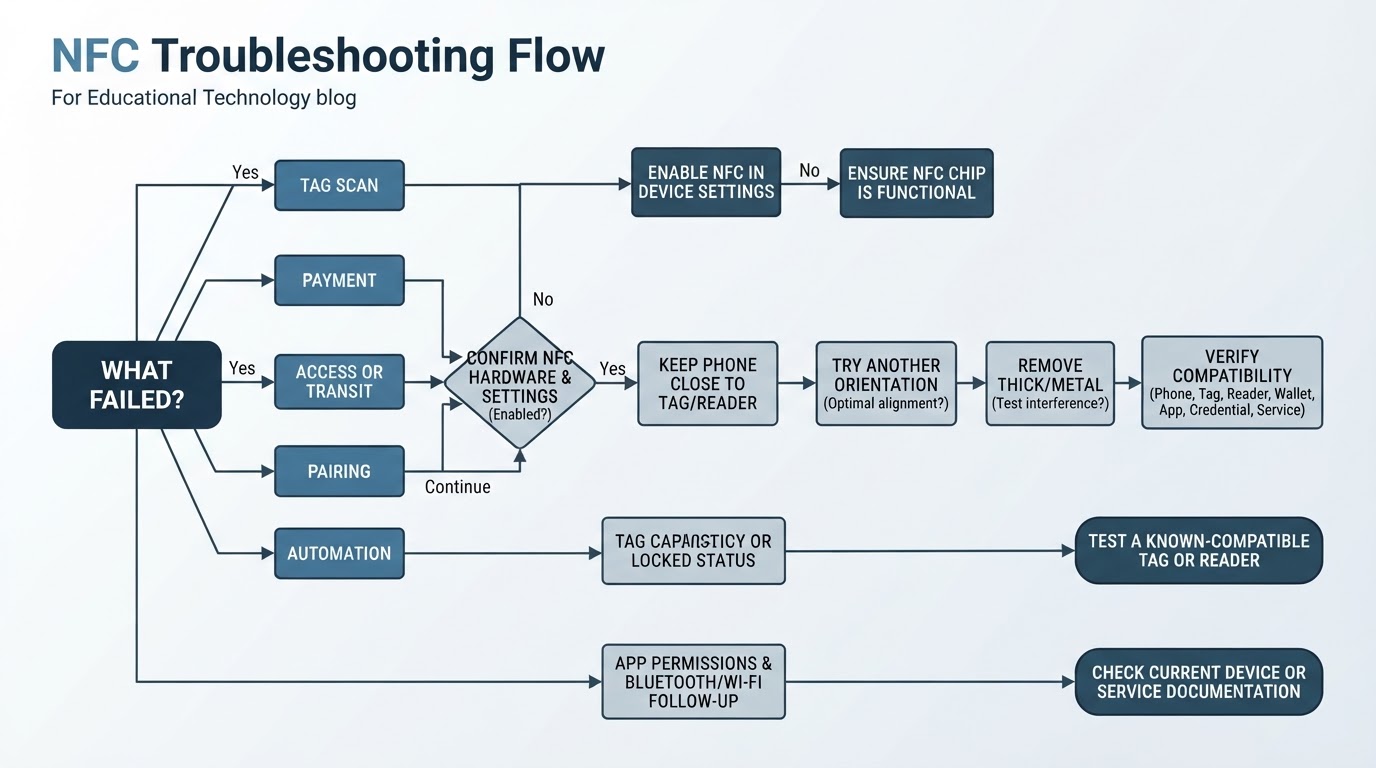
Why Is NFC Not Working?
Start by identifying the failed workflow: a tag scan, payment, transit or access reader, pairing attempt, or automation action. Then check the device, positioning, physical environment, compatibility, and app or service settings.
NFC Limitations to Understand
NFC requires close physical proximity and is not a replacement for Bluetooth or Wi-Fi in longer-range, high-bandwidth, or continuing communication. There is no single universal NFC speed, range, tag memory size, transaction limit, or offline behavior for every implementation. Phone, reader, tag, wallet, issuer, operating system, country, and service compatibility can affect the result. Locked-phone, low-battery, offline, transit, access, and payment behavior also varies by device and service.
Conclusion
NFC is a short-range communication method for brief, intentional interactions between compatible phones, tags, cards, readers, wearables, and other devices. It is useful for payments, credentials, small data exchanges, pairing, automation, and physical-to-digital experiences, but not for large or long-range transfers. Before relying on NFC, confirm compatibility, test the complete workflow, review unexpected destinations, and troubleshoot distance, alignment, cases, settings, and service limitations.