
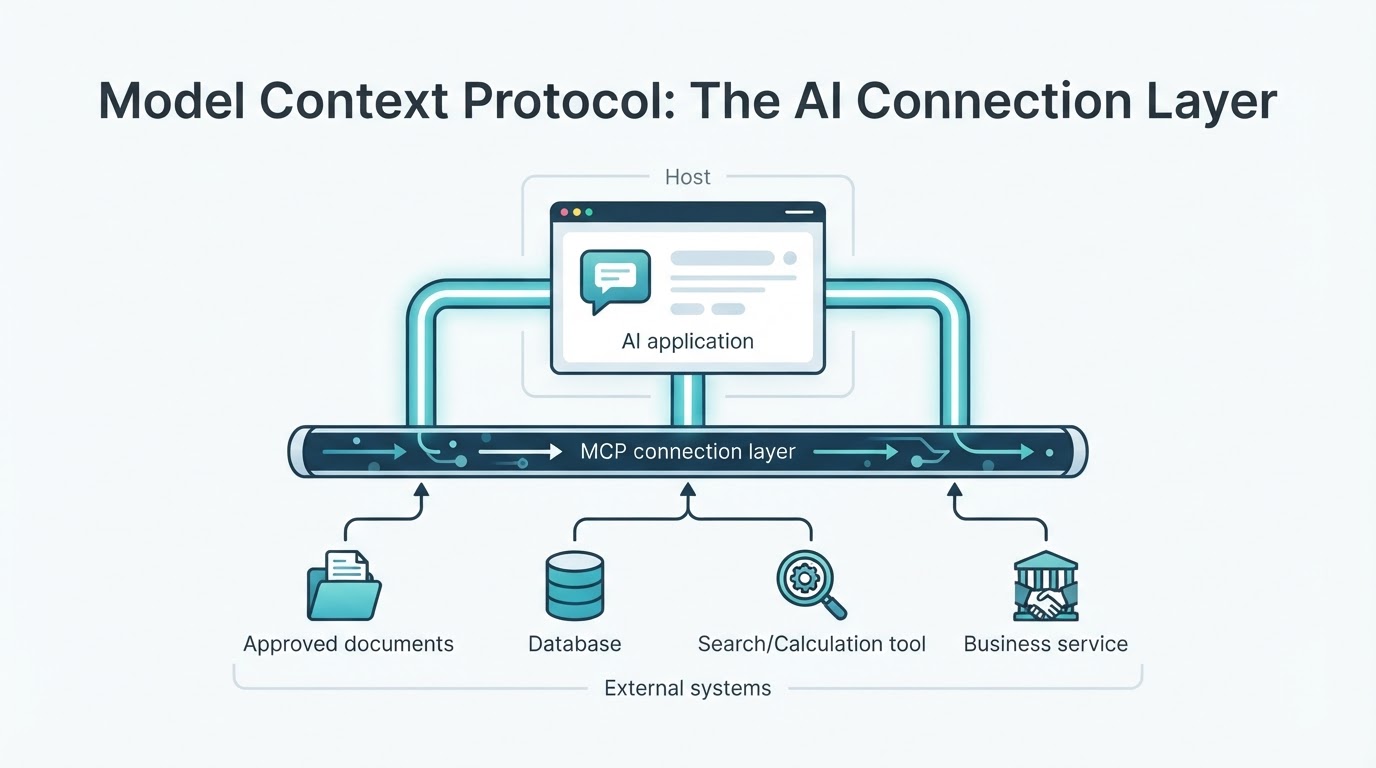
What is Model Context Protocol? MCP is an open-source standard for connecting AI applications with external tools, data sources, and services. It gives an application a consistent way to discover capabilities, retrieve approved information, and request actions from connected systems. Anthropic introduced MCP in November 2024. MCP is an integration protocol—not an AI model, database, autonomous agent, or security guarantee. Its behavior depends on the host, client, server, connected systems, permissions, transport, and protocol version. This guide explains MCP in plain language, including its architecture, tools and resources, practical uses, differences from APIs and RAG, deployment choices, security considerations, and limitations.
MCP in Simple Terms
Model Context Protocol standardizes how an AI application communicates with external capabilities. An MCP-enabled application might discover a search function, read an approved document, query a database, or request an operation in a business system. The connected system may still use an ordinary API, database, file system, or internal application behind the MCP server. MCP provides the connection pattern; it does not determine whether the data is accurate, whether an action is safe, or whether a server has appropriate permissions.
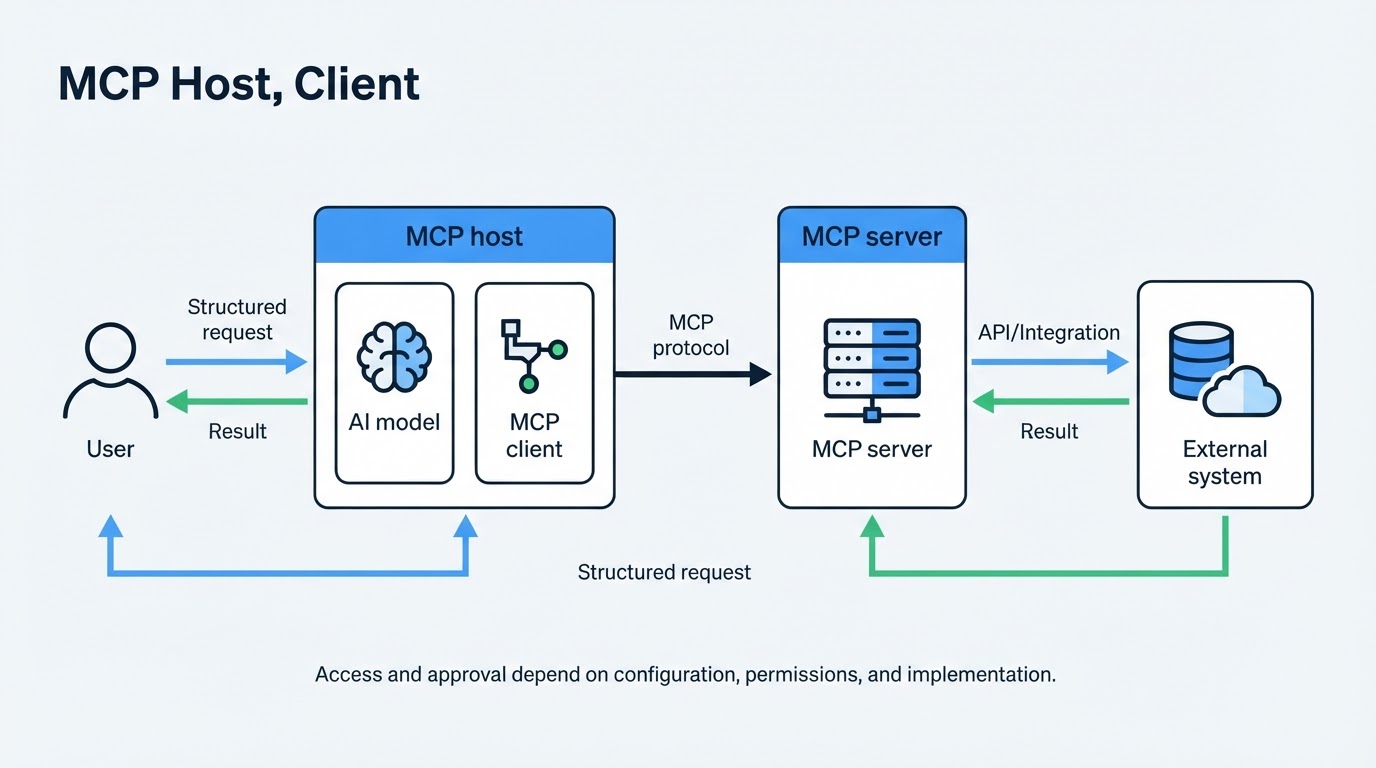
MCP Architecture: Host, Client, Server, and Model
A simplified MCP workflow is: user request → host application → MCP client → MCP server → external system. Results travel back through the server and client to the host. The model may help interpret the request or select a tool, but communication, authorization, confirmation, and execution controls are distributed across the host, client, server, operating environment, connected service, and deployment configuration.
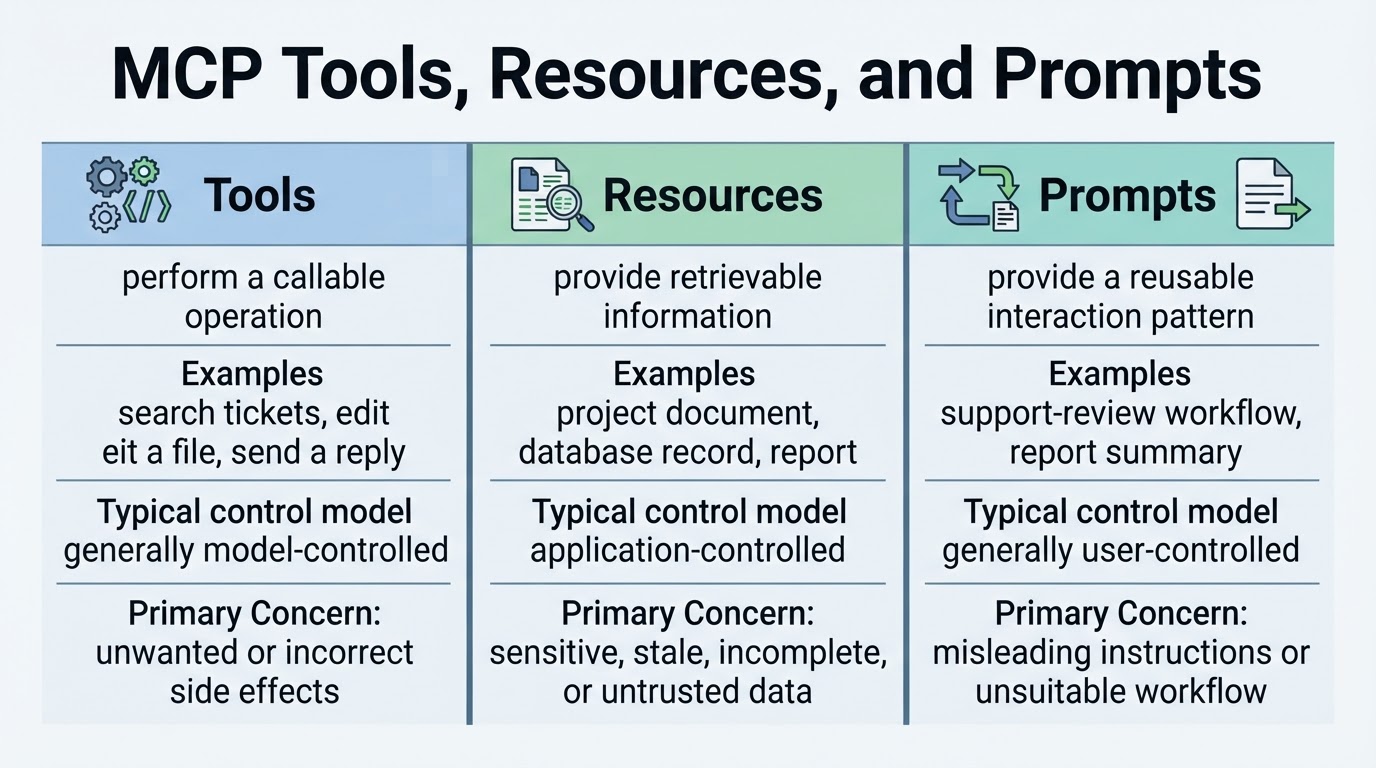
MCP Tools, Resources, and Prompts
MCP separates capabilities into tools, resources, and prompts. They serve different purposes and generally have different control models. Tools are typically model-controlled, resources are typically application-controlled, and prompts are typically user-controlled. A host can add its own visibility, approval, and policy controls, so the exact user experience may vary.
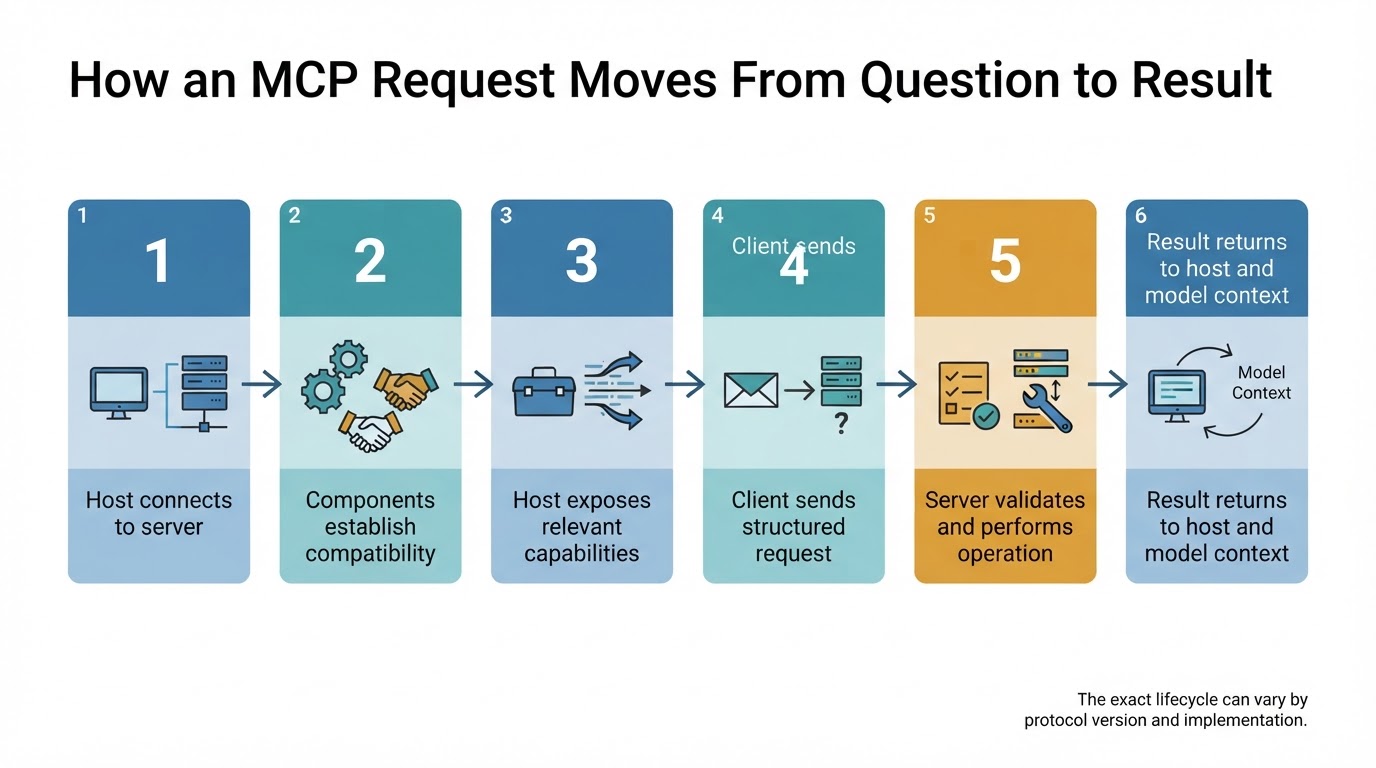
How Model Context Protocol Works
The precise lifecycle depends on the MCP specification version and implementation, but a typical workflow follows these stages:
JSON-RPC, Transports, and Authentication
MCP uses structured messages based on JSON-RPC in established protocol implementations. Transport names, lifecycle requirements, and authorization behavior can change as the specification evolves, so implementation details should always be checked against the selected protocol version.
What Can MCP Be Used For?
MCP is useful when an application needs external context, callable functions, or access to multiple systems. The appropriate design depends on the server's permissions, the host's controls, the quality of the data, and the risk of the requested operation.
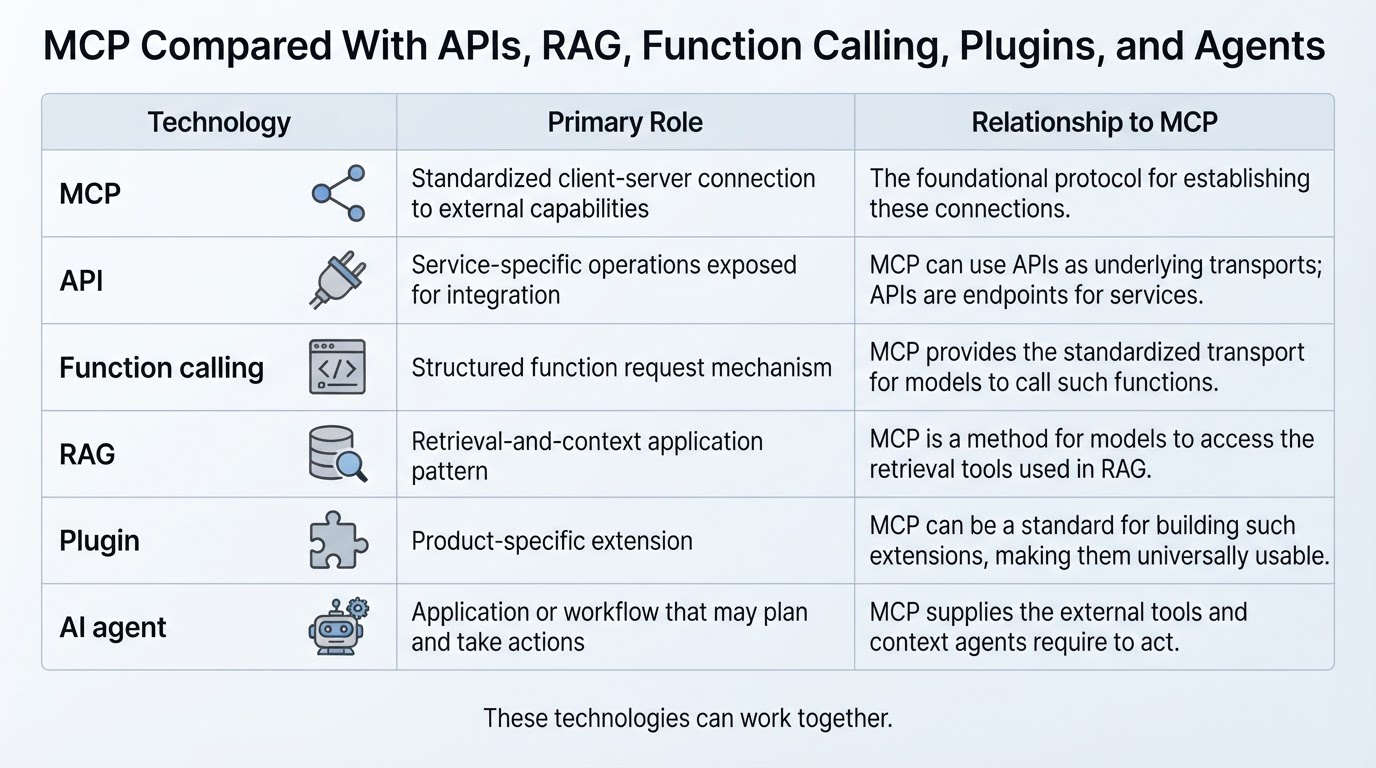
MCP Compared With APIs, Function Calling, RAG, Plugins, and Agents
MCP can work alongside these technologies, but it has a different role: it provides a client-server protocol for connecting AI applications with external capabilities.
How to Use MCP Servers Safely
MCP is not secure, private, or trustworthy by default. Security and privacy depend on the complete deployment, including the host, client, server, dependencies, operating system, identity provider, connected service, model provider, and logging infrastructure.
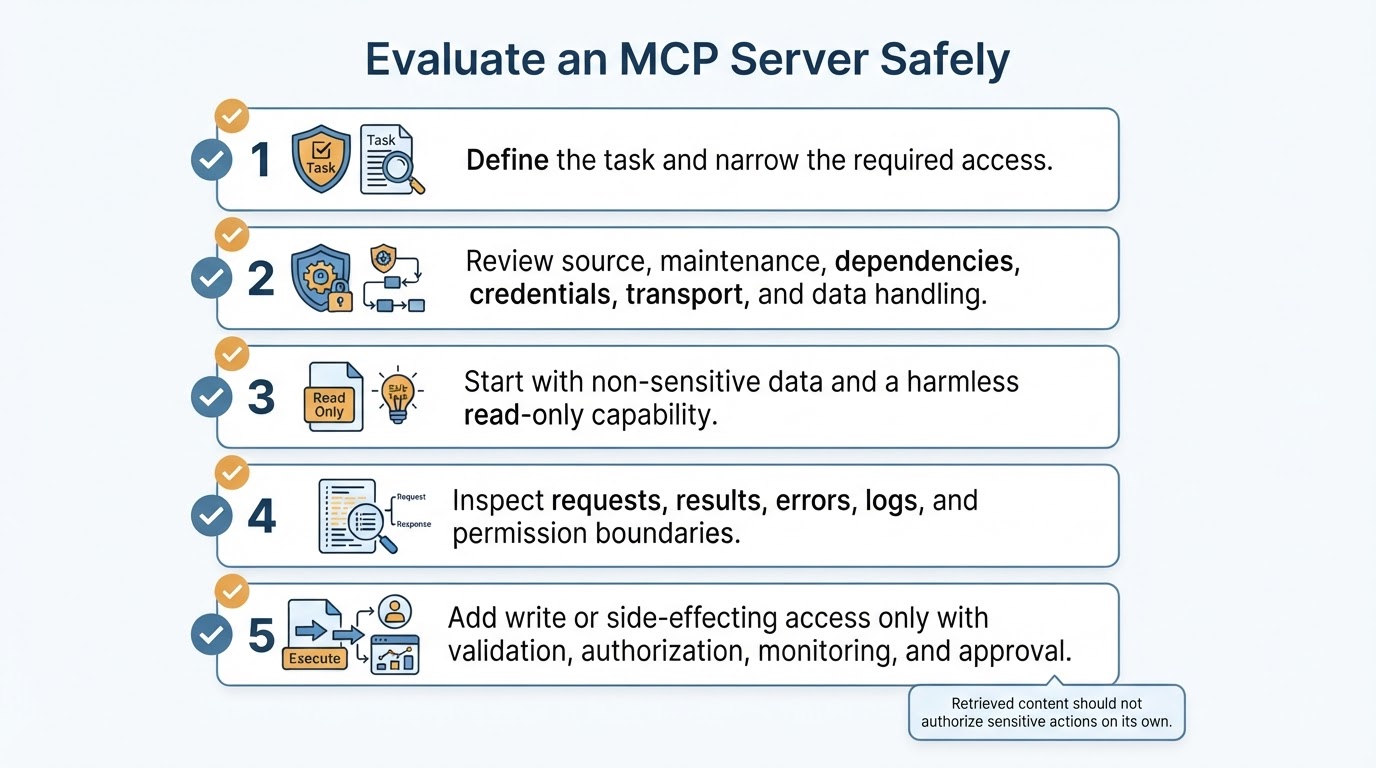
A Practical MCP Evaluation Workflow
Start with the task rather than the protocol. Define what the application needs to read, retrieve, calculate, or change, then choose the narrowest capability that meets the requirement.
MCP Limitations
MCP improves the structure of integrations, but it does not solve every problem involved in connecting software to real systems. It does not guarantee correct tool selection, valid arguments, accurate interpretation, trustworthy data, or correct final answers. External context may be incomplete, stale, misleading, or incorrectly used. MCP also does not replace APIs, credentials, permissions, rate limits, business rules, governance, maintenance, or service availability.
Conclusion
Model Context Protocol is an integration layer that helps AI applications connect with external tools, data, and services. Its host-client-server architecture separates the user-facing application, connection management, and server-exposed capabilities. Tools generally support model-controlled actions, resources provide application-controlled context, and prompts provide user-controlled workflows. MCP complements rather than replaces APIs, RAG, function calling, plugins, or agents. For safer adoption, begin with a narrow read-only capability, verify the selected version and implementation, and add permissions or side effects only when necessary.