
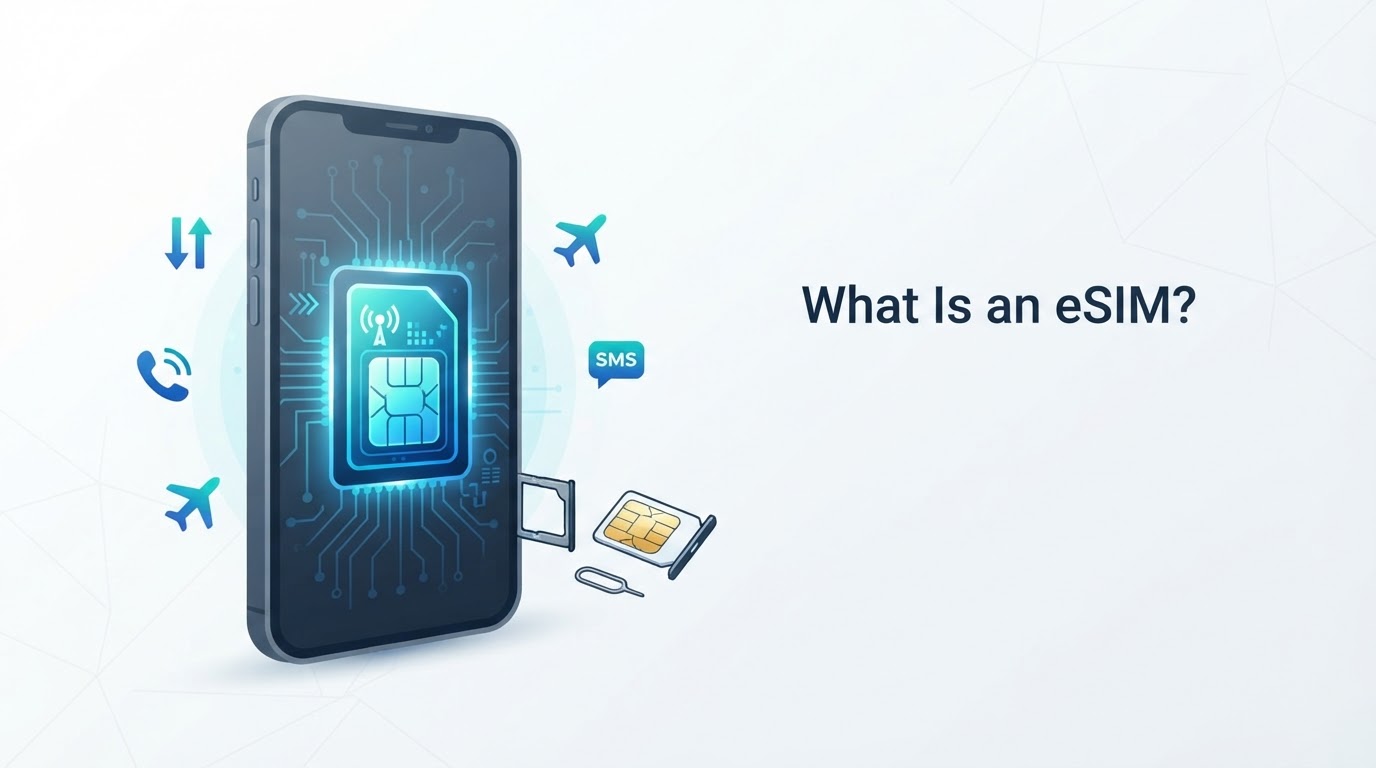
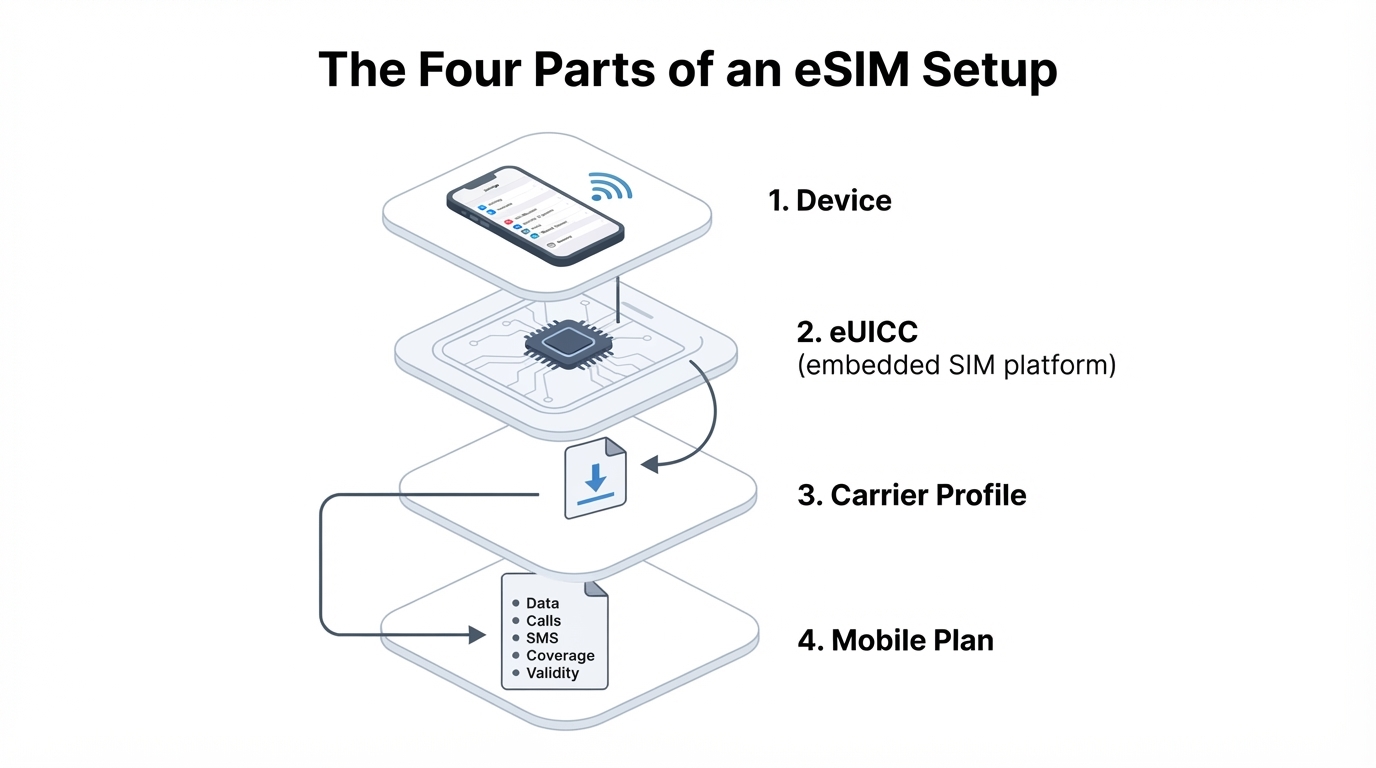
An eSIM is an embedded SIM solution built into a compatible phone or connected device. It lets you install a mobile-service profile digitally instead of inserting a removable SIM card. The eSIM itself is not your phone number or mobile plan. The embedded SIM platform hosts a carrier profile, while the associated plan determines whether you receive data, calls, SMS, roaming, and other services. In this guide, you will learn what an eSIM is, how it works, how to check compatibility, how to activate one, and when it makes sense for travel or dual-SIM use. You will also find practical advice about transfers, roaming, security, and connection problems.
What Is an eSIM in Simple Terms?
An eSIM is a digital, embedded alternative to a removable SIM card. It allows a compatible phone, tablet, wearable, or other connected device to download and use a mobile-service profile without inserting a physical card.
The profile contains subscriber information and network credentials used to authenticate mobile service. The device, carrier, account, network configuration, and plan also affect whether the service works. An eSIM does not by itself identify or authorize the physical handset; device identification can involve the handset's IMEI and other network checks.
The term "eSIM" is used in two related ways. It can describe the overall embedded SIM capability, or it can refer informally to the downloaded profile. The eUICC is the embedded secure hardware or platform that can host downloadable SIM profiles. Its capabilities and profile capacity depend on the device implementation.
How Does an eSIM Work?
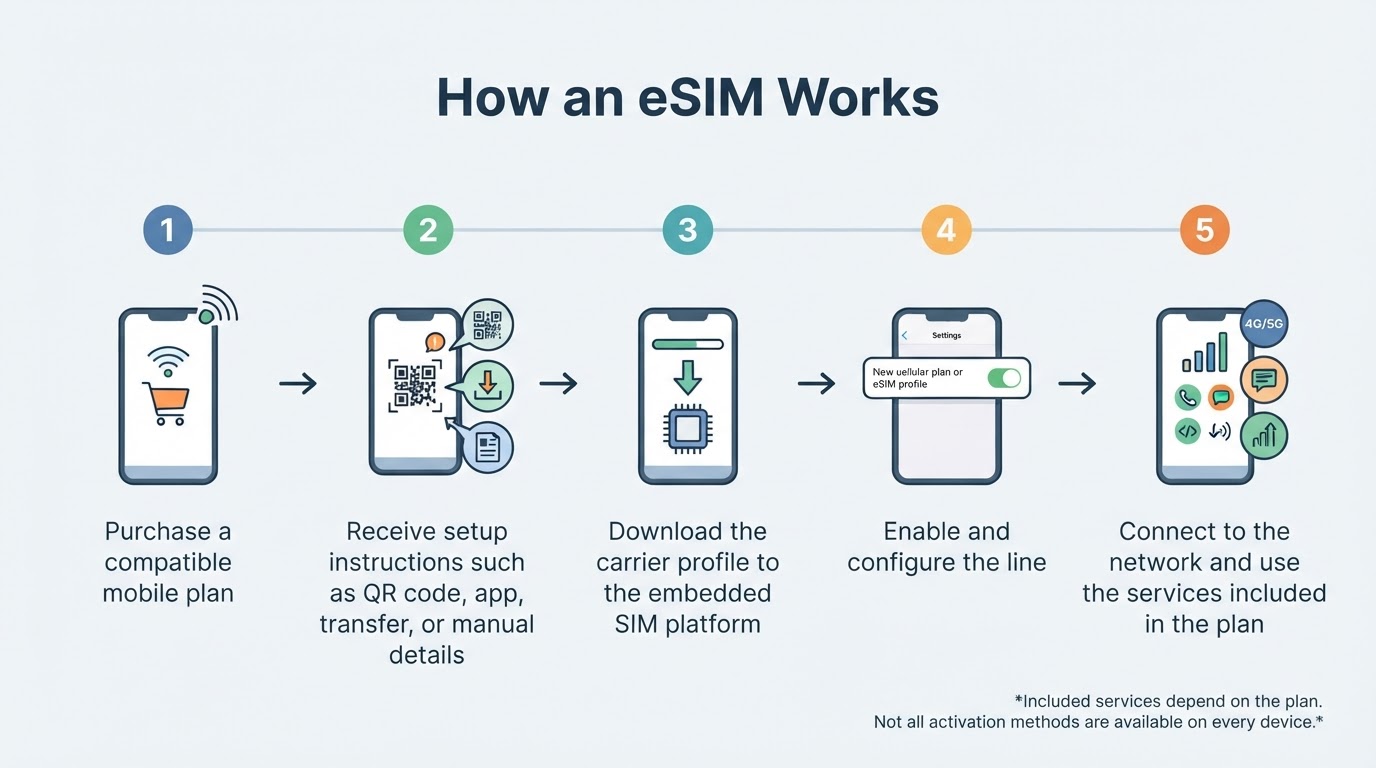
A typical eSIM setup follows this sequence:
- You purchase an eSIM-supported plan from a carrier or provider.
- The provider supplies setup instructions, which may use a QR code, app, automatic transfer, or manual activation details.
- The device downloads the carrier profile and stores it on the embedded SIM platform.
- You enable the line and select settings such as the default data line, preferred voice line, and roaming behavior.
- The device and network use the profile and other network information to establish mobile service.
- You receive only the services included in the plan, such as data-only access or data, voice, and SMS.
A simple visual summary is: purchase plan → download profile → enable line → connect to network.
Check eSIM Compatibility Before Buying
Compatibility problems are among the most avoidable eSIM failures. Before purchasing, identify the exact device model, regional version, operating-system version, current carrier, and intended provider. A model name alone may not be enough because regional variants can differ.
Use this checklist:
- Confirm that the device has eSIM support.
- Verify that the intended carrier or provider supports activation for the exact device, market, and plan.
- Check whether the phone is carrier-unlocked if you plan to use another carrier or travel provider.
- Review supported network bands and destination coverage where relevant.
- Confirm whether the plan is data-only or includes a phone number, calls, and SMS.
- Review validity, speed policies, hotspot rules, roaming terms, refund conditions, and support options.
- Check whether the provider asks for an EID or IMEI to verify eligibility.
How to Activate an eSIM
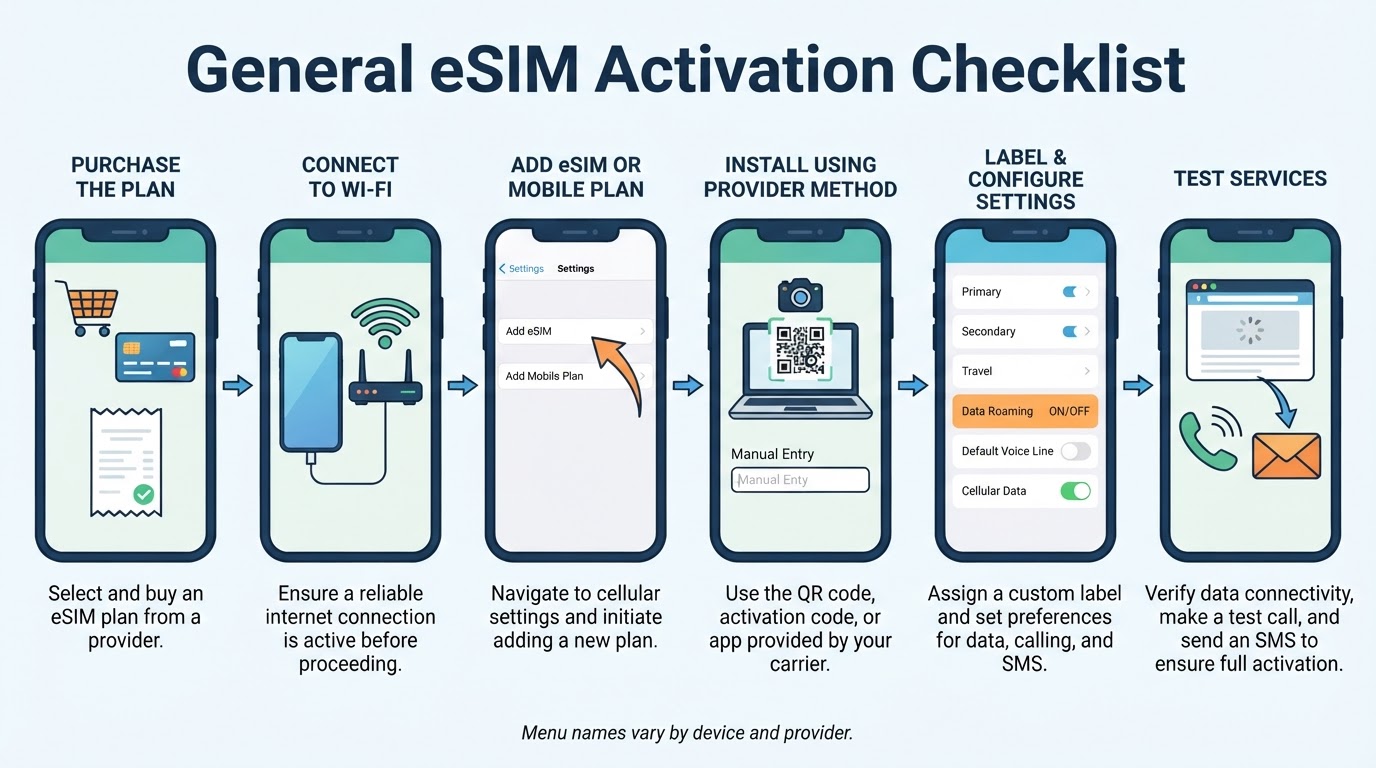
The exact screens differ between devices and providers, but the general workflow is similar:
- Purchase the plan from the carrier or a reputable eSIM provider.
- Save the activation instructions securely.
- Connect to reliable Wi-Fi when possible.
- Install the profile using the method supplied by the provider.
- Label the new line clearly.
- Choose which line handles mobile data, calls, and SMS.
- Test the services included in the plan.
Treat these as general steps rather than universal menu instructions. The provider's current directions for your exact device and plan take priority.
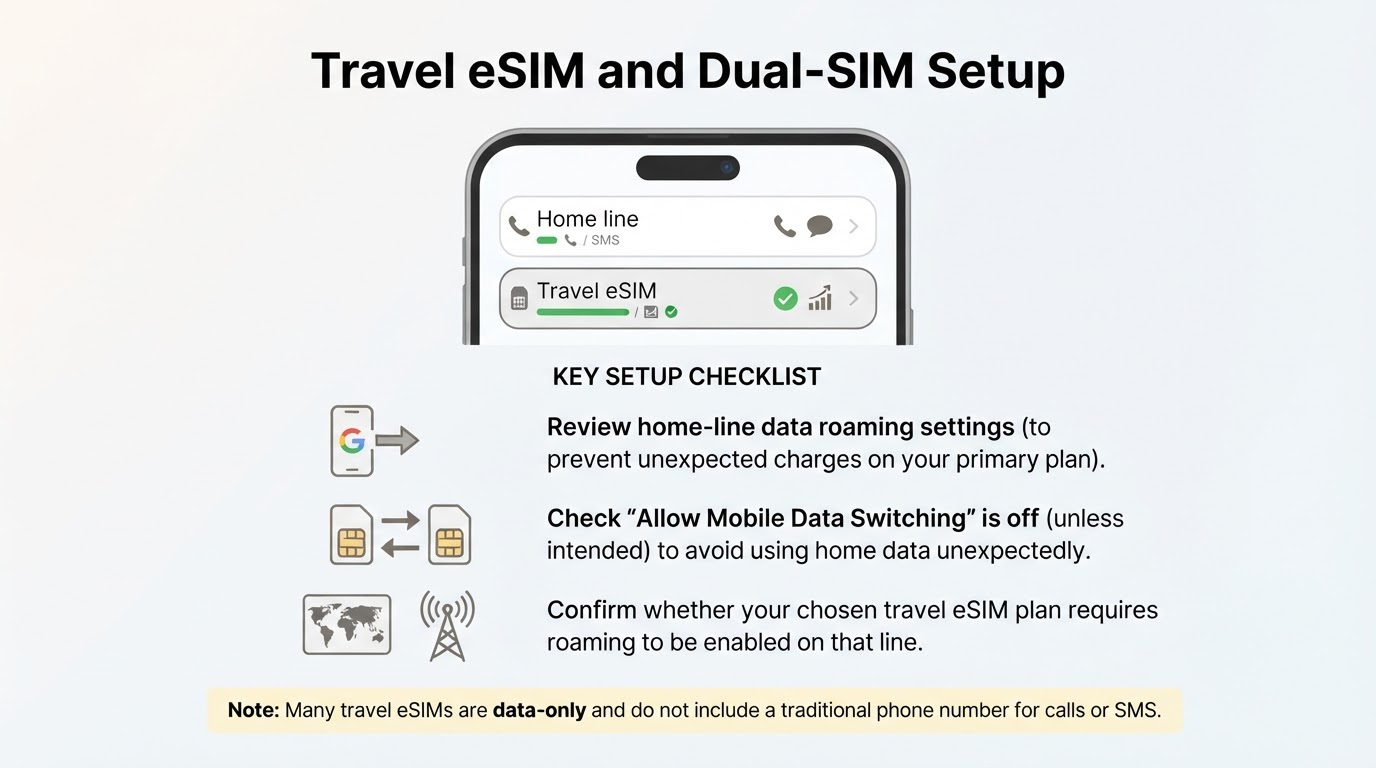
Using an eSIM for Travel and Dual-SIM Service
A compatible phone may keep a physical SIM or primary eSIM available while using another eSIM for travel, work, or another purpose. A common travel arrangement is to keep the home line available for selected calls or incoming messages while directing mobile data through the travel plan.
Dual-SIM behavior varies. A device may support multiple stored profiles but allow only certain combinations of lines to be active at once. The available choices depend on the model, operating system, carrier, and region.
Installing a travel eSIM does not automatically eliminate roaming charges. Select the intended data line, review the home line's data-roaming setting, and check whether automatic data switching is enabled. Some travel plans require roaming to be enabled on the travel line, so follow the plan's instructions.
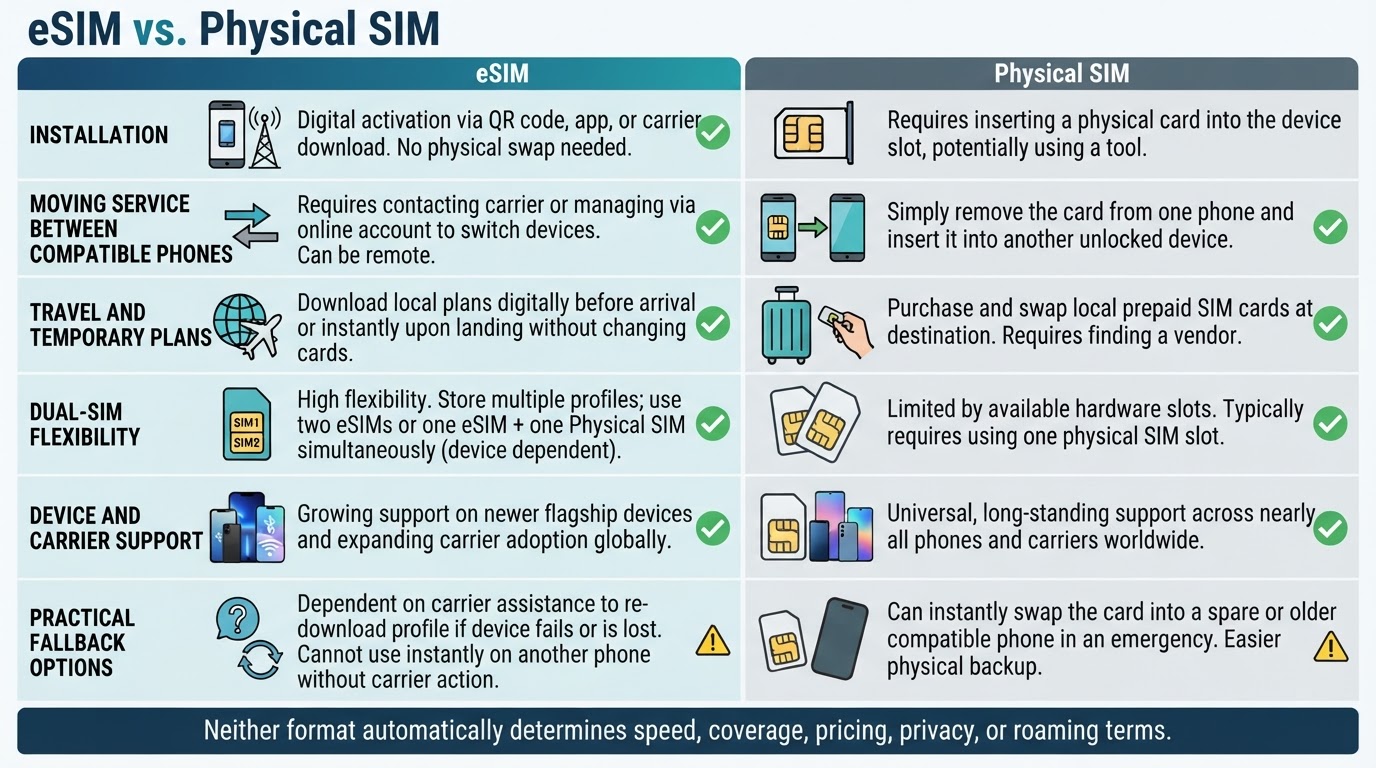
eSIM vs. Physical SIM: Which Is Better?
Neither SIM format is universally better. Both can provide subscriber authentication for a supported mobile service. Service quality depends primarily on the carrier, plan, device radio capabilities, network configuration, and coverage—not simply on whether the SIM is embedded or removable.
An eSIM can offer digital installation, profile management, and convenient travel or dual-SIM use when supported. A physical SIM can be easier to move immediately between compatible phones, particularly when an eSIM transfer is unsupported or a replacement device is unavailable.
Neither format automatically improves speed, coverage, privacy, pricing, or roaming terms.
Transferring, Replacing, or Deleting an eSIM
Moving an eSIM to another phone may require a built-in transfer feature, a new QR code, provider-app approval, or customer support. Transfer eligibility can depend on the carrier, account verification, source and destination devices, operating-system version, and region.
Keep the old phone and working profile available until the replacement line is confirmed to work. Deleting a profile can interrupt service, and deleting it does not necessarily cancel the underlying carrier account or plan.
eSIM Troubleshooting: Installation, Activation, and No Service
Start by identifying where the process failed: profile installation, activation, network connection, mobile data, calls, SMS, or hotspot use. This helps separate device, profile, plan, settings, and coverage problems.
Avoid deleting the eSIM as an early troubleshooting step. Reinstallation may require provider assistance, a replacement QR code, or account verification.
Is an eSIM Safe and Private?
An eSIM can reduce one narrow physical-access risk because it cannot be removed or swapped from a stolen device in the same way as a removable SIM card. This is not a guarantee of better overall security or privacy.
An eSIM does not prevent carrier-account takeover, phishing, social engineering, unauthorized profile issuance, device theft, tracking, or attacks on linked accounts. Normal mobile-network, provider-account, and device-security practices still apply.
Conclusion
An eSIM is an embedded SIM solution that hosts a downloadable carrier profile. The associated profile and mobile plan determine the actual service, including data, calls, SMS, coverage, and validity.
Before buying, verify the exact device and regional version, eSIM support, carrier compatibility, unlock status, network bands, destination coverage, activation timing, and included services. During activation, use reliable internet when possible, follow the provider's current instructions, select the correct data line, and test the services you purchased.
eSIMs are useful for travel and dual-SIM setups, but they are not automatically better than physical SIMs and do not eliminate roaming or account-security concerns. When transferring service or troubleshooting, avoid deleting a working profile until the provider confirms the correct process.