
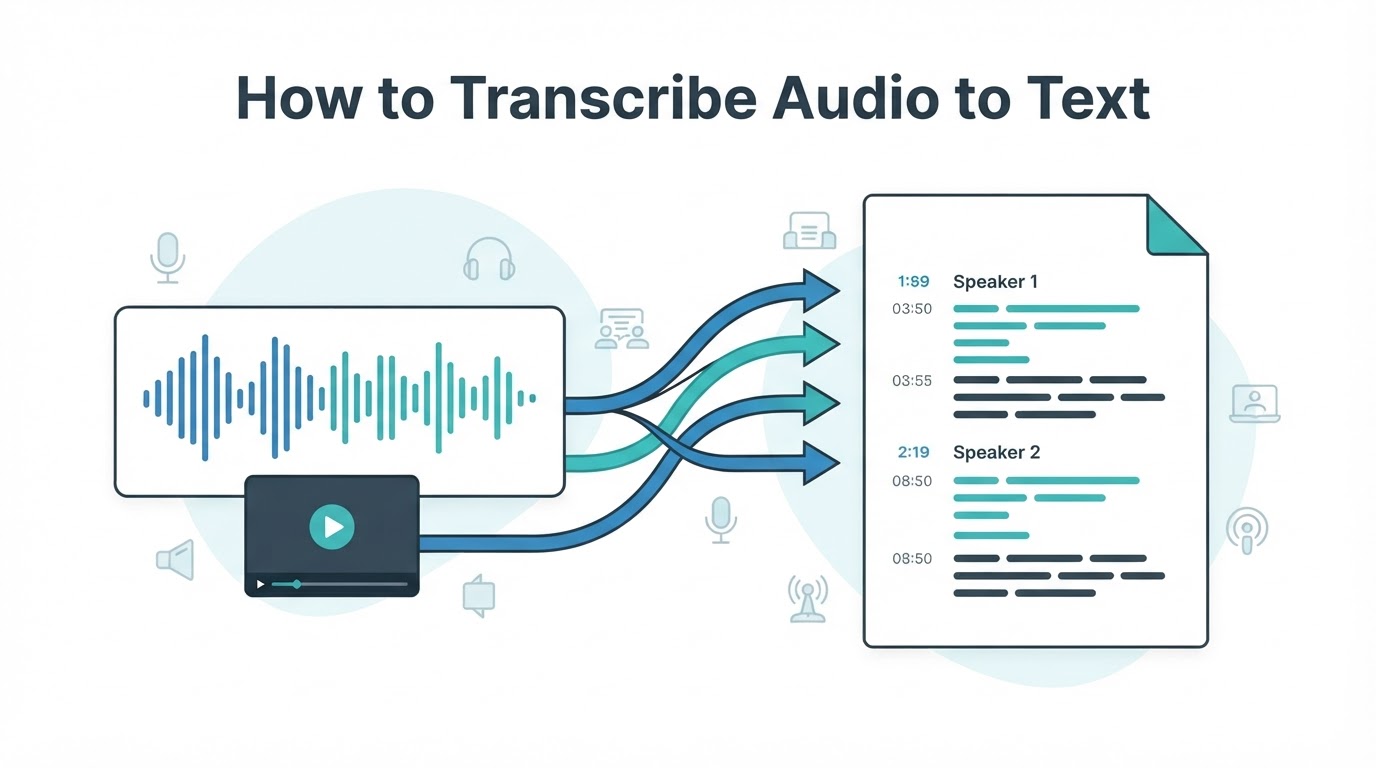
To transcribe audio to text is to convert spoken words from an audio or video recording into written, editable text. The result may be a verbatim record, a cleaned-up transcript, a summary, searchable notes, meeting minutes, research material, or subtitles.
For most recordings, the practical process is simple: choose the appropriate method, open or upload the file, select the spoken language if required, generate a draft, review important passages against the recording, and export the result in a suitable format. Automated transcription can reduce typing time, but its output should be reviewed when accuracy, quotations, speaker attribution, or privacy matters.
The right method depends on the recording's sensitivity, quality, length, number of speakers, language, budget, technical requirements, and intended use.
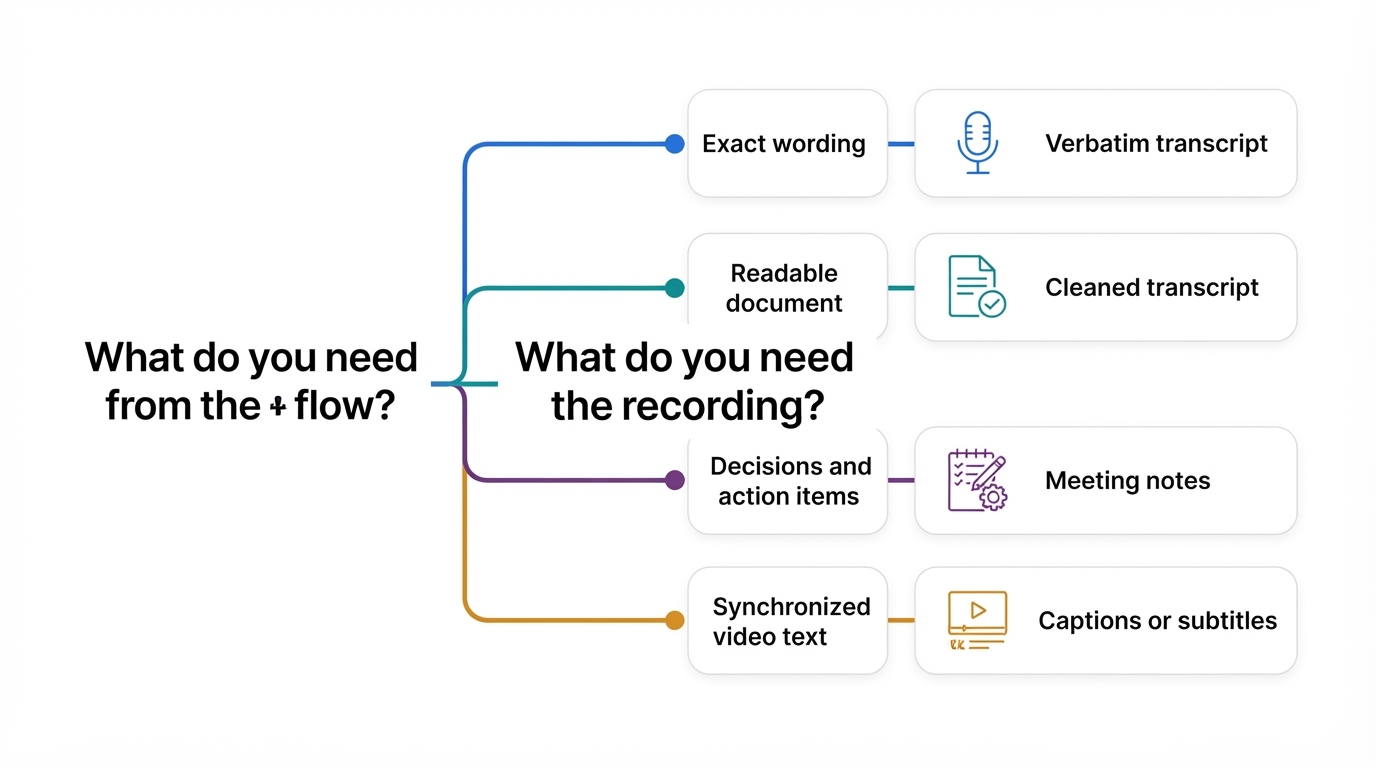
Start With the Output You Need
Before choosing a transcription method, decide what the finished result should be. Different outputs require different levels of accuracy, formatting, and review.
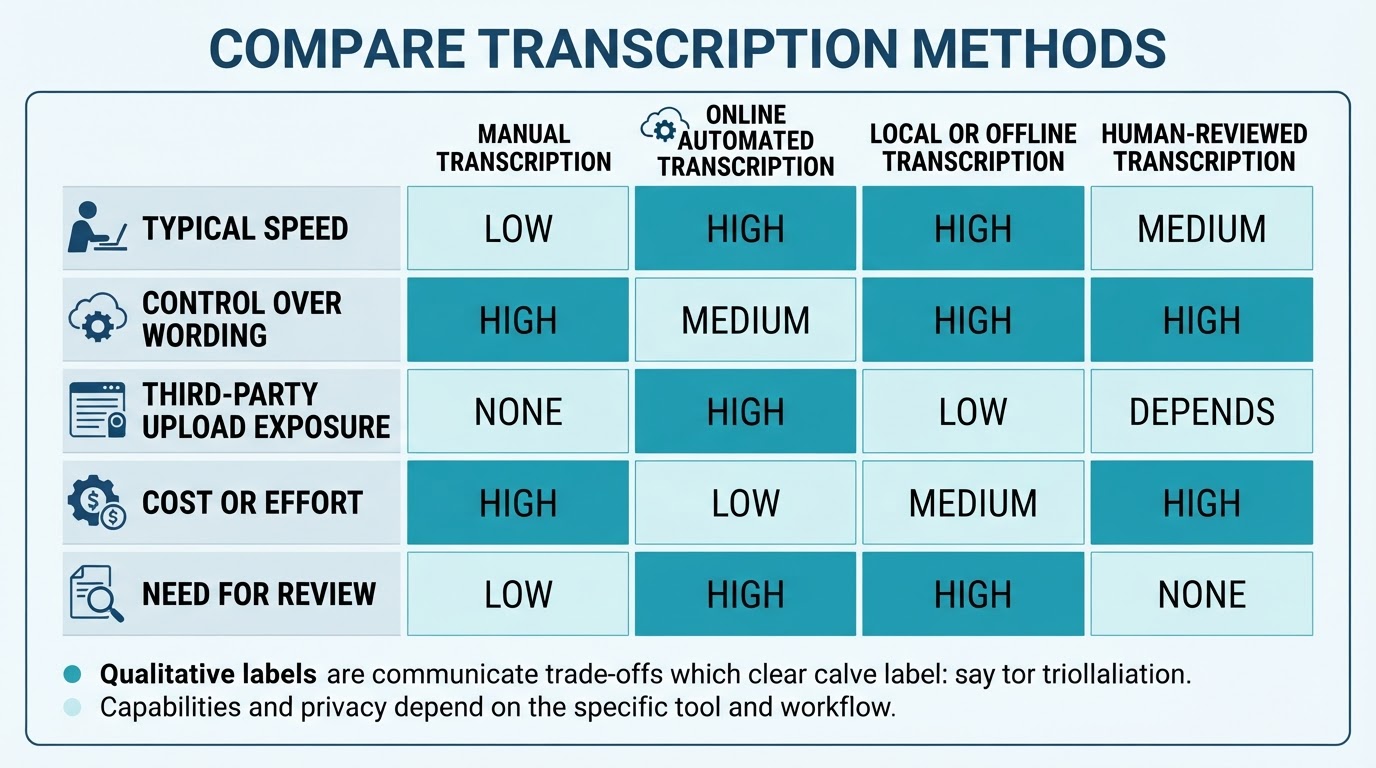
Choose the Right Way to Transcribe an Audio File
Manual transcription, online services, local processing, and human review each provide different trade-offs between speed, control, privacy, and cost.
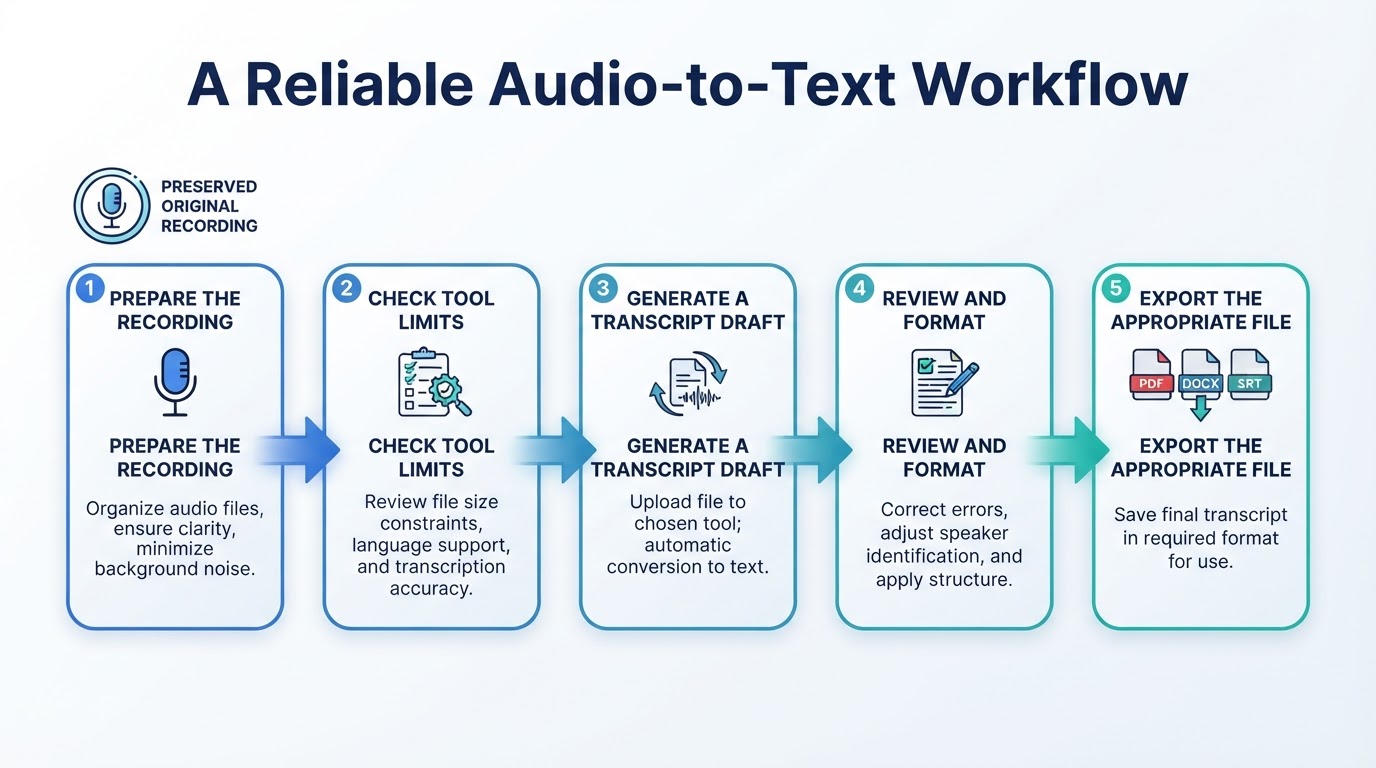
How to Transcribe Audio to Text Step by Step
The following platform-neutral process works for many audio and video transcription tasks. Individual tools may place controls in different locations, infer the language automatically, or add timestamps and speaker labels only after processing.
Example: Transcribe a Team Meeting
Suppose you have a one-hour meeting recording and need a reliable list of decisions and action items.
Improve Audio Transcription Accuracy
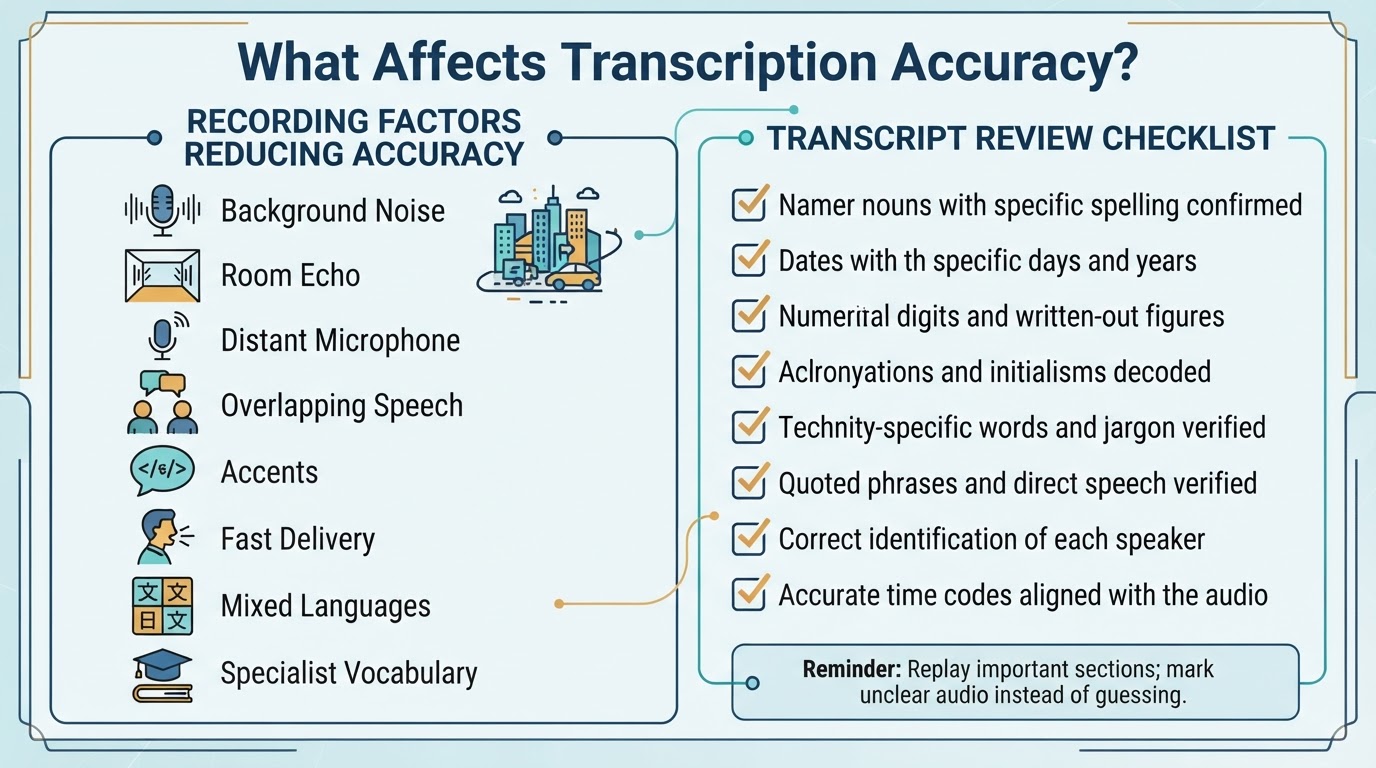
Transcription quality depends on the recording as well as the selected software. Clear speech, close microphones, limited background noise, and distinct speakers generally make the result easier to review. Noise, echo, distant microphones, overlapping speech, accents, fast delivery, mixed languages, and specialist vocabulary can reduce accuracy.
Accuracy percentages advertised by a provider are not guarantees for an individual recording. Conditions vary between tests and real-world files.
Transcribe MP3, WAV, M4A, Video, and Other Files
Some services accept common audio and video files, but support varies by provider, plan, encoding, container, file size, duration, and language. Check the selected tool's current documentation rather than assuming that a particular extension will work.
A video may not need to be converted to MP3 when the selected service accepts video directly. Conversion is an extra step and can create a lower-quality working copy, so use it only when required by the tool or workflow.
Use Speaker Labels and Timestamps
Speaker diarization separates speech segments and assigns labels such as Speaker 1 and Speaker 2. Timestamps connect transcript segments or words to positions in the recording. Some tools provide these features, but they may depend on the provider, plan, language, file type, or software version.
Transcribe Audio Locally or Offline
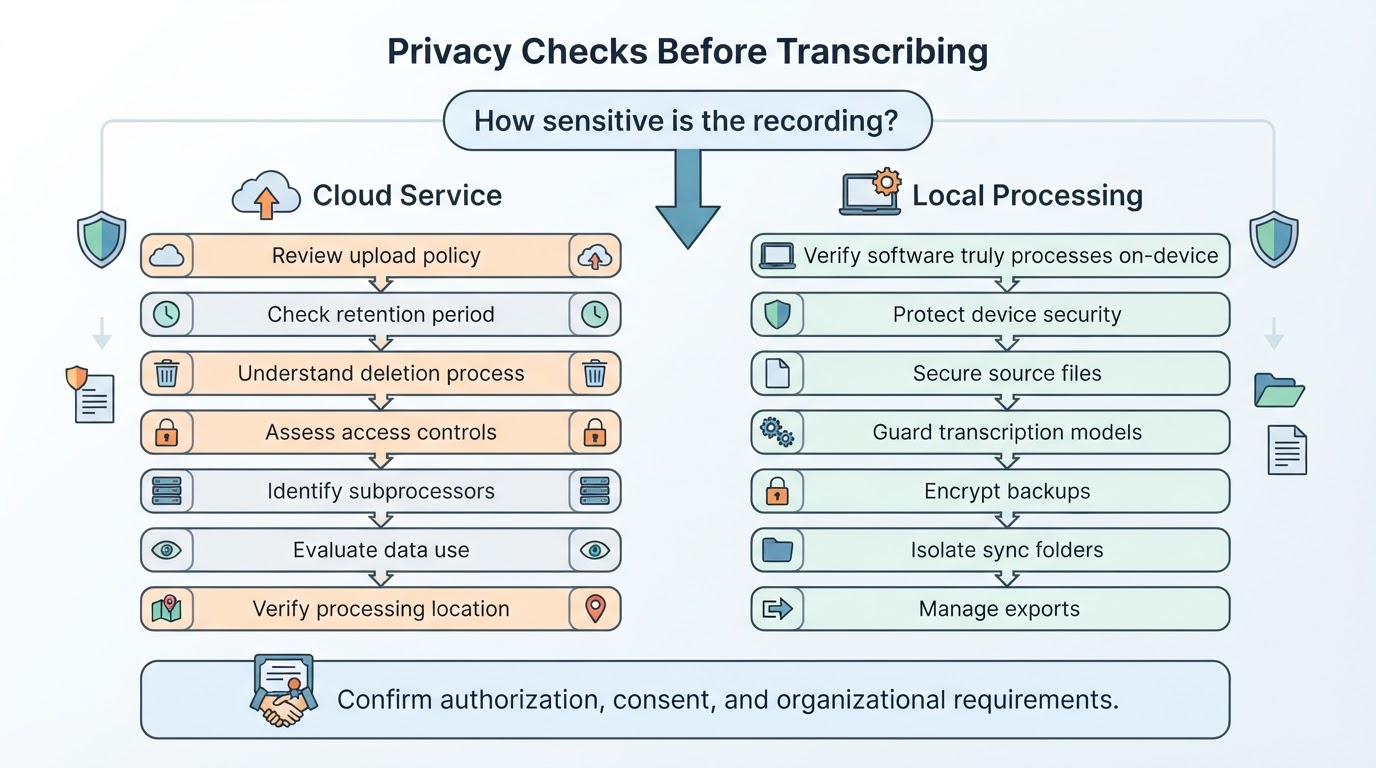
Local transcription can suit privacy-conscious workflows when the selected software and model perform inference on the computer or controlled device and do not send the recording to a cloud provider. Verify this behavior in the software's technical and privacy documentation rather than inferring it from the application being installed locally.
Protect Private and Confidential Recordings
Uploading an audio or video file to a cloud transcription service is a data-handling event. Before processing sensitive material, review the provider's current privacy, security, and data-processing information.
Turn a Transcript Into Notes, Captions, or Searchable Content
A reviewed transcript can support searchable lecture notes, meeting records, research references, interview preparation, show notes, articles, searchable archives, or captions. The final format should match the way readers will use the information.
Conclusion
The best way to transcribe audio to text depends on the recording's privacy, quality, language, length, speakers, required accuracy, and intended output. Automated cloud tools can create a fast draft, local processing can reduce third-party transmission when it is genuinely local, and manual or human-reviewed work is useful when wording and accountability matter.
For a reliable result, preserve the original recording, check the selected tool's current limits, generate a draft, verify important details against the audio, and export the format suited to notes, documents, or captions.