
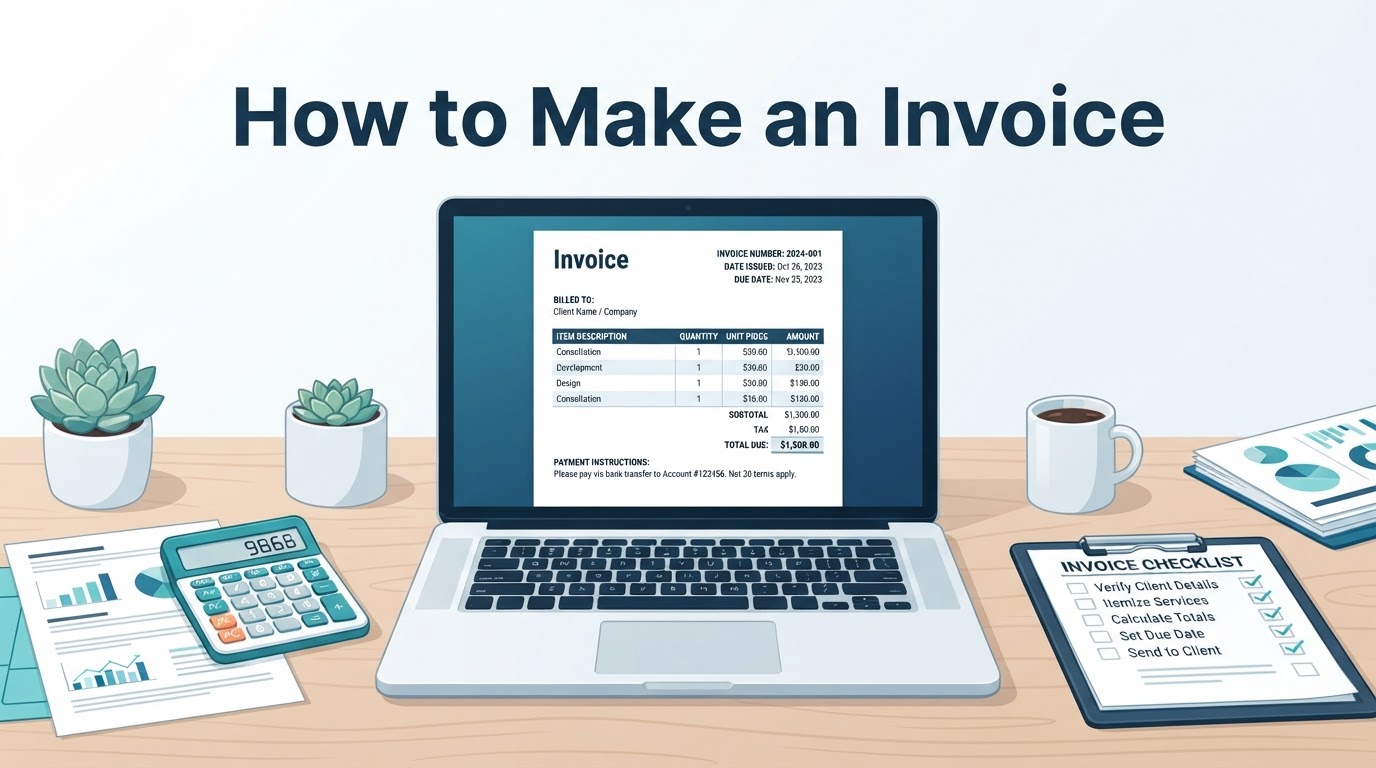
Learning how to make an invoice does not require specialist accounting software. You can create one in Word, Google Docs, Excel, Google Sheets, a reusable template, or invoicing software. The right choice depends on how often you bill, how complex your calculations are, and how much payment tracking you need.
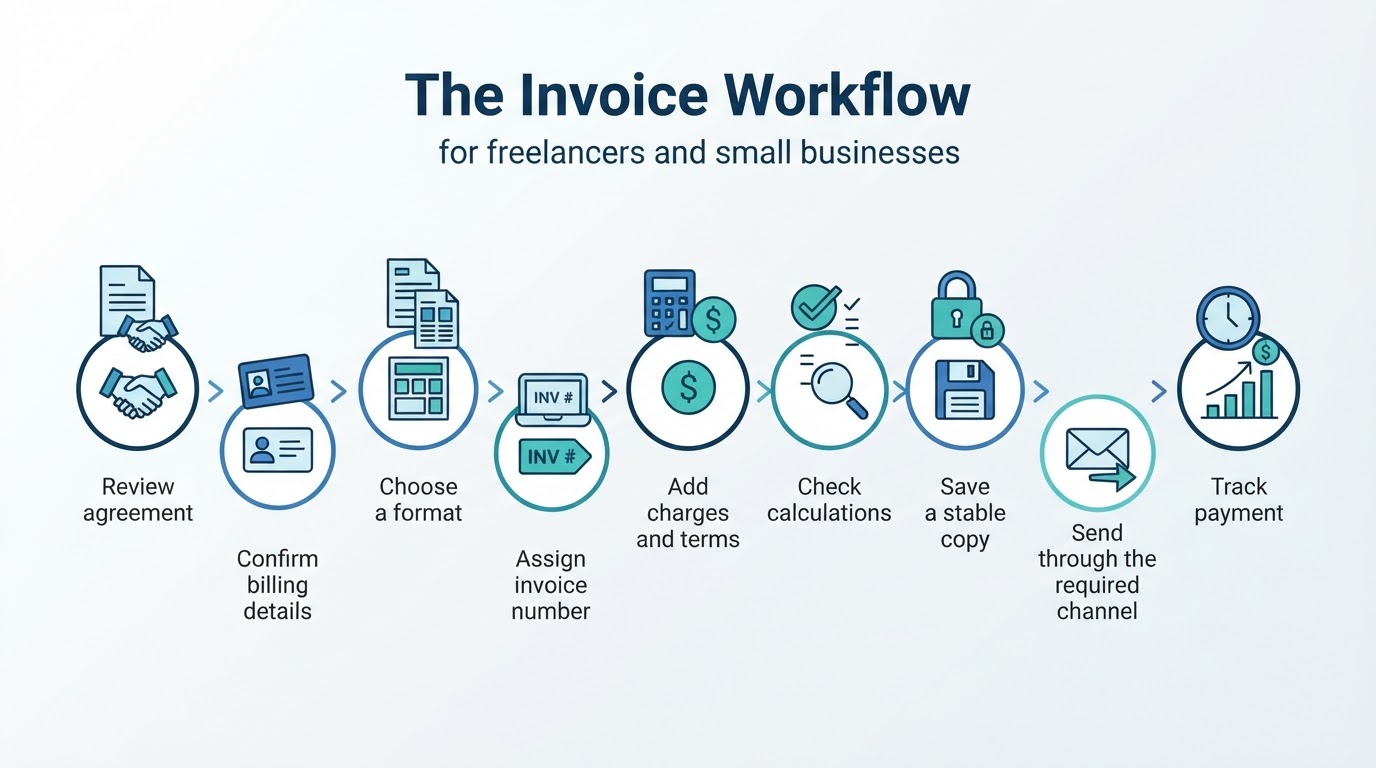
An invoice normally documents products or services supplied and the amount due. It is different from a receipt or payment record, which shows that payment was made or received. A reliable workflow is to confirm the agreement, gather the billing details, add clear line items, calculate the total, review the document, send it through the required channel, and track payment afterward.
This guide is general educational information, not location-specific tax or legal advice. Required fields, invoice dates, taxes, electronic invoicing, corrections, late-payment wording, and record-retention periods can vary by jurisdiction, transaction type, and customer requirements.
How to Make an Invoice: The Basic Workflow
For most straightforward invoices, follow these steps:
- Review the agreement, purchase order, proposal, or approved change request.
- Confirm the customer, billing contact, currency, pricing, service period, and payment terms.
- Choose a document editor, spreadsheet, template, or invoicing tool.
- Assign a unique invoice reference using your controlled numbering system.
- Add the supplier and customer details, dates, line items, adjustments, taxes, total, and payment instructions.
- Check the calculations and compare the invoice with your supporting records.
- Save the editable source and a stable copy, such as a PDF when appropriate.
- Send the invoice through the agreed channel and retain evidence of submission where available.
- Track the due date, reminders, payment, disputes, and any corrections.
This process provides a practical starting point. Confirm any mandatory requirements with the relevant tax authority, accountant, or customer billing department before relying on the invoice as a compliance document.
Gather the Details Before You Create an Invoice
Use the agreement and supporting records as your source of truth. Depending on the transaction, these may include a contract, proposal, purchase order, timesheet, delivery record, or approved change request.
Confirm:
- Your legal or trading name and contact details
- Any business or tax registration details required for the transaction
- The customer's billing name, address, and contact information
- The correct billing contact or submission portal
- A purchase-order, project, or customer reference if requested
- The products or services supplied
- The service or delivery period
- The agreed pricing model, expenses, and payment schedule
- The currency and accepted payment method
Collecting these details first reduces revisions and helps prevent an invoice from being sent to the wrong person.
What to Include on an Invoice
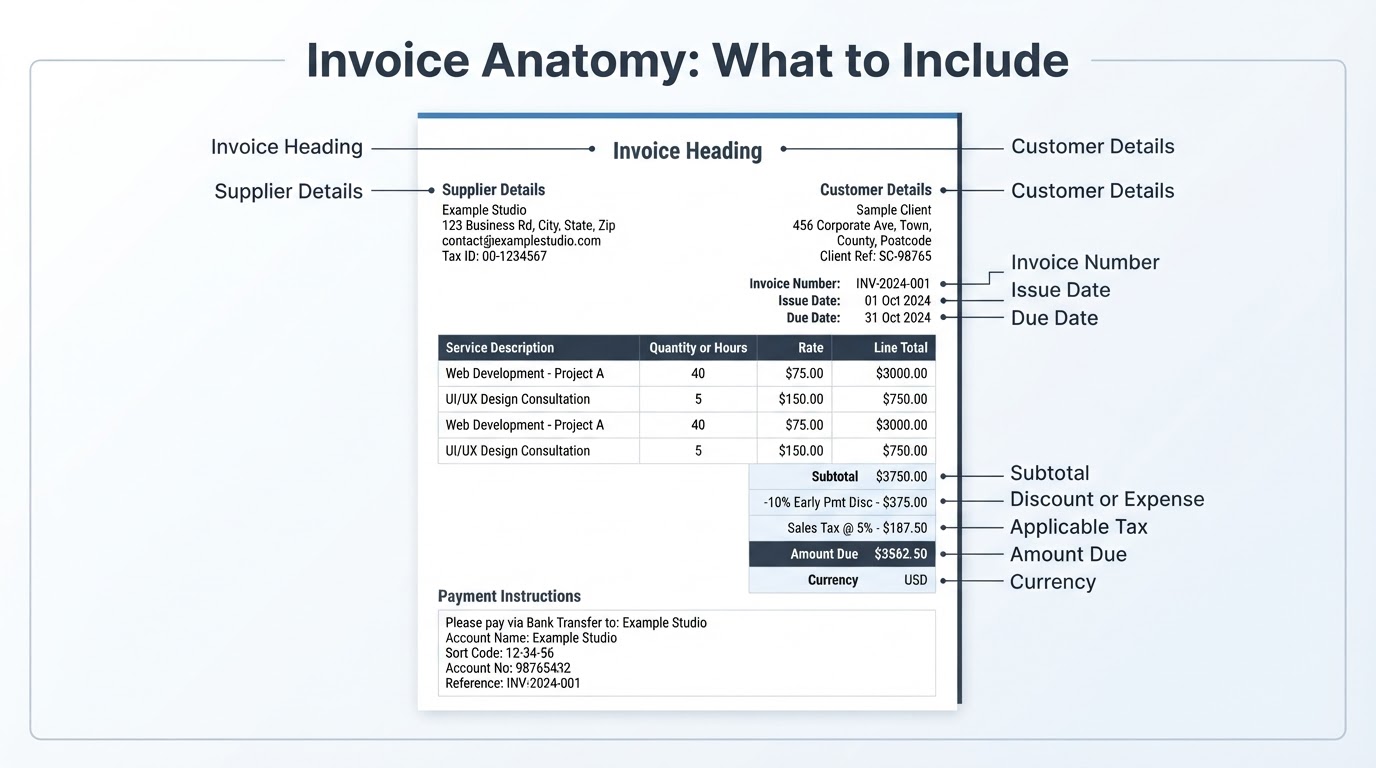
A useful invoice makes three questions easy to answer: who is billing, what was supplied, and how much is due and when should it be paid?
Common practical information includes:
- A clear invoice heading
- Supplier and customer details
- A unique invoice number
- Relevant invoice and due dates
- Itemized products or services
- Quantities, hours, rates, unit prices, or fixed fees
- Service or delivery dates where useful
- Discounts, expenses, shipping, and taxes shown in separate fields when relevant
- Subtotal and final amount due
- Currency
- Payment methods and instructions
- Purchase-order, project, or customer references when required
This is a practical checklist, not a universal legal list. Mandatory fields can depend on location, tax registration, customer type, cross-border rules, and electronic-invoicing requirements.
Calculate the Invoice Total
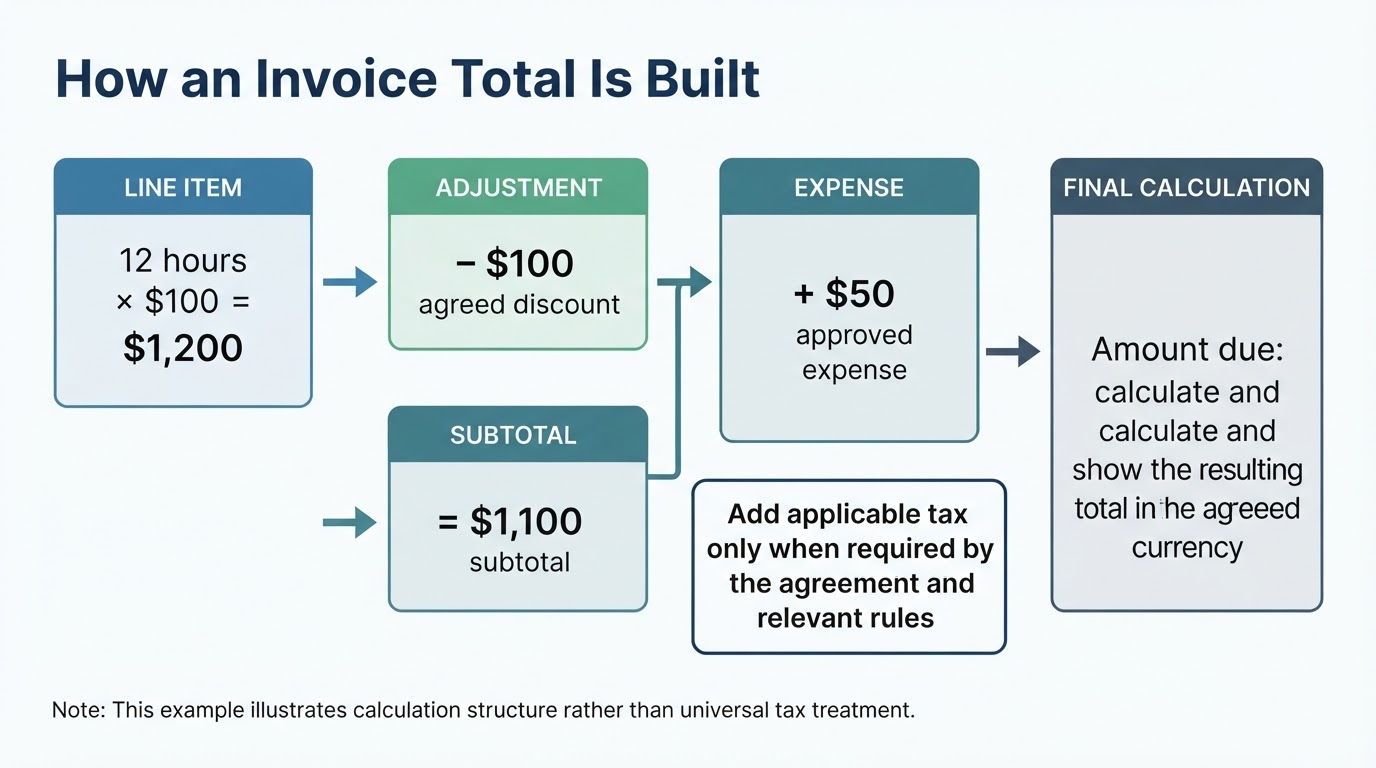
Make the calculation easy for the customer to follow. For each line, multiply the quantity or hours by the unit price or rate. Add the line totals to calculate the subtotal. Then show agreed discounts, expenses, shipping, taxes, deposits, or previous payments in clearly labeled fields and calculate the remaining amount due according to the agreement and relevant rules.
There is no single universal treatment order for every transaction. In particular, discounts, expenses, deposits, prior payments, and taxes may be handled differently depending on the contract, tax treatment, and jurisdiction. Use the method that applies to your transaction and show enough detail for the customer to check the result.
Choose the Best Invoice Format
Choose the tool that fits your billing process:
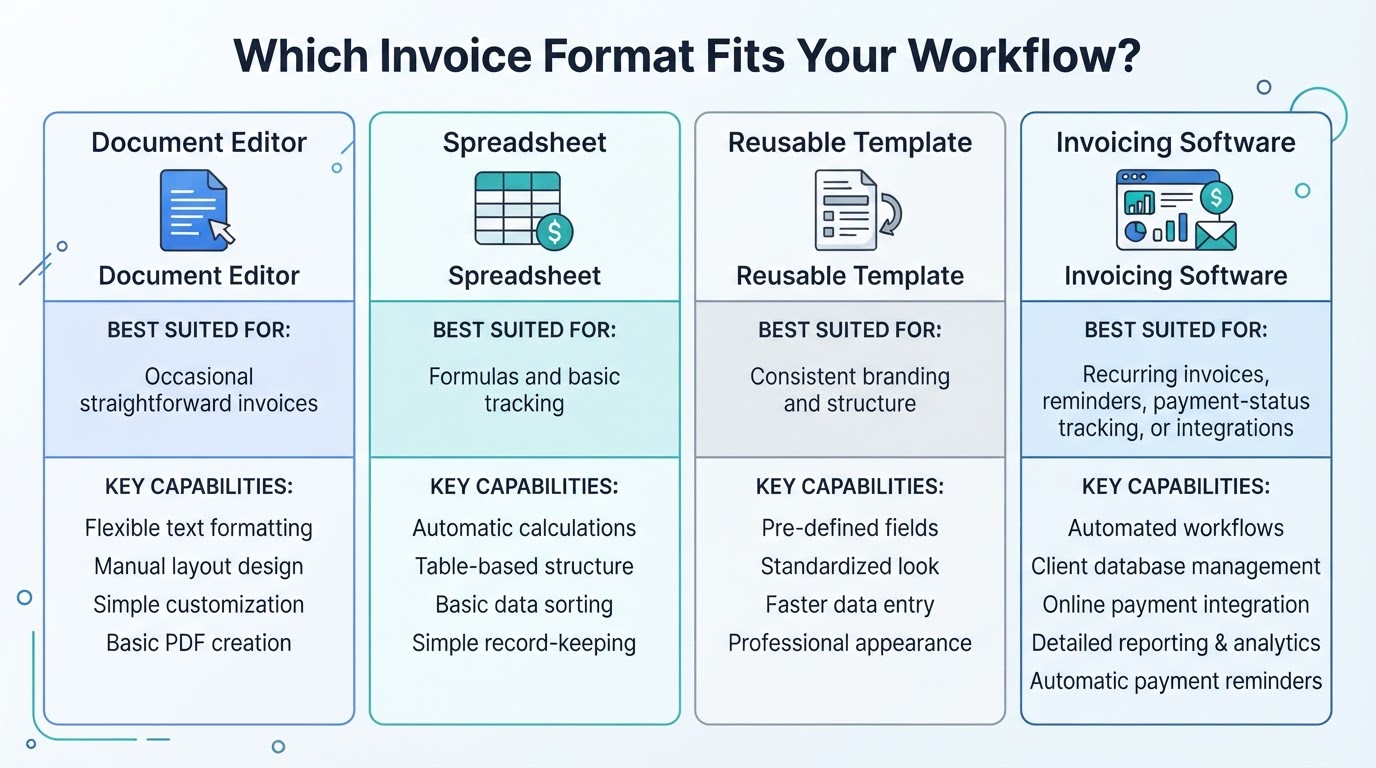
- Use a document editor for occasional, straightforward invoices with limited calculations.
- Use a spreadsheet when you need formulas, line-item calculations, reusable tables, or basic payment tracking.
- Use a template when consistent branding and structure matter but full automation is unnecessary.
- Consider invoicing software when you need recurring invoices, reminders, payment-status tracking, integrations, or centralized records.
Keep the editable source separate from the final copy sent to the customer. Review the tool's fees, currency support, account requirements, processing times, and transaction restrictions before relying on a payment or invoicing platform.
Review, Export, and Send the Invoice
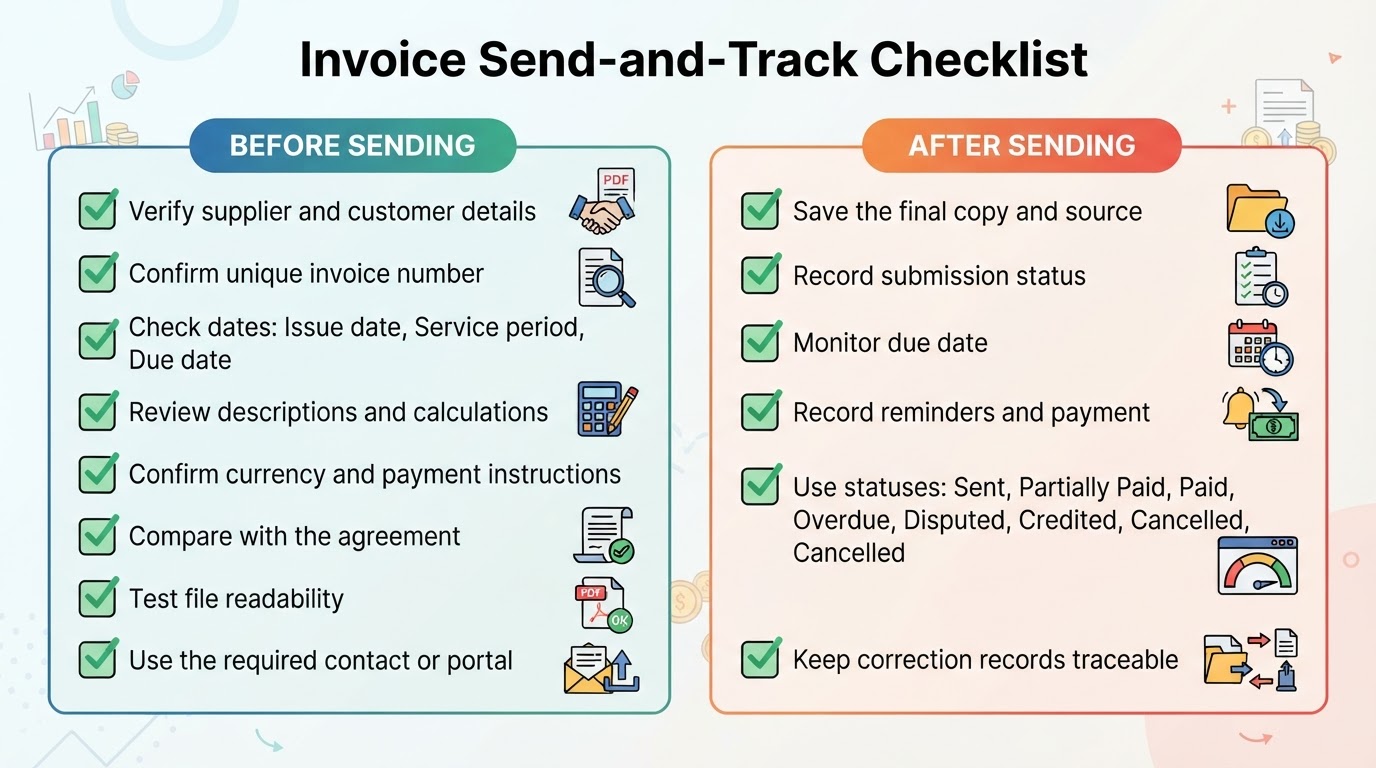
Before sending, compare the invoice with the agreement and supporting records. Check the parties, references, numbering, relevant dates, descriptions, quantities, rates, adjustments, currency, taxes, total, and payment instructions.
A PDF is often a practical way to send a fixed, readable version instead of an editable source file. It generally preserves a fixed presentation better than an editable document, but rendering and accessibility can still vary between applications. A PDF alone does not prove delivery, acceptance, payment, encryption, or legal validity.
Send the invoice to the verified billing contact through the channel agreed with the customer. Some customers may require an email attachment, portal submission, purchase-order workflow, or structured electronic invoice. Treat these as customer- or jurisdiction-specific requirements rather than assuming one delivery method works everywhere. If the channel provides a submission or delivery status, retain that information; an email attachment alone does not necessarily prove receipt.
Track Payment and Correct Errors
After sending, record the invoice number, customer, issue date, due date, amount, submission status, payment status, reminders, and payment date. Useful status labels include sent, partially paid, paid, overdue, disputed, credited, and cancelled.
Keep the invoice, source file, supporting work records, payment correspondence, and correction documents together for the period required by the applicable recordkeeping rules. Retention requirements vary by location, business type, and tax treatment.
Freelance and International Invoice Considerations
Match the invoice to the billing model. Hourly work, fixed-fee projects, deposits, milestones, installments, and product sales may require different descriptions and supporting details.
For international work, state the agreed currency clearly and review exchange-rate handling, payment-provider limitations, registration details, tax treatment, withholding, and electronic-invoicing requirements for the relevant jurisdictions. Confirm that the customer's preferred payment method supports the country and currency involved, and review its fees and processing limitations before promising a particular payment route.
Do not copy another country's invoice or tax format and assume it applies to a new transaction. If the requirements are unfamiliar, obtain location-specific accounting or tax guidance.
Common Invoice Mistakes to Avoid
Avoid these problems:
- Omitting a useful invoice reference or relevant date
- Using vague descriptions that do not identify the project, deliverable, period, quantity, hours, or rate
- Billing for work, expenses, or taxes that do not match the agreement or approved changes
- Leaving out the currency
- Sending the invoice to the wrong contact or failing to use a required customer channel
- Assuming a template determines the correct tax rate, registration information, late-payment wording, correction method, or electronic-invoicing format
- Sending an editable source file when a fixed copy is more suitable
- Failing to record submission, reminders, payment status, disputes, corrections, and supporting records
- Treating a PDF as proof of delivery, payment, encryption, or legal compliance
A consistent workflow and a short pre-send checklist can prevent most avoidable delays.
Conclusion
A professional invoice does not need to be complicated. Match it to the agreement, identify the parties and transaction, describe the charges clearly, calculate the amount due, and state how and when the customer should pay.
Use a document editor, spreadsheet, template, or invoicing tool according to your billing needs. Before sending, review the details, calculations, currency, payment instructions, and submission channel. After delivery, retain the records, track payment, protect billing information, and handle corrections through a documented process. Treat tax, electronic-invoicing, late-payment, privacy, and retention requirements as specific to the transaction and location.