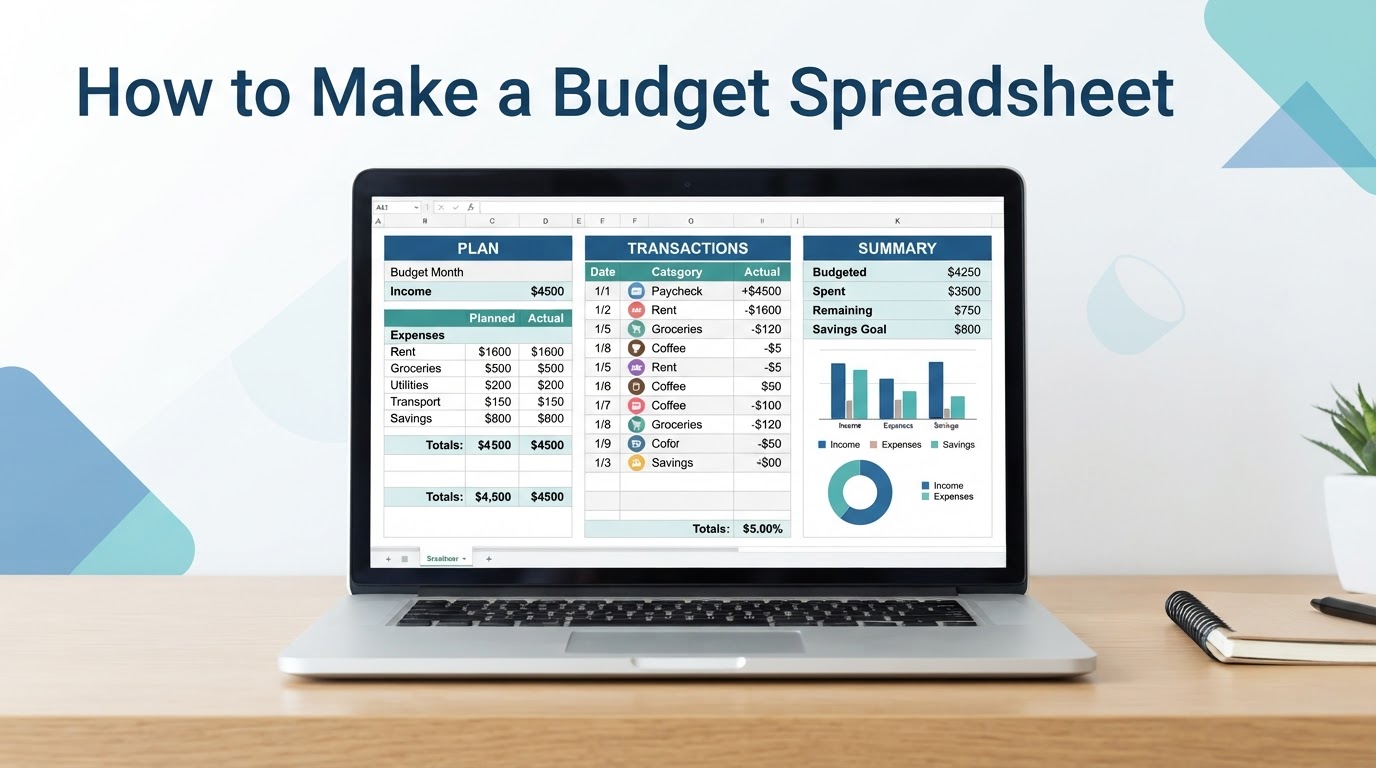
Learning how to make a budget spreadsheet does not require a complicated dashboard. A small workbook can help you plan income, organize expenses, track savings, record actual transactions, and compare your expectations with what happened.
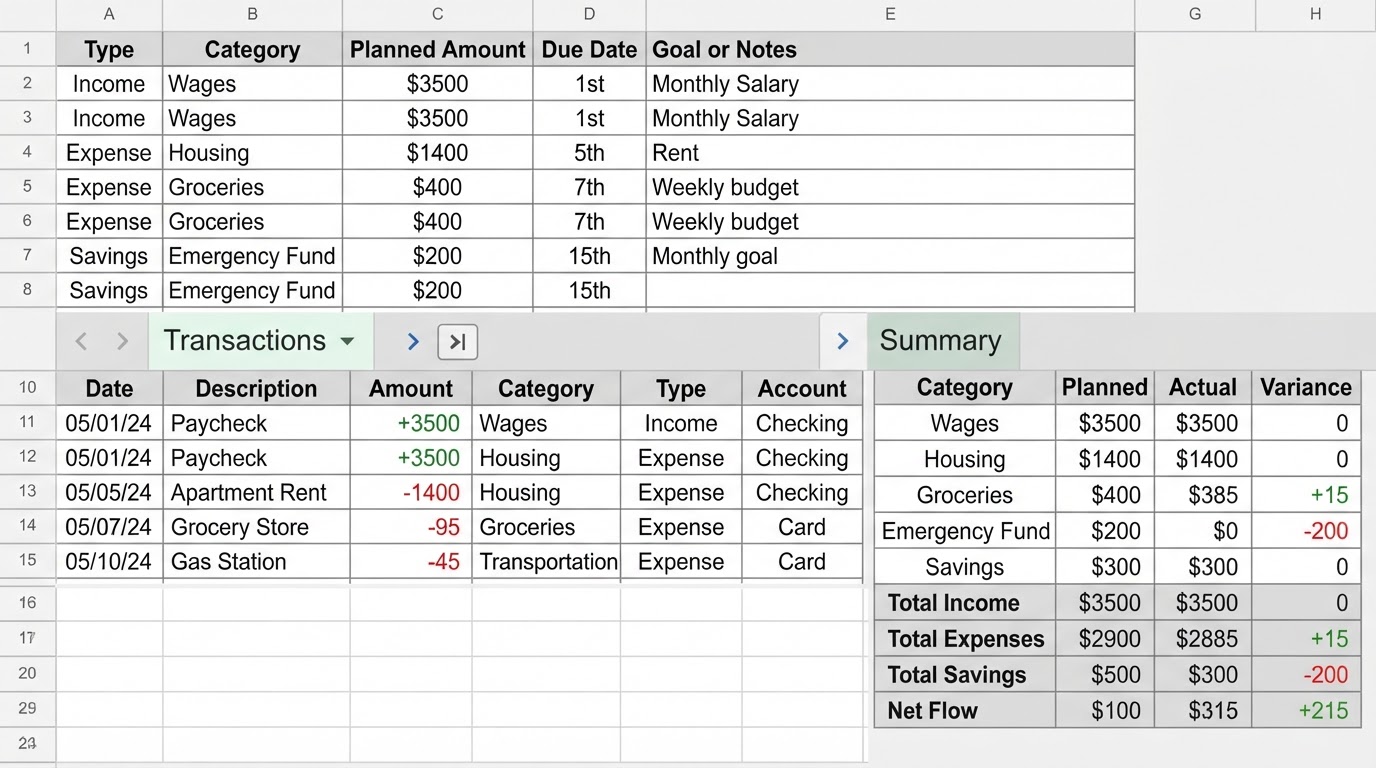
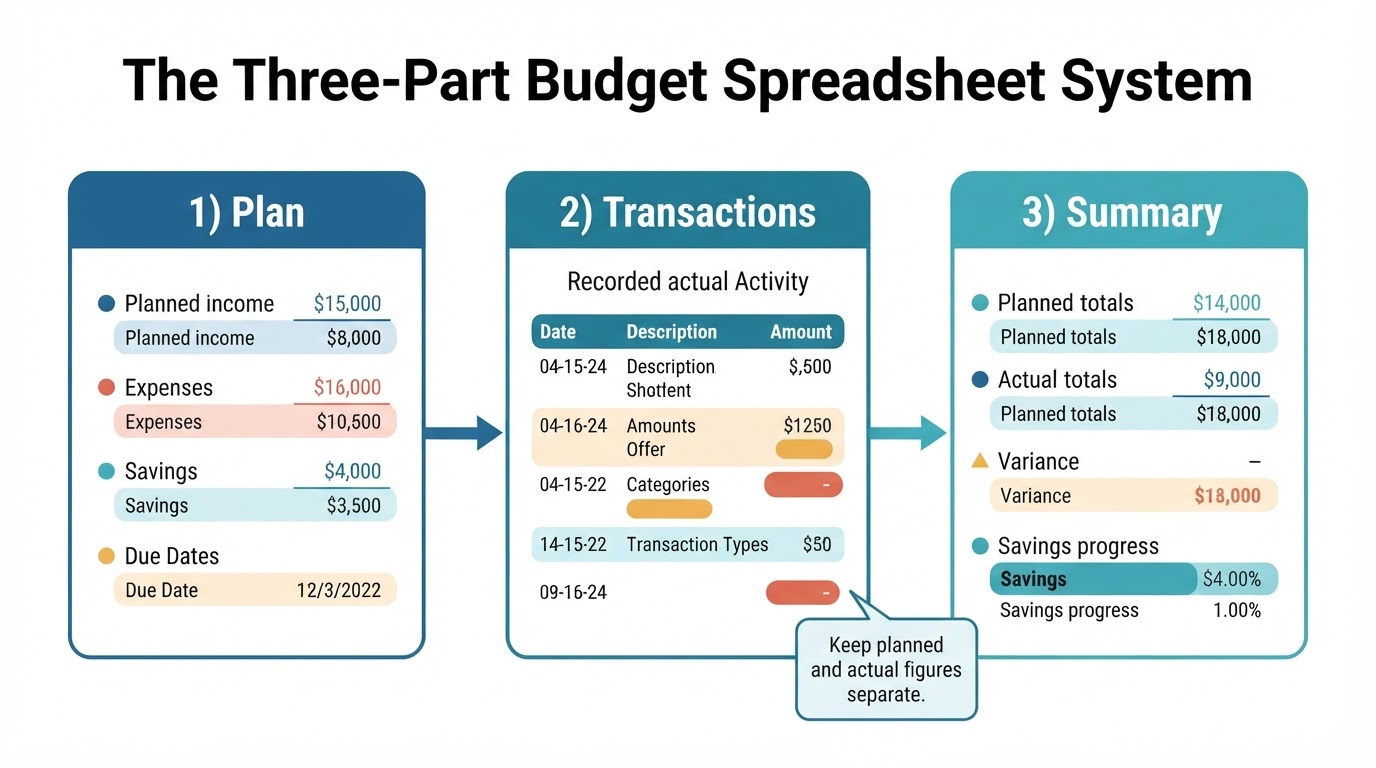
The most reliable beginner setup has three parts: a budget plan, a transaction log, and a summary. The plan records what you expect to receive and allocate. The transaction log records actual activity. The summary combines the information so you can review totals, category differences, savings progress, and planned cash flow.
This guide shows how to build that structure, connect the sheets with formulas, classify common transactions, and check the results. The examples are educational planning examples, not tax, investment, debt, or accounting advice.
Quick Answer: Build These Three Spreadsheet Areas
Start with three sheets or clearly separated areas in one workbook:
- Plan: Lists income sources, expense categories, savings goals, planned amounts, and optional due dates.
- Transactions: Records actual income, purchases, payments, transfers, refunds, and other activity.
- Summary: Shows planned amounts, actual totals, variance, savings progress, and the remaining amount under your chosen budgeting method.
Keep planned figures separate from actual figures. If you replace your original plan with what you actually spent, you lose the comparison that helps you improve future budgets.
Step 1: Create Useful Budget Spreadsheet Categories
Create categories that support decisions. You do not need a separate category for every merchant. A category is useful when it has its own spending limit, due date, savings target, or review purpose.
Step 2: Set Up the Transaction Log
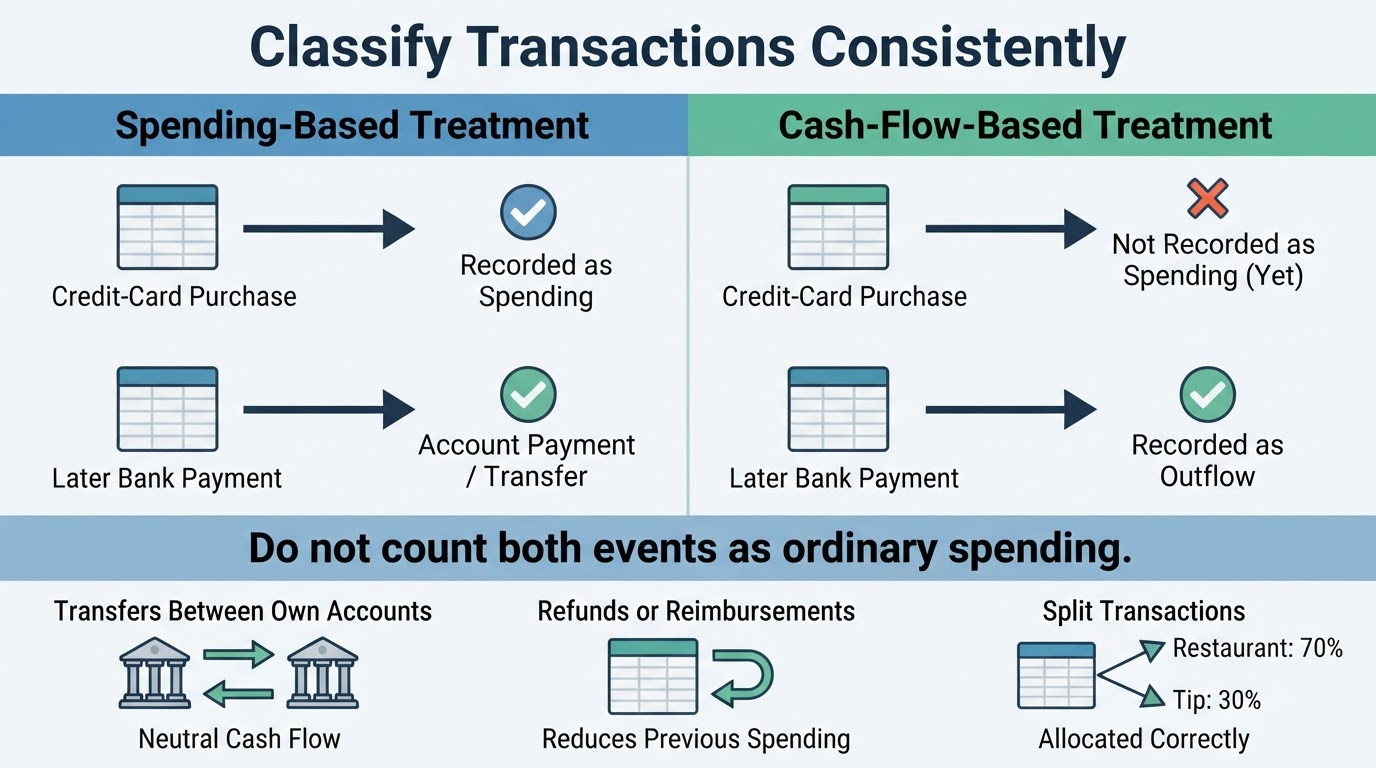
The transaction log records what actually happens. Useful columns include date, description, amount, category, transaction type, account, and notes. One category per ordinary transaction keeps category totals easier to calculate, but transfers and other special cases need clear classifications.
Step 3: Connect the Plan, Transactions, and Summary
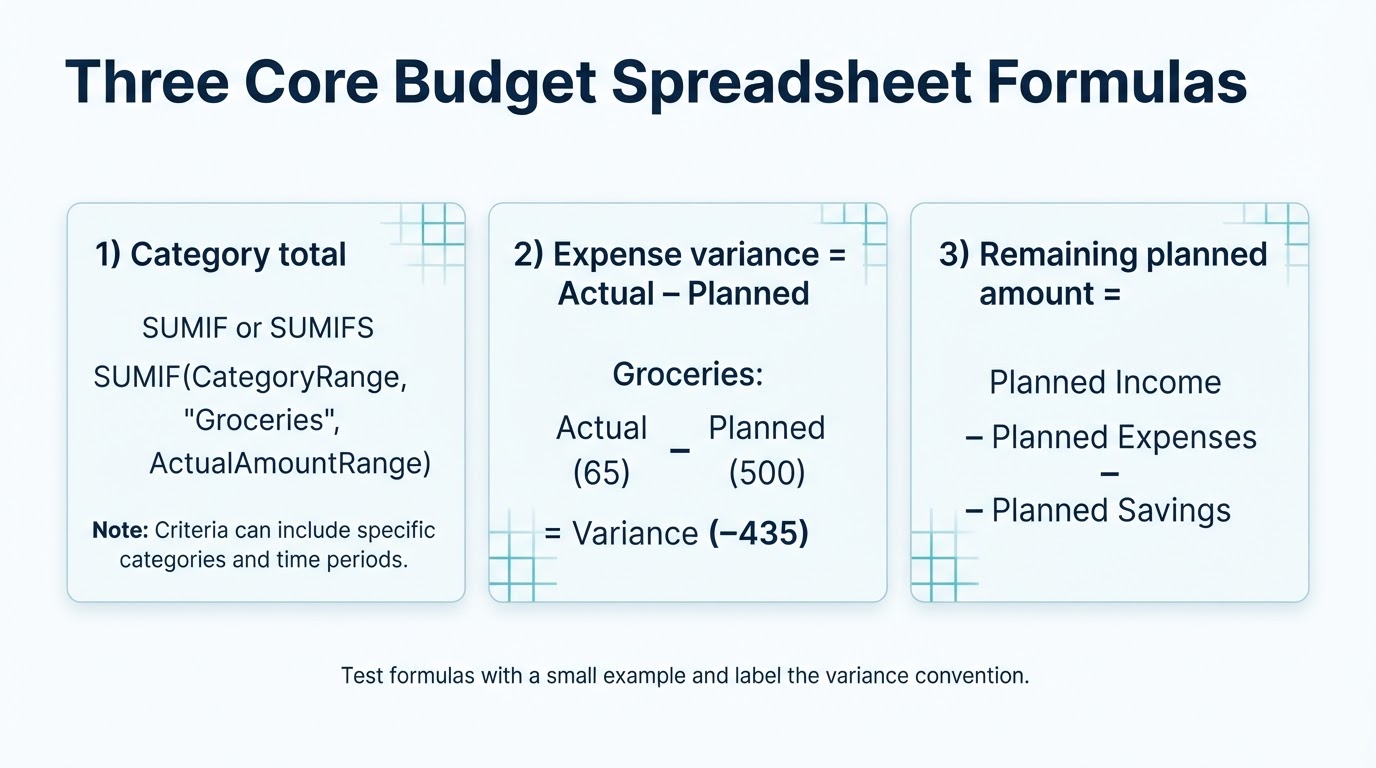
The summary should pull actual totals from the transaction log and compare them with the plan. For each category, show the planned amount, actual amount, and variance.
Step 4: Add Savings Goals and Sinking Funds
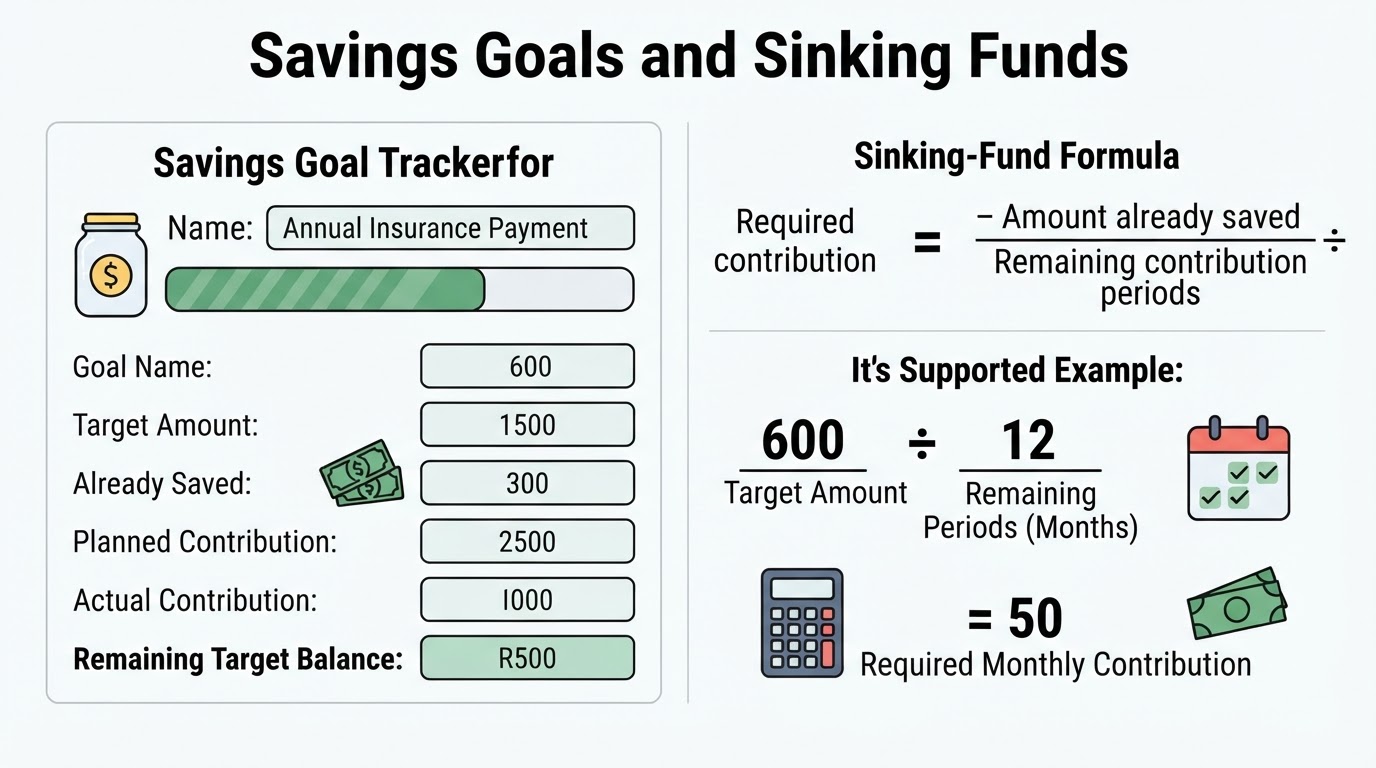
List savings as an explicit planned allocation instead of assuming that leftover money will automatically be saved. This makes the contribution visible and lets you compare planned and actual progress.
Step 5: Review and Reconcile the Workbook
A budget spreadsheet is a repeatable workflow, not a one-time setup task. Review transactions weekly or at payday when cash flow is tight, and complete a broader review at the end of each budget period.
Excel, Google Sheets, or a Template?
The basic structure of a budget workbook can be used in common spreadsheet applications, but exact functions, separators, date behavior, charts, sharing controls, and other features can vary by application, version, and locale. Verify formulas and interface instructions in the platform you use.
Privacy, Sharing, and Common Mistakes
A budget may contain sensitive information about income, spending, debt, and accounts. Do not enter online-banking passwords, full payment-card numbers, security answers, or authentication codes into the workbook.
If you store the file with a cloud service, review that service's current privacy, retention, backup, sharing, and security documentation. Policies and controls can change. Use general protections such as a strong account password, multi-factor authentication where available, device locks, and careful permission reviews. These practices do not guarantee complete privacy.
Conclusion
To make a budget spreadsheet, start with a plan, a transaction log, and a summary. Keep planned amounts separate from actual transactions, use clear category and transaction-type rules, and connect the summary to the log with tested formulas.
Treat remaining cash as a workbook convention, define how savings and account activity are handled, and use one variance formula consistently. Add sinking funds for meaningful irregular bills, review the workbook regularly, preserve historical data, and protect sensitive information when storing or sharing the file.