
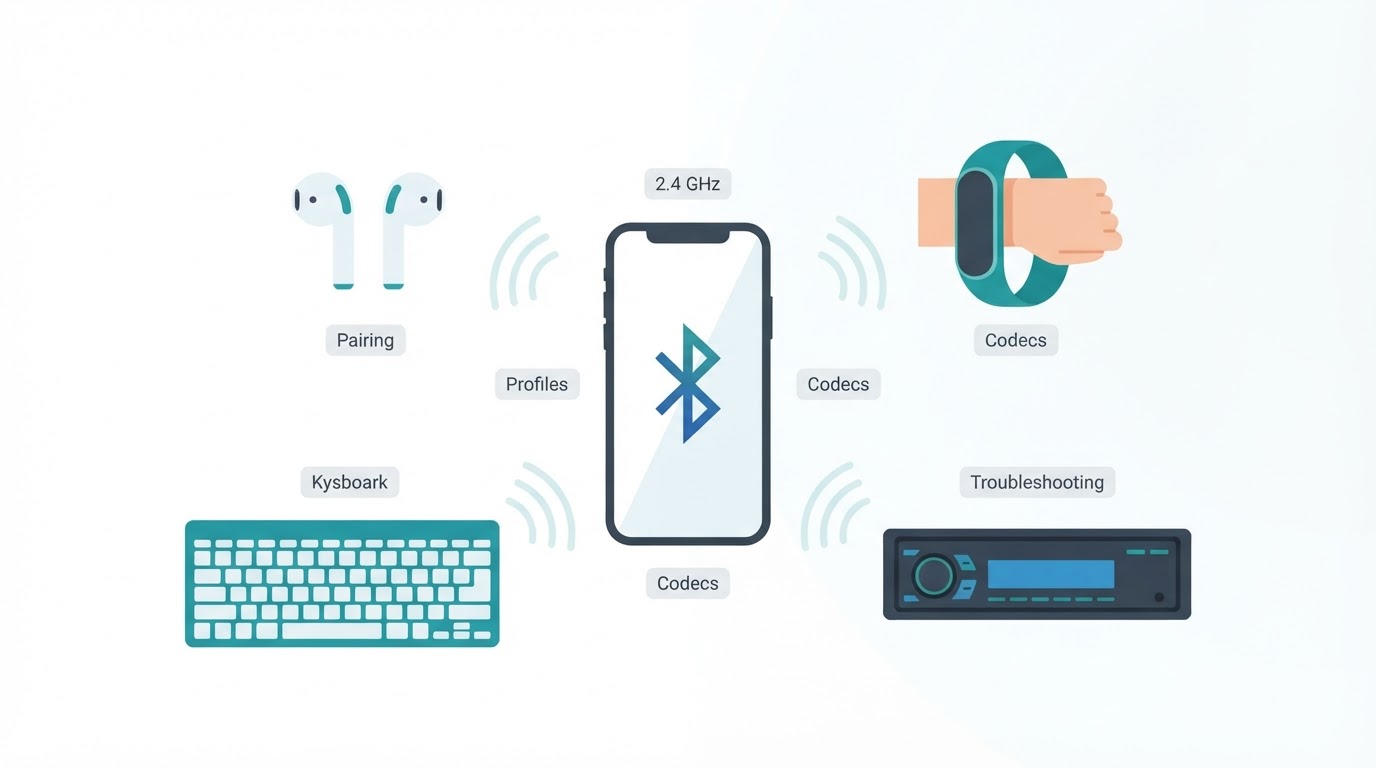
Bluetooth is a short-range wireless technology that lets nearby devices communicate without cables. It powers wireless earbuds, speakers, vehicle systems, keyboards, mice, controllers, wearables, sensors, and many other accessories.
So, how does Bluetooth work? Devices use 2.4 GHz radio communication to find compatible nearby devices, establish a trusted relationship, set up the required profile or service, and exchange data. Depending on the product, that process may involve discovery, pairing, bonding, authentication, codec selection, and automatic reconnection.
This guide explains Bluetooth in practical terms, including the difference between Bluetooth Classic and Bluetooth Low Energy, what versions and profiles mean, why range and audio quality vary, how multipoint works, and what to do when a Bluetooth connection fails.
What Is Bluetooth in Simple Terms?
Bluetooth is a short-range wireless communication technology for compatible nearby devices. It operates in the 2.4 GHz ISM band, a shared radio environment also used by Wi-Fi and other wireless equipment.
A Bluetooth connection does not require Wi-Fi or internet access. The local link is created directly between the devices, although a companion app or online service may need internet access for additional features.
Common examples include:
- A phone connected to wireless earbuds or a speaker
- A phone connected to a vehicle's hands-free system
- A keyboard or mouse connected to a computer
- A game controller connected to a console or tablet
- A wearable exchanging information with a phone
- A sensor sending measurements to another device
The exact behavior depends on the devices, their Bluetooth radio modes, supported profiles or services, software, and firmware.
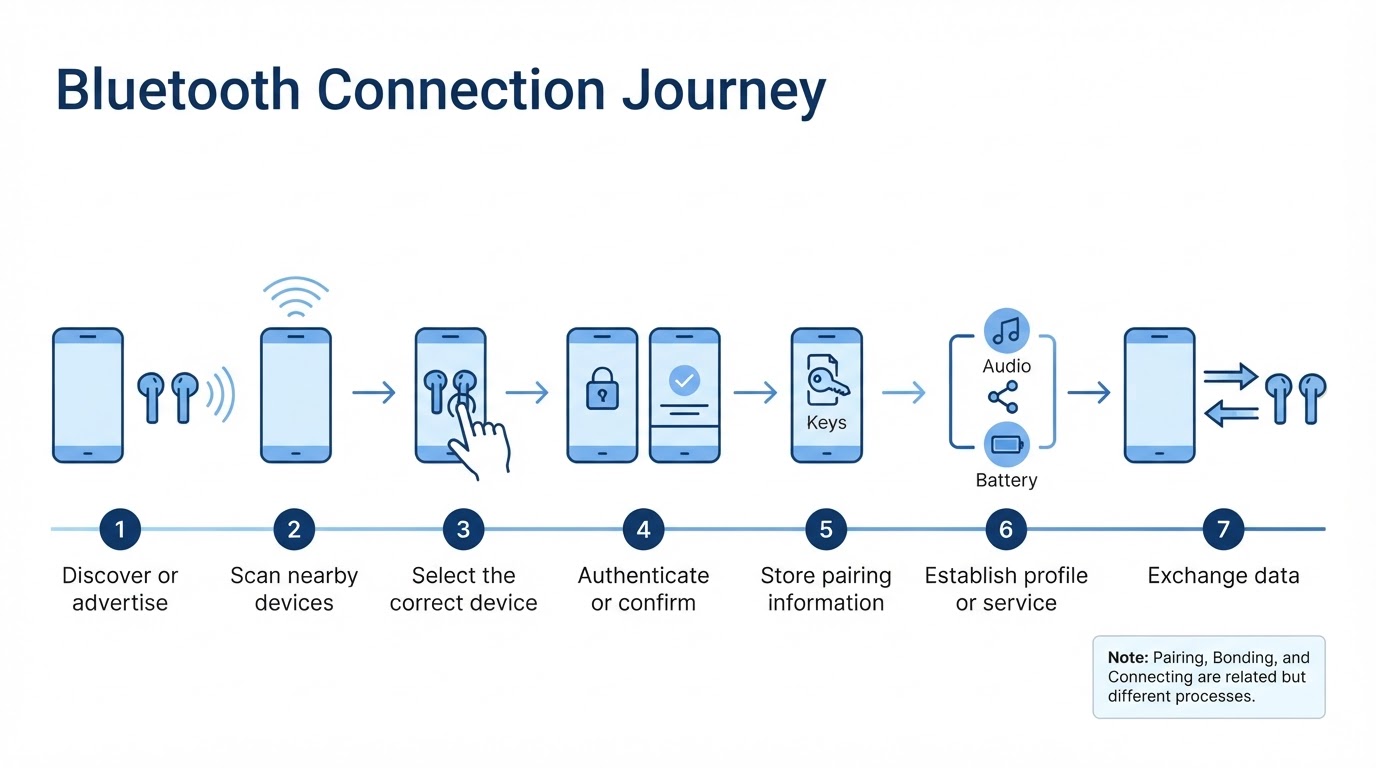
How Bluetooth Connects Two Devices
A typical Bluetooth connection involves several stages, although the exact procedures differ between Bluetooth Classic, BLE, operating systems, profiles, and products:
- A device becomes available for discovery or advertises relevant information.
- Another device searches for nearby devices.
- The user selects the correct device when required.
- The devices authenticate or confirm the relationship.
- Pairing information may be stored for future use.
- The devices establish the required profile, service, or application setup.
- Data begins to move across the connection.
This is why turning on Bluetooth alone does not always make an accessory appear. Many products must be placed into a dedicated pairing mode first.
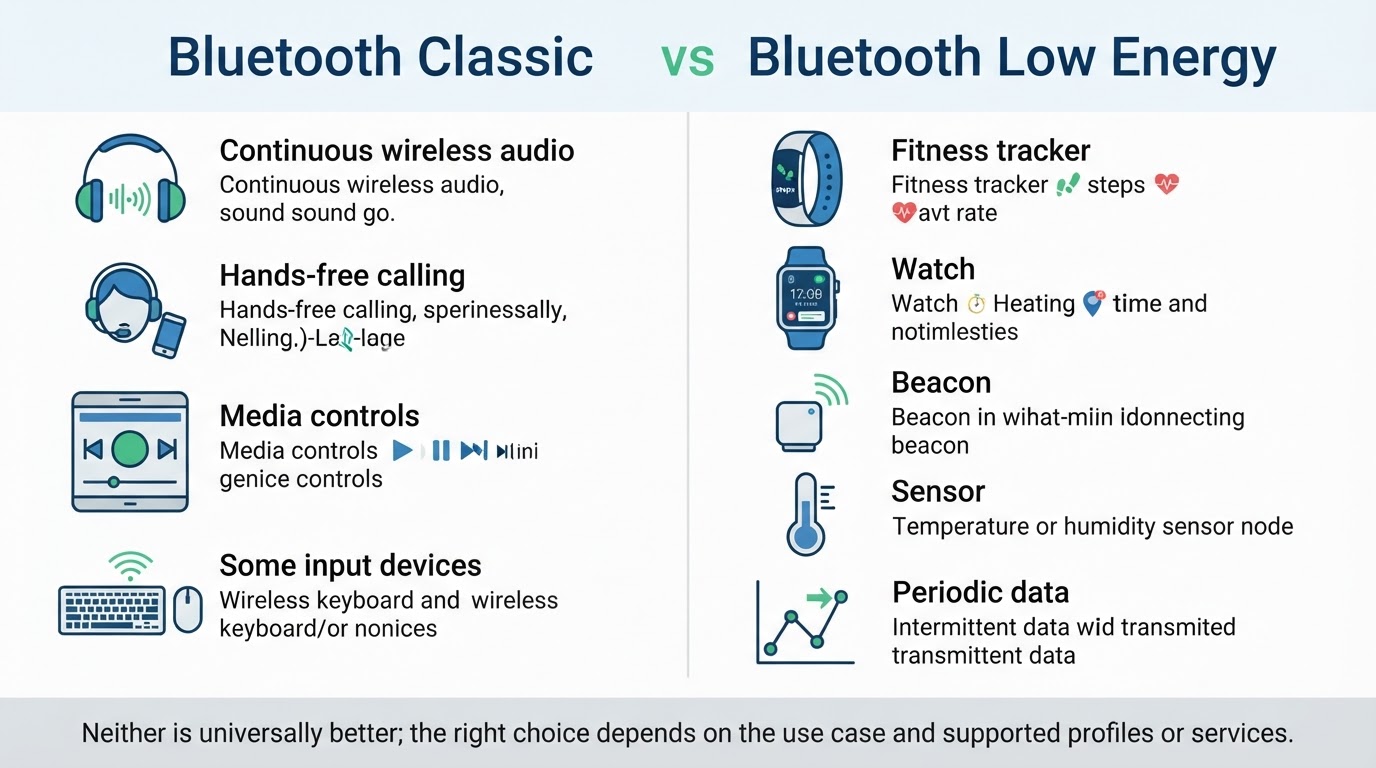
Bluetooth Classic vs. Bluetooth Low Energy
Bluetooth Classic and BLE have different design priorities. Bluetooth Classic is commonly associated with conventional continuous connections, while BLE emphasizes efficient communication and lower power use.
A product must support the communication model, profiles, services, and software required by the application. A phone, sensor, and pair of headphones may all use Bluetooth but rely on different modes and connection procedures.
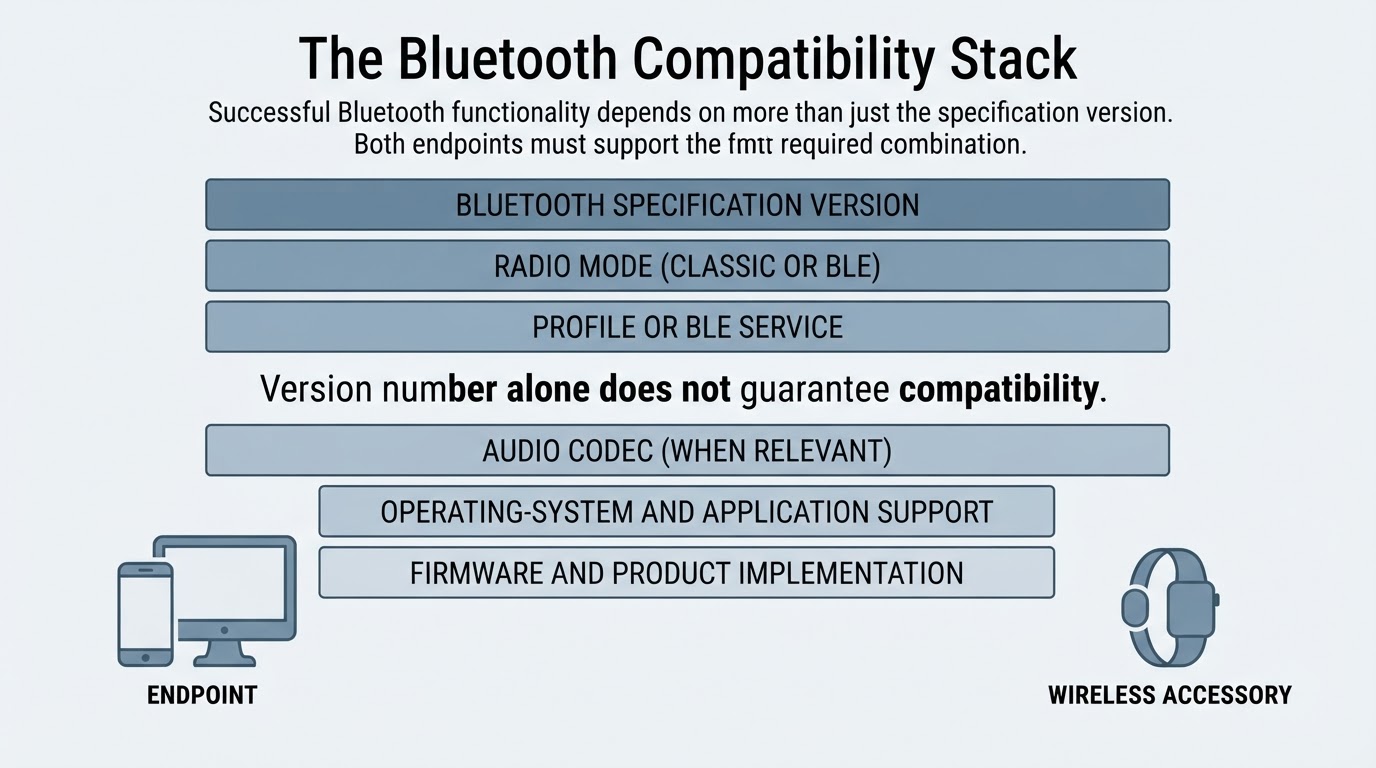
Bluetooth Versions, Profiles, and Compatibility
Bluetooth compatibility depends on more than a version number. Important factors include:
- Bluetooth specification version
- Radio mode, such as Bluetooth Classic or BLE
- Profile or BLE service
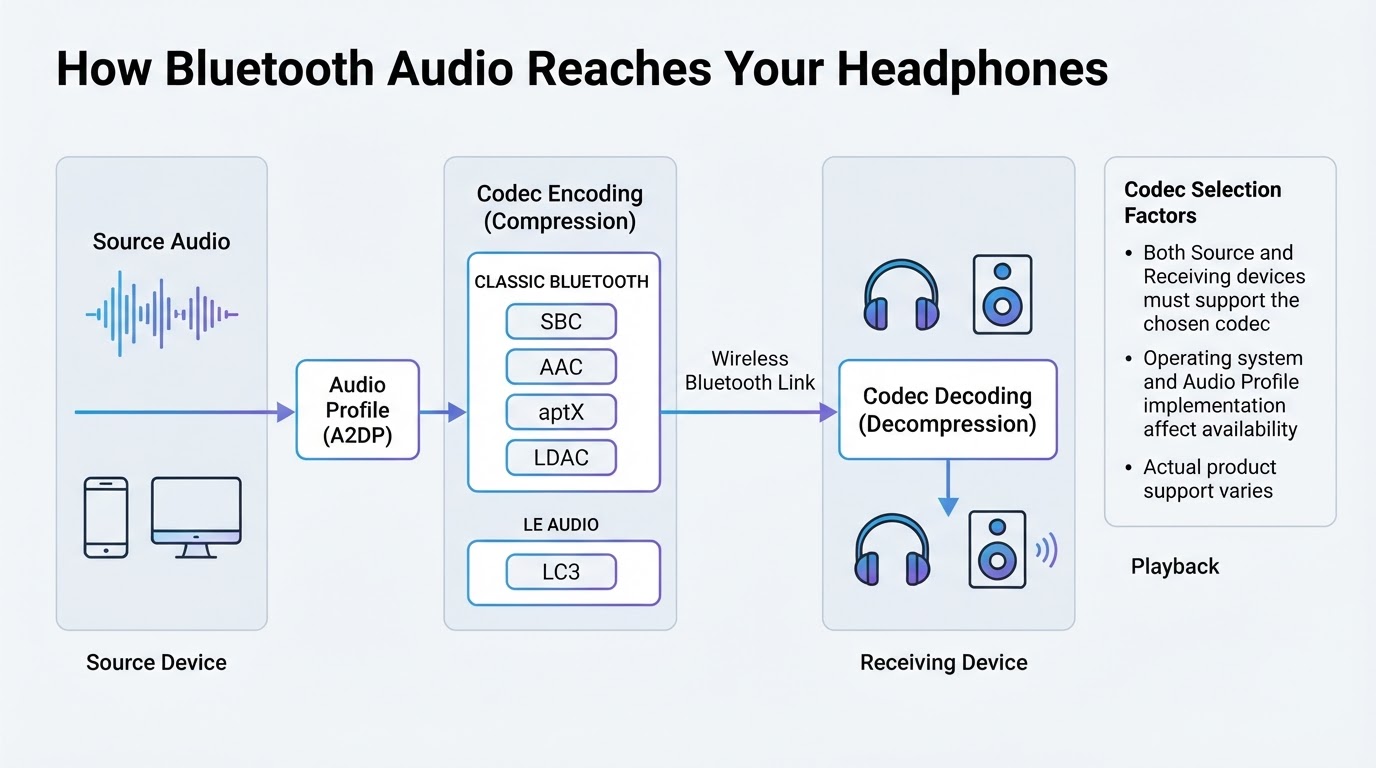
- Audio codec, where relevant
- Operating-system and application support
- Product implementation and firmware
Two products can use compatible Bluetooth versions but still lack the profile, service, codec, or software support needed for a particular feature.
Bluetooth Range and Connection Dropouts
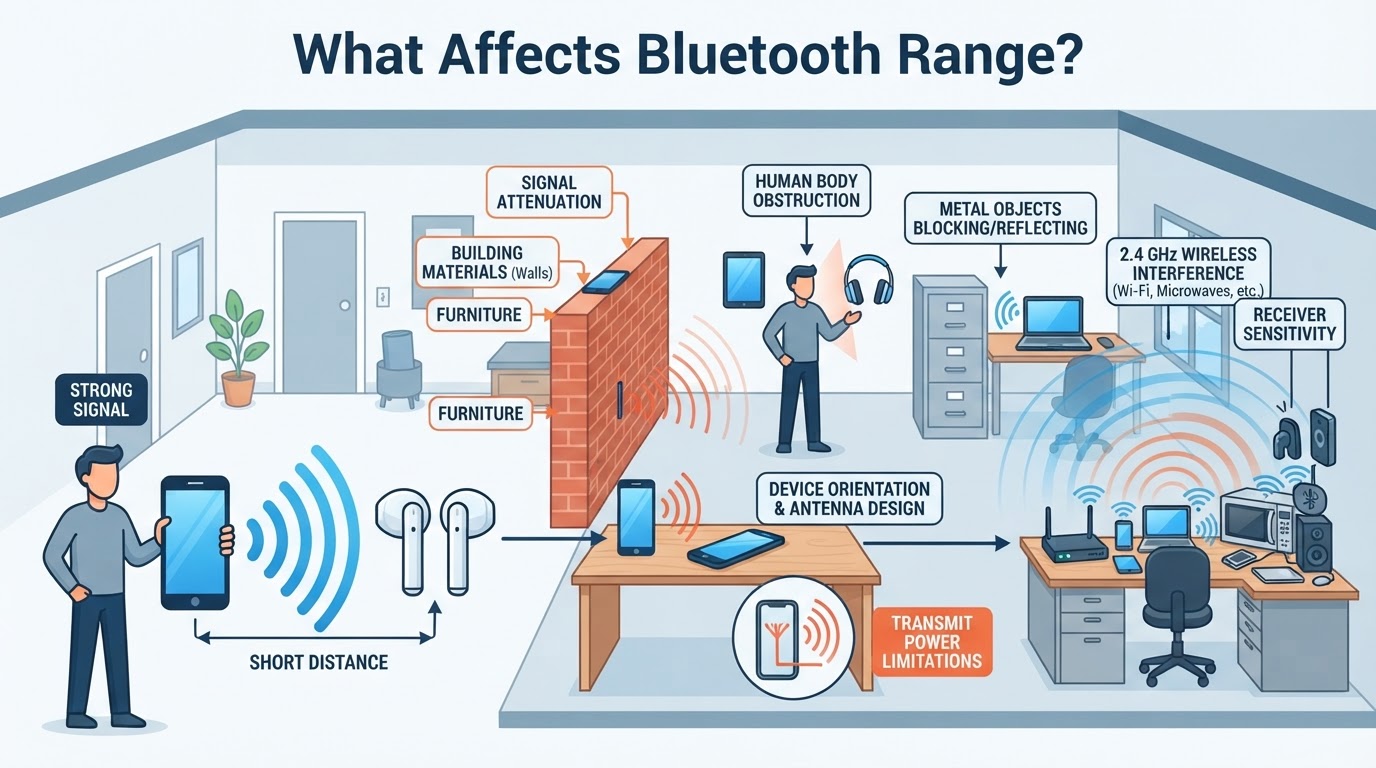
Bluetooth range is not a guaranteed indoor distance. Actual performance depends on transmit power, receiver sensitivity, antenna design, power class, device orientation, obstacles, interference, and the capabilities of both endpoints.
The weaker endpoint can limit the practical connection even when the other device has a stronger radio. A range figure published for a particular test setup may not reflect performance through walls, inside a bag, or near busy wireless equipment.
Bluetooth Audio, Profiles, and Codecs
Bluetooth audio is not usually a direct wireless copy of the original audio file. The source and receiving device use a compatible audio profile and codec. The codec prepares audio for transmission, and the receiving device decodes it for playback.
The complete audio path can be affected by the source material, codec, bitrate, buffering, operating-system behavior, device processing, radio conditions, and the implementation in the headphones, speaker, or vehicle system.
Multipoint and Common Bluetooth Use Cases
Different Bluetooth products use different profiles, services, radio modes, and power strategies. Earbuds and speakers focus on audio, vehicles may support calls and media, keyboards and mice send input events, and sensors often exchange periodic data.
Multipoint is a product-specific feature that allows one accessory to maintain or manage connections with more than one source device. Behavior varies. Some products switch between sources, some maintain limited simultaneous links, and others do not support multipoint.
Bluetooth Troubleshooting: A Symptom-Based Workflow
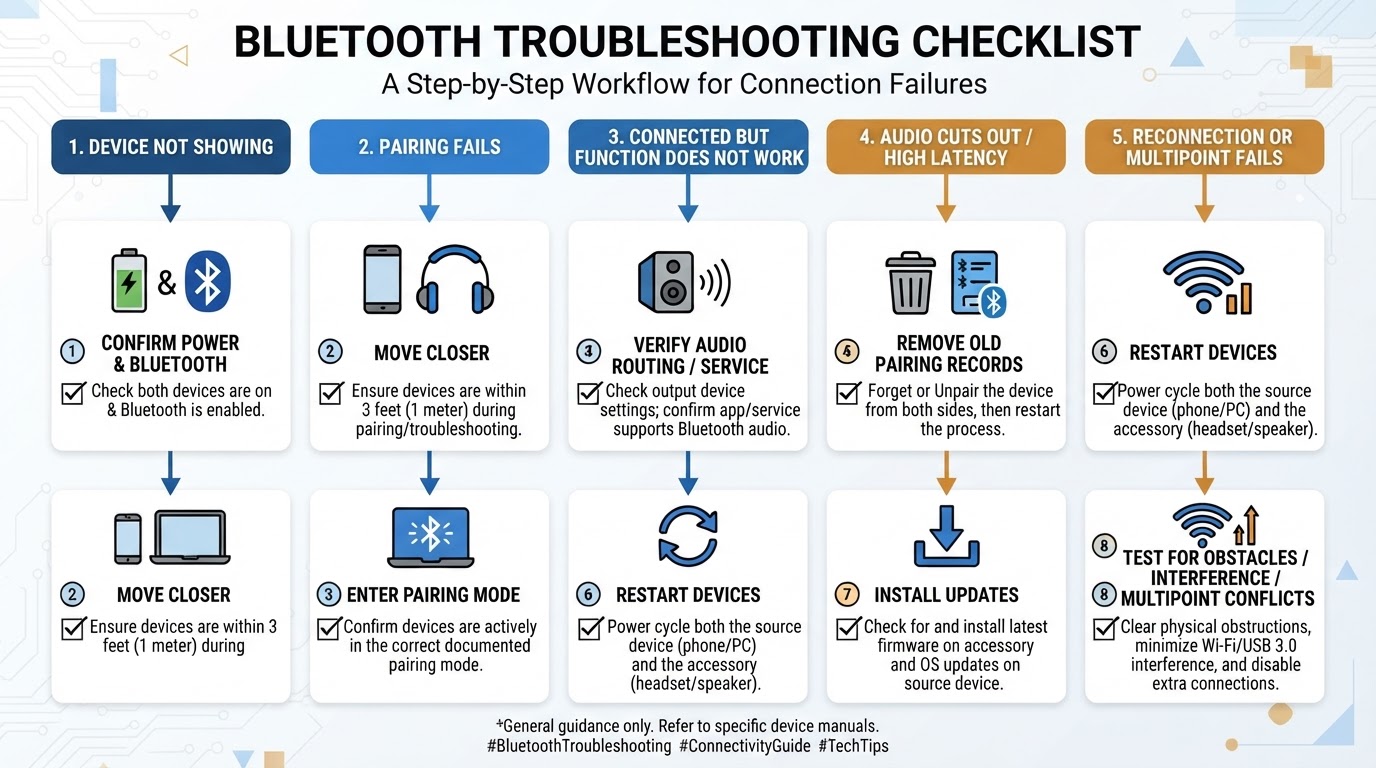
The fastest way to troubleshoot Bluetooth is to classify the problem first. Is the device missing from the scan list, failing to pair, connected without working audio, disconnecting at range, or failing to switch between sources?
Check both endpoints rather than focusing only on the phone or computer. Menu names, driver behavior, codec controls, and reset procedures vary by operating system and product. Use this general workflow:
- Confirm power and Bluetooth status on both devices.
- Move the devices close together.
- Enter the accessory's documented pairing mode.
- Check the operating-system Bluetooth list and audio-routing settings.
- Remove obsolete pairing records when appropriate.
- Check profiles, services, codecs, and operating-system requirements.
- Install available firmware, driver, and operating-system updates.
- Test for obstacles, wireless congestion, and multipoint conflicts.
Bluetooth Security and Privacy
Bluetooth security can involve authentication, encryption, discovery controls, and stored bonding information. The level of protection depends on the pairing method, device capabilities, configuration, implementation, and software updates.
Bluetooth pairing security is also separate from the privacy practices of a companion application or cloud service. An encrypted local connection does not by itself explain what an associated app collects, stores, processes, or shares.
Conclusion
Bluetooth works by combining short-range radio communication with discovery, authentication, pairing, bonding, compatible profiles or services, and application-specific data exchange. Bluetooth Classic and BLE serve different purposes, while LE Audio and Auracast require compatible hardware and software.
Bluetooth version numbers provide useful context, but they do not independently determine range, sound quality, codec use, multipoint, or compatibility. When a connection fails, check both devices, pairing mode, saved bonds, profiles, operating-system settings, distance, interference, firmware, and product-specific behavior.