
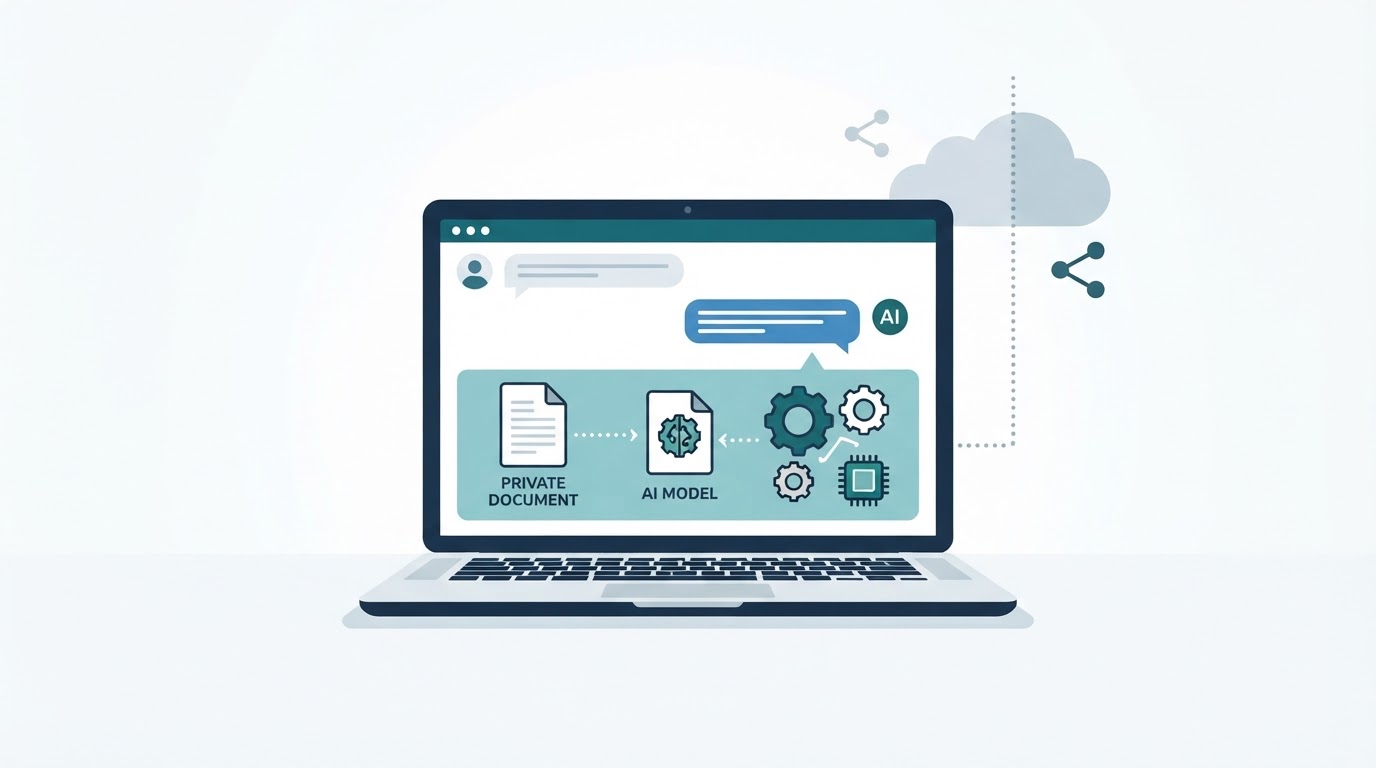
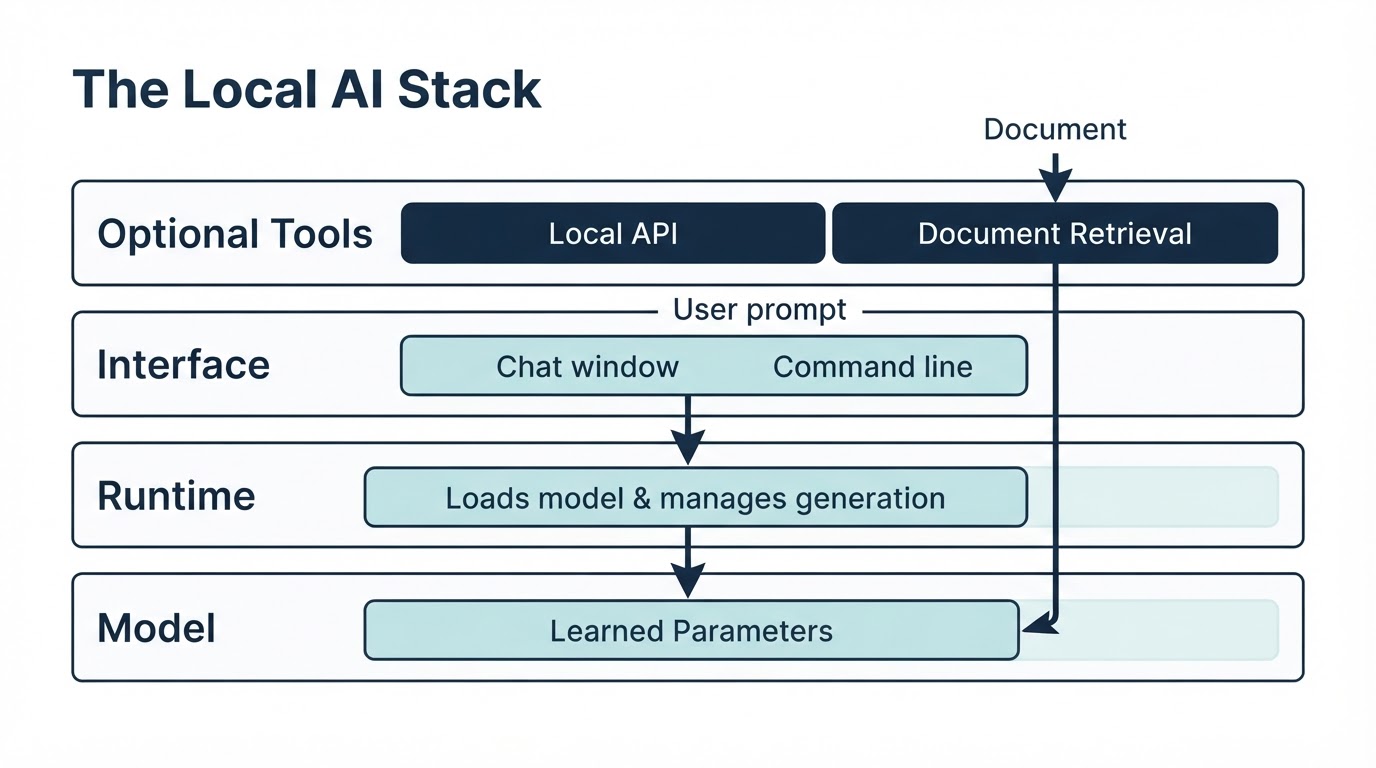
Running AI locally means that a model generates responses on your computer or privately controlled hardware instead of sending every request to a remote provider. A typical setup includes a model file, software that loads and runs the model, and an interface such as a desktop chat application. You may also add document retrieval, a local API, or other tools. Local AI can provide greater control over data and may continue working without an internet connection after setup. However, it is not automatically private, free, fast, or as capable as the strongest cloud services. Results depend on the model, runtime, hardware, settings, and task. This guide explains how to run AI locally, check whether your computer is suitable, choose beginner-friendly software, test offline access, use private documents, and evaluate privacy and performance.
How to Run AI Locally: The Quick Version
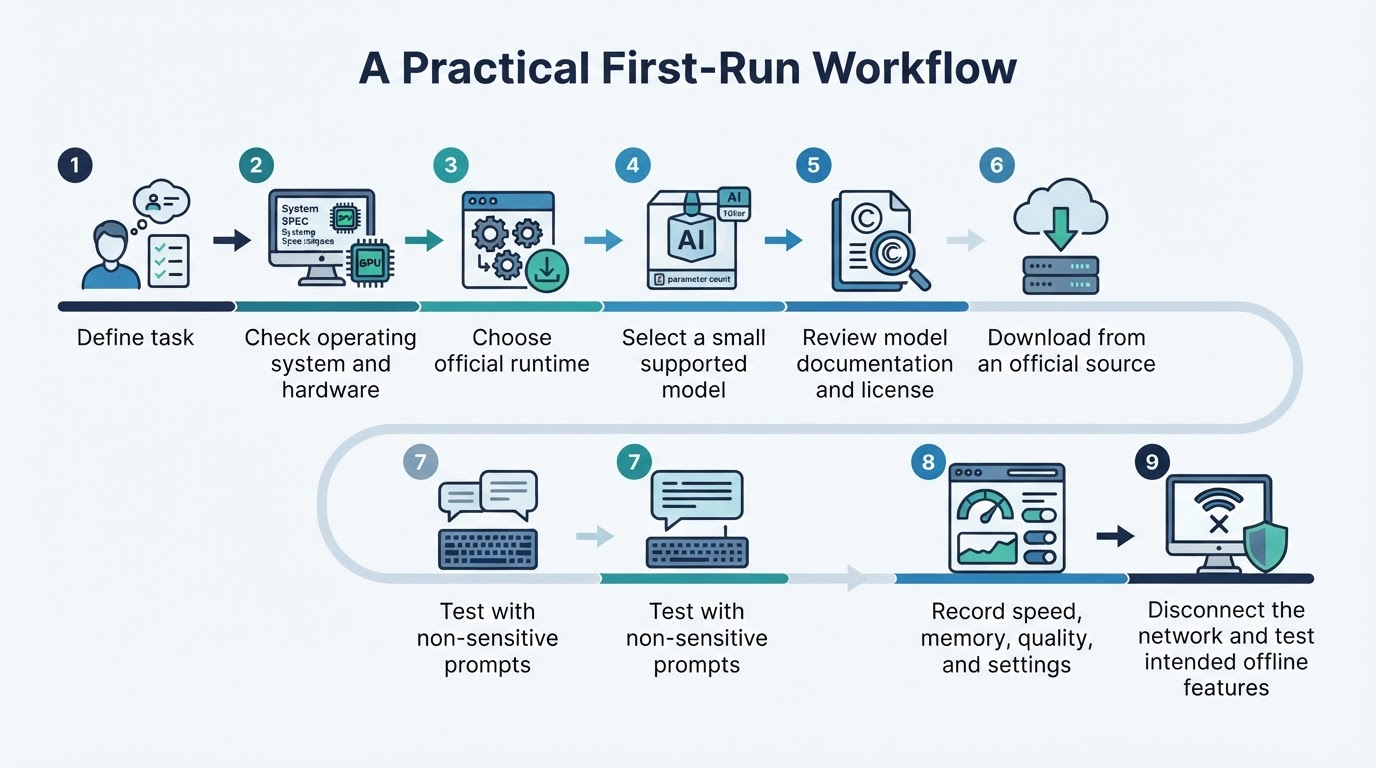
For a first local setup, follow this general process. The exact downloads, menus, commands, supported platforms, and settings vary by application and version.
What Does It Mean to Run AI Locally?
Local AI is software that performs inference on a device controlled by you or your organization. Inference is the process of using a trained model to generate an answer, summarize text, write code, or complete another task. A local LLM is a language model that runs this way. Many local models are distributed as open-weight models, meaning their trained parameters are available to download under specific terms.
Should You Run AI Locally or Use a Cloud Service?
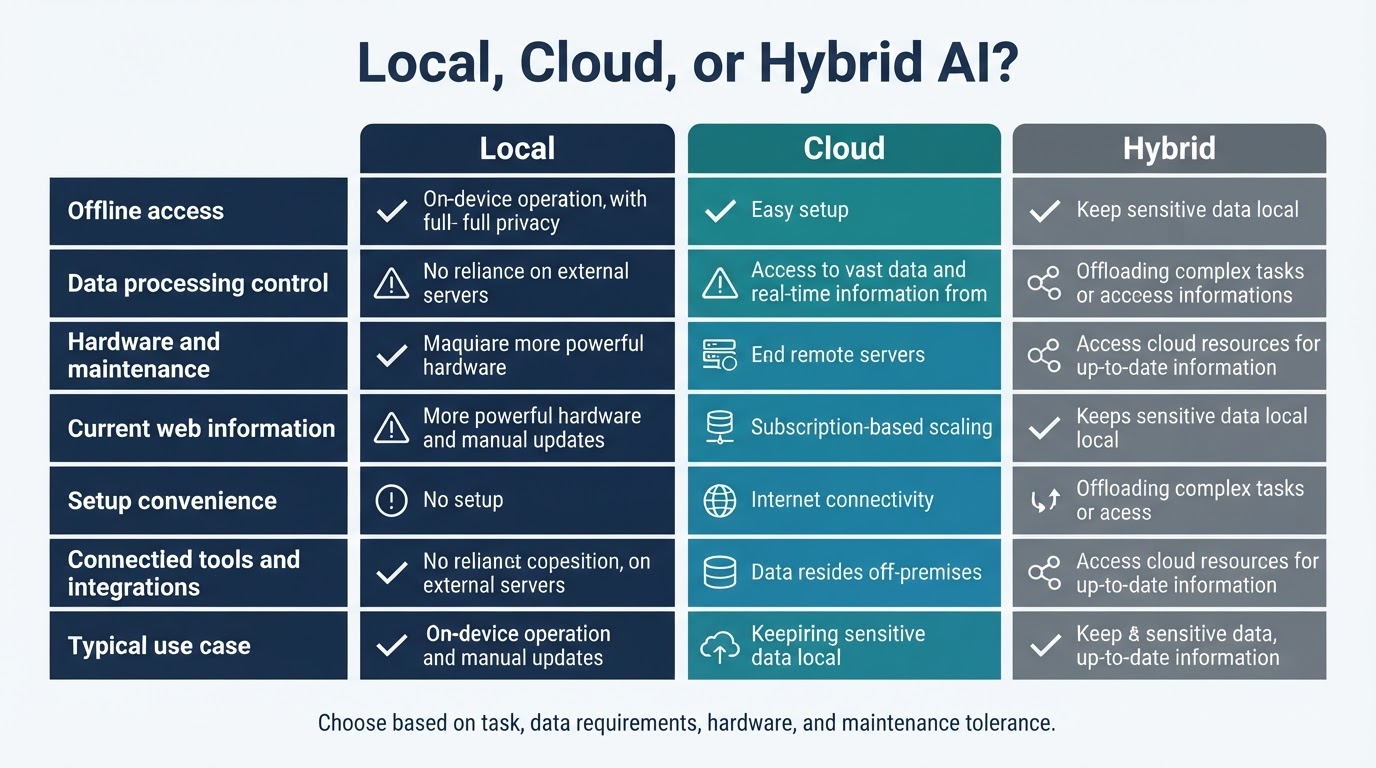
Neither local nor cloud AI is automatically the best choice. Local systems are attractive when offline access, control over data, experimentation, or predictable access to a particular setup matters. Cloud services are often more convenient and may provide stronger capabilities, current information, connected tools, larger context options, or managed infrastructure. A hybrid workflow can use a local model for sensitive drafting and routine tasks while using a cloud service when its capabilities are necessary. Include existing hardware, electricity, storage, maintenance, workload volume, and alternative cloud costs when comparing total cost.
Can Your Computer Run a Local AI Model?
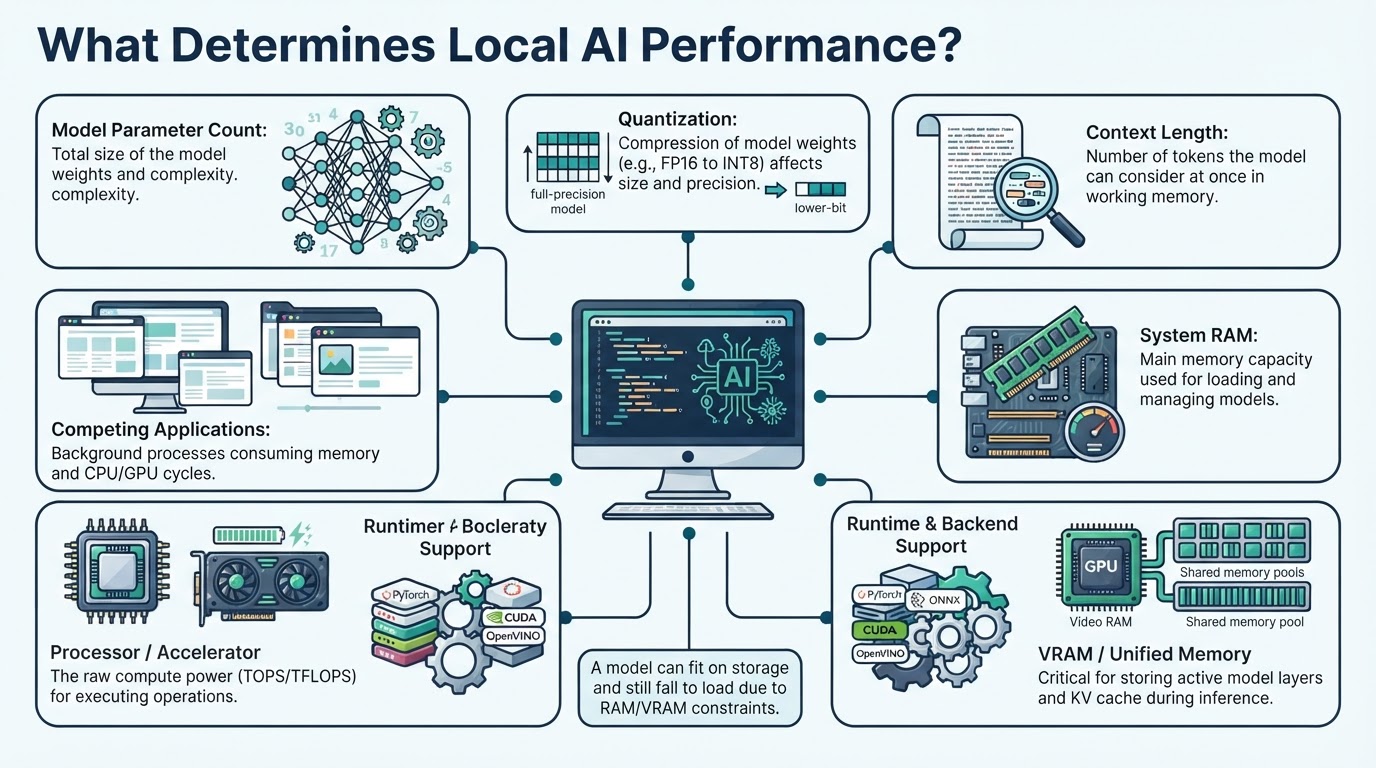
Check your operating system, processor, system RAM, graphics processor, available VRAM or unified memory, storage, and network access for the initial setup. No single RAM or GPU number determines compatibility. Model parameter count, numerical precision, quantization, context length, runtime support, and available memory all matter.
Choosing Software to Run AI on Your Computer
Local AI software generally falls into three groups: graphical applications, command-line or API-oriented runners, and lower-level inference implementations. A graphical application is usually the easiest starting point for chat and model management. An API- or command-line-focused runner is often better for developers, automation, and application integration. A lower-level implementation can provide more control over supported CPU and accelerator configurations. Check current official documentation because interfaces, supported platforms, model sources, server features, and hardware backends can change by release.
Installing and Testing a Local Model
The following procedure is intentionally tool-neutral. It helps you plan and evaluate a setup, but it does not replace the installation instructions for a specific runtime or operating system.
Can Local AI Work Without the Internet?
After the runtime and model files have been downloaded, compatible local chat workflows can generally generate responses without an internet connection. Initial downloads, software updates, external information retrieval, web search, cloud APIs, telemetry, and some integrations may still require network access. Document-chat tools may also require separately downloaded OCR, embedding, reranking, or other model components before they work offline. Disconnecting the network verifies practical behavior for the tested configuration and feature set; it does not prove that software never makes network requests under other conditions.
Is Running AI Locally Actually Private?
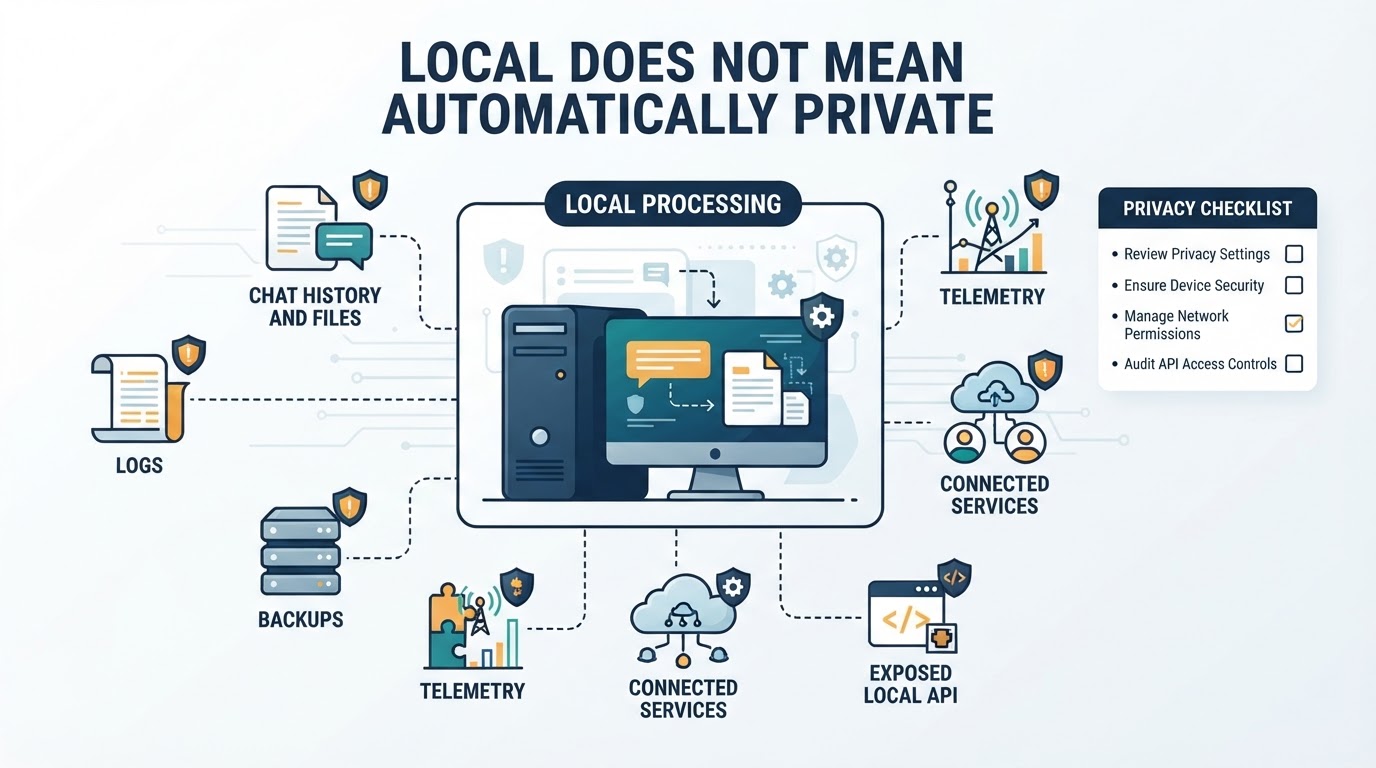
Local inference can reduce the need to transmit prompts and files to a hosted provider, but local does not mean automatically private. Three separate boundaries matter: where processing occurs, where data is stored, and who can access the device or connected services. A locally processed prompt may still be exposed through application telemetry, logs, backups, plugins, integrations, malware, other device users, or an unsecured API.
Using Local AI With PDFs and Private Documents
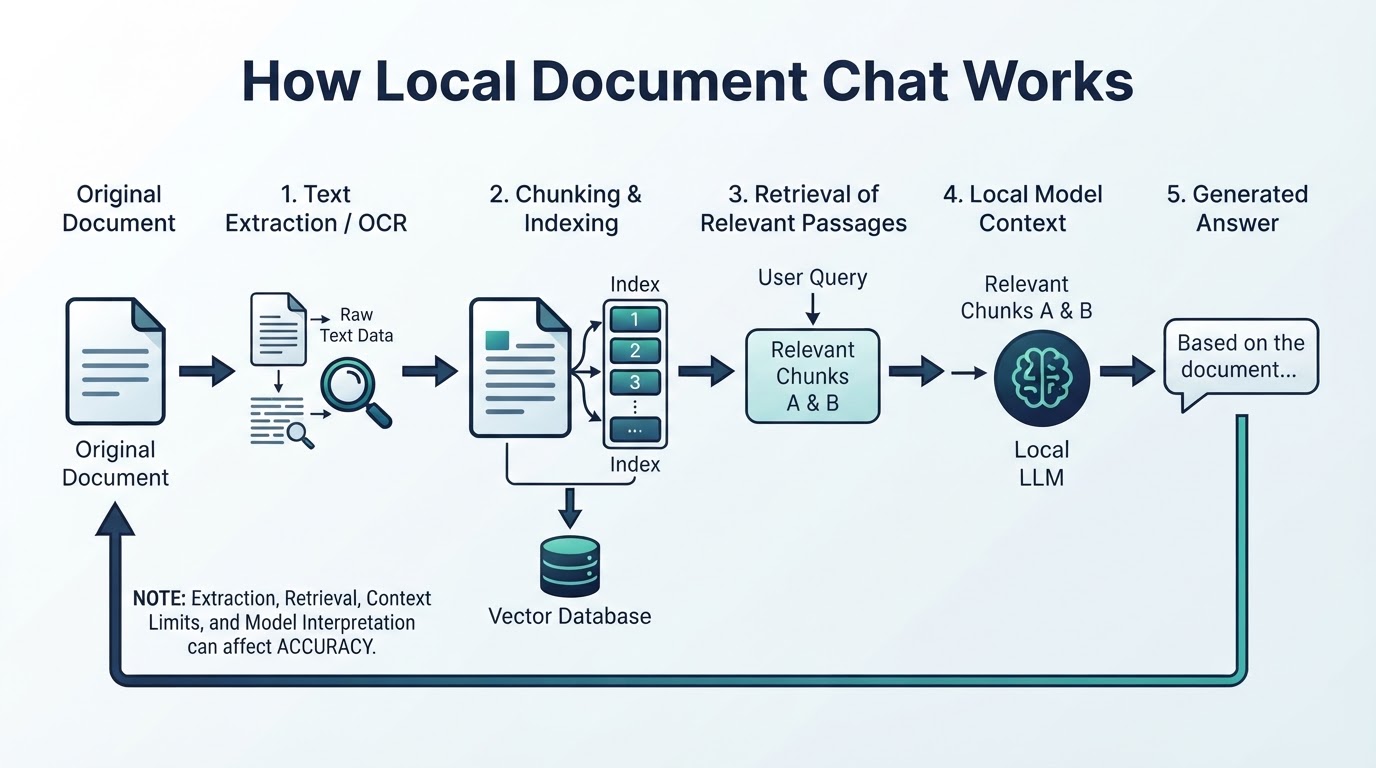
A local document workflow may extract or index content, retrieve relevant passages, and provide those passages to the model as context. This is commonly called retrieval-augmented generation, or RAG. Quality depends on text extraction, chunking, retrieval quality, context limits, and the model’s ability to use the supplied evidence. Importing a file does not guarantee that every page was understood or that every answer is correct.
What Local AI Can and Cannot Do Well
Suitable local uses include drafting, rewriting, brainstorming, summarization, classification, coding assistance, document question-answering, experimentation, and local application development. A smaller model may be useful when speed, offline access, or data control matters more than maximum capability. Performance varies by task, language, context length, hardware, runtime, and configuration. Offline operation does not prevent hallucinations, unsafe code, omissions, or misunderstandings. Local models should not automatically be treated as replacements for the strongest hosted models or as autonomous decision-makers.
Common Local AI Mistakes and a Better Evaluation Process
Avoid assuming that local means automatically private or that offline means every feature works without a network. Do not select a model only because it has a larger parameter count. Avoid downloading unverified model files, runtimes, or extensions without checking official release channels, repository ownership, documentation, and available signatures or checksums. Do not expose a local API without reviewing its bind address, authentication, firewall configuration, transport security, and access logs. A model that fits on disk may still fail to load or run at a useful speed.
Conclusion
Running AI locally combines a model, a runtime, available hardware, and optional features such as document retrieval or a local API. Start with a small supported model, test it with representative prompts, verify offline behavior and privacy settings, and validate important outputs against reliable sources. Choose local, cloud, or hybrid AI according to your task, data requirements, hardware, and tolerance for maintenance.