
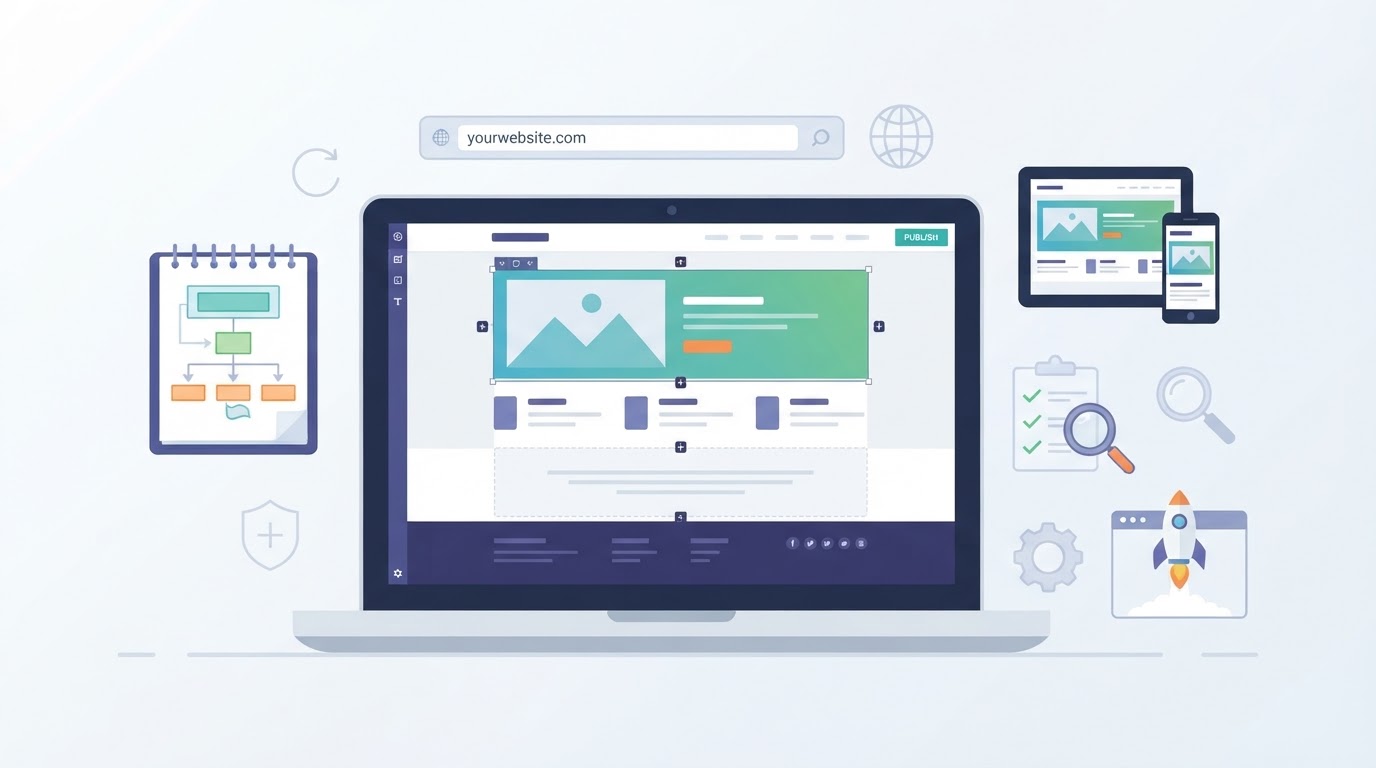
You can make and publish many types of websites without manually writing HTML, CSS, or JavaScript. No-code website builders provide templates, visual editors, reusable sections, and publishing tools that let you assemble pages through configuration rather than source code.
The process still requires planning. You need to decide what the website is for, which pages visitors need, how people will contact you, whether you need a custom domain, and which platform supports your requirements. You also need to test the finished site and review accessibility, privacy, security, and search-engine basics.
This guide explains how to make a website without coding through a practical sequence: plan the site, choose a platform, build the pages, configure publishing, test the result, and maintain it after launch.
Can You Make a Website Without Coding?
Yes. A no-code website builder replaces most manual source-code authoring with visual controls, templates, reusable sections, and publishing settings. You choose a layout, edit text and images, configure navigation, and publish through the platform's interface.
This approach can work well for portfolios, landing pages, blogs, small-business websites, student projects, booking pages, and some online stores. The available features depend on the provider, plan, region, and integrations you use.
No-code does not mean no decisions. You are still responsible for the site's content, structure, branding, forms, domain settings, privacy information, accessibility, and ongoing updates. Complex data models, unusual interactions, advanced integrations, and application-like behavior may require a more flexible platform, external services, or developer support.
A Simple Step-by-Step Workflow
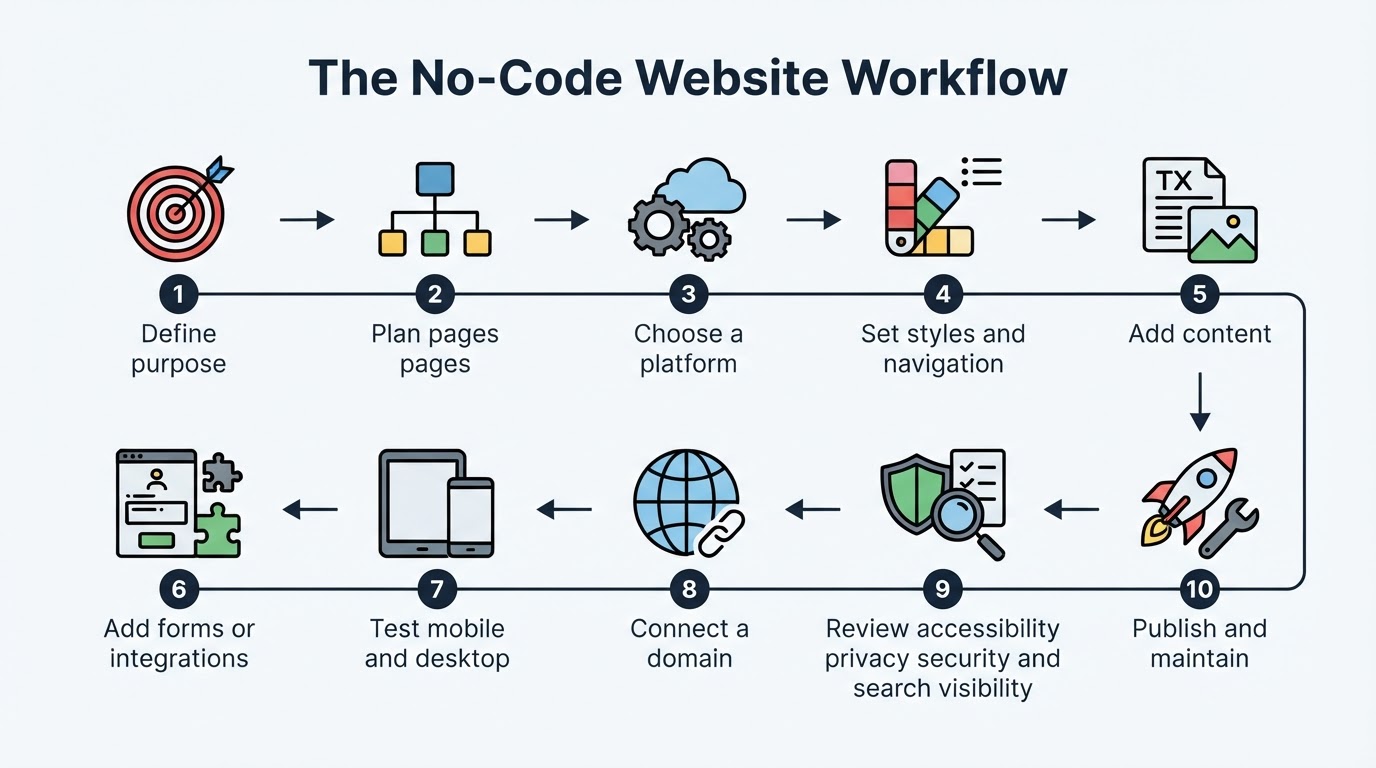
Use this sequence to create a basic website without coding:
- Define the audience, purpose, and primary action.
- List the pages and content the site needs.
- Compare no-code platforms against those requirements.
- Create an account and choose a suitable template or blank layout.
- Set the site's styles, navigation, and basic page structure.
- Add accurate text, images, forms, and other required features.
- Test the site on mobile and desktop, including links and forms.
- Configure a platform URL or custom domain and review the live site.
- Check accessibility, privacy, security, and search visibility settings.
- Publish and assign responsibility for future updates.
This workflow separates essential launch steps from advanced decisions about migration, integrations, and long-term governance. You can start small and add features after the basic site works reliably.
Choose the Right No-Code Platform
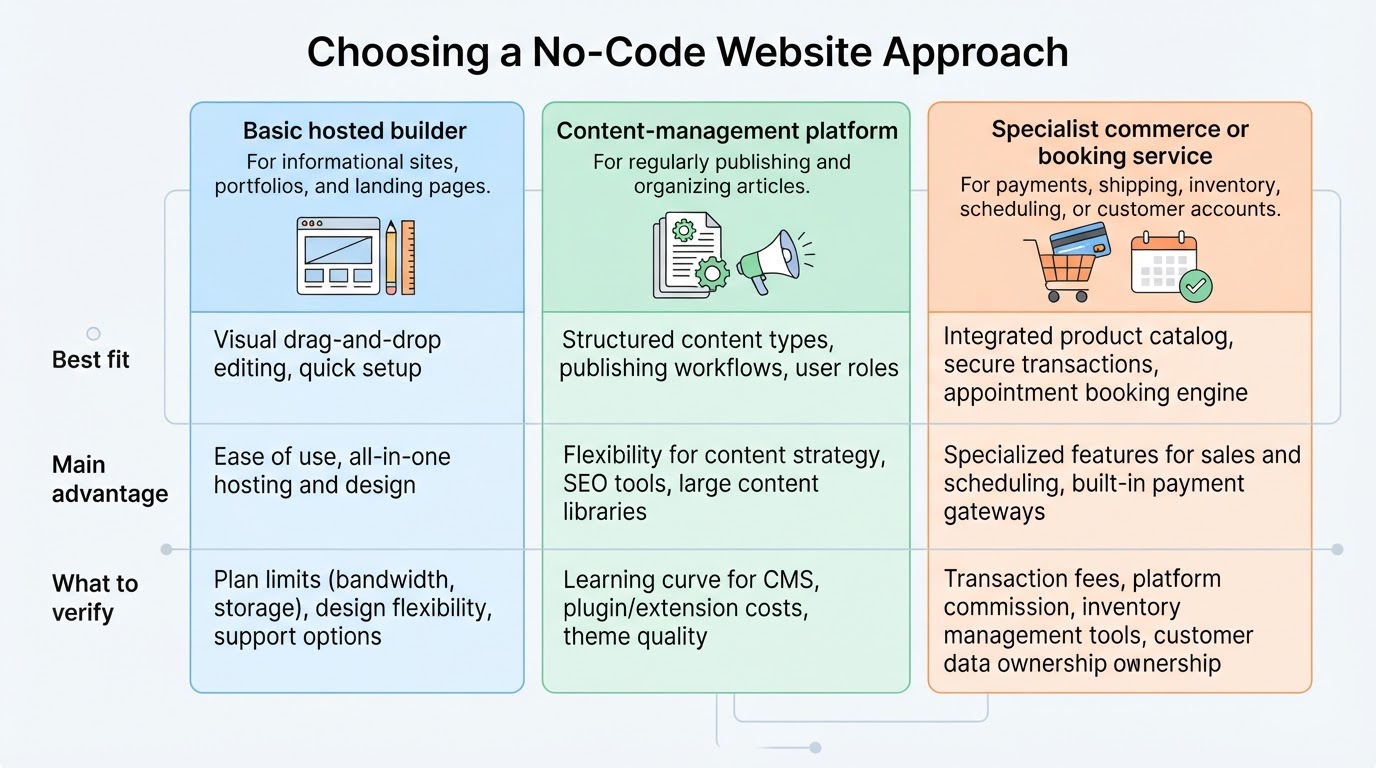
There is no universally best no-code website platform. Compare options according to the project type, required features, total cost, customization, maintenance, integrations, ownership, and future growth.
A basic hosted builder may suit a small informational site, portfolio, landing page, or simple project where minimizing technical maintenance is important. A content-management platform may be more suitable when regularly publishing and organizing articles is central to the project. A specialist commerce or booking service may be preferable when payments, shipping, inventory, scheduling, or customer accounts are core requirements.
Before selecting a provider, review its current official plan information. Features and restrictions can change, and a feature shown in a general product description may not be included in the plan you intend to use.
Build the Pages with a Visual Editor
Start with a relevant template, blank canvas, or prebuilt section library. The starting design should make the work easier, not determine the final result.
Replace generic text with accurate, specific content written for your audience. Use original images or confirm that third-party images are properly licensed. Keep typography, colors, spacing, buttons, imagery, and navigation consistent so the site feels like one coherent experience.
Keep the homepage focused. Visitors should quickly understand who the site is for, what is offered, why it may be relevant, and what to do next. Avoid placing every detail on the first screen or using several competing calls to action.
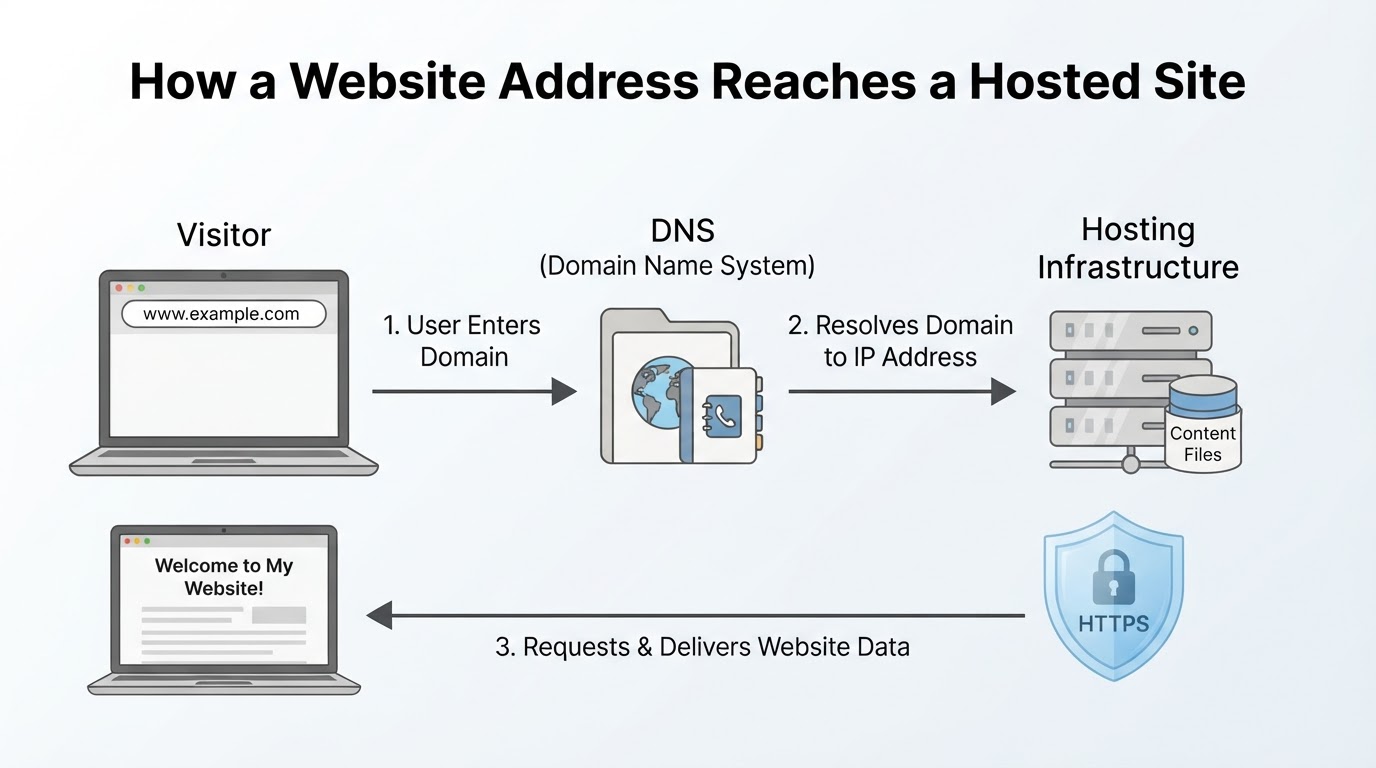
Understand Domains, Hosting, DNS, and HTTPS
Several technical terms appear when you publish a website:
- A domain name is the human-readable address visitors use to reach the site.
- Hosting is the infrastructure that stores and delivers the website.
- DNS connects a domain name with the destination where the site is hosted.
- HTTPS helps protect information while it travels between a visitor's browser and the website.
A hosted builder may provide a platform URL and manage the hosting for you. This can let you publish a basic site without purchasing a separate custom domain immediately. A custom domain may require a paid plan or separate registration, depending on the provider.
For a publicly published website, the site must have a publicly reachable hosting or deployment location. Local, private, and staging sites may instead be accessible only to specific users or networks.
HTTPS protects data in transit, but it does not automatically secure administrator accounts, forms, third-party services, integrations, backups, or data-management practices.
Make the Site Mobile-Friendly, Accessible, and Search-Friendly
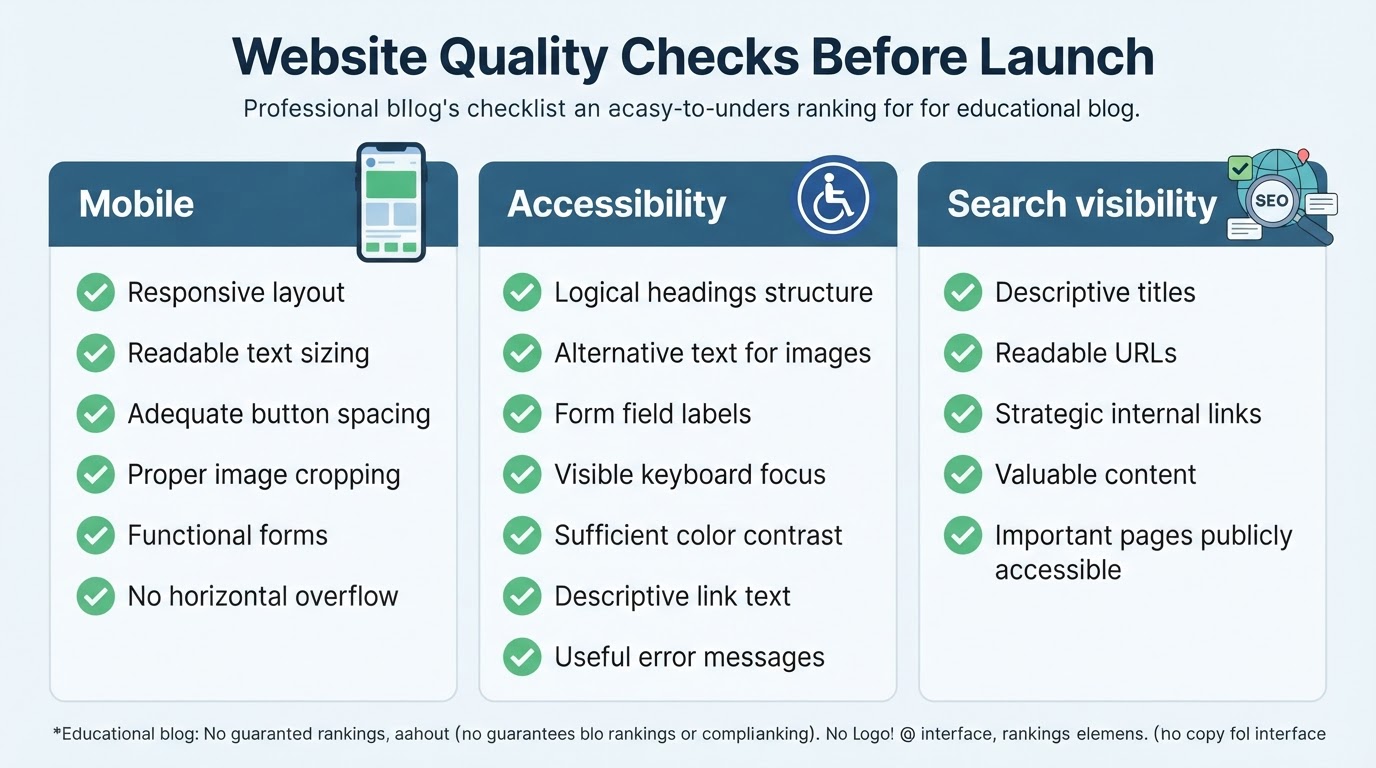
A site is not finished when it looks good in the editor. Responsive components can help layouts adapt to different screen sizes, but you still need to test the published pages on mobile and desktop viewports.
Accessibility should be part of the building process. Review alternative text, heading order, keyboard access, visible focus, color contrast, form labels, link wording, navigation, and error messages. Automated checks can identify useful issues, but they do not replace human review.
Basic search optimization comes from useful content and a clear structure. Descriptive page titles, readable URLs, logical headings, descriptive links, relevant internal links, and publicly accessible pages provide a useful foundation. A builder cannot guarantee rankings, traffic, leads, or sales.
Add Forms, Bookings, Payments, and Integrations Carefully
Some no-code builders and connected services support contact forms, booking tools, analytics, payment services, maps, email tools, chat widgets, or commerce features. These capabilities, limits, regional availability, and plan requirements vary substantially, so confirm the selected provider's current documentation before building a workflow around a feature.
Test every interaction before launch. Submit forms, check confirmation messages, verify notifications, test booking availability, review payment flows, and confirm that connected services receive the information they need.
Use only the information necessary for the stated purpose. Avoid collecting sensitive personal data through an ordinary form unless the service is designed and configured for that use.
Review Privacy and Security Before Publishing
A no-code platform may simplify technical setup, but you still need to understand how the site handles visitor and customer information. Forms, analytics, maps, videos, fonts, payment providers, and chat tools may send information to external providers. The exact data flow depends on the service, implementation, cookies, configuration, and provider documentation.
Review the selected builder's current privacy, terms, and data-processing information, along with the policies for each integration. Identify what data the site collects, where it goes, how long it is retained, and which providers process it. Your privacy information should reflect the site's actual tools and practices.
Privacy, cookie, accessibility, and other compliance obligations vary by jurisdiction, audience, business model, and data collected. This guide provides general information, not legal advice. If the site handles sensitive, regulated, financial, children's, or large-scale personal data, seek advice from an appropriately qualified professional.
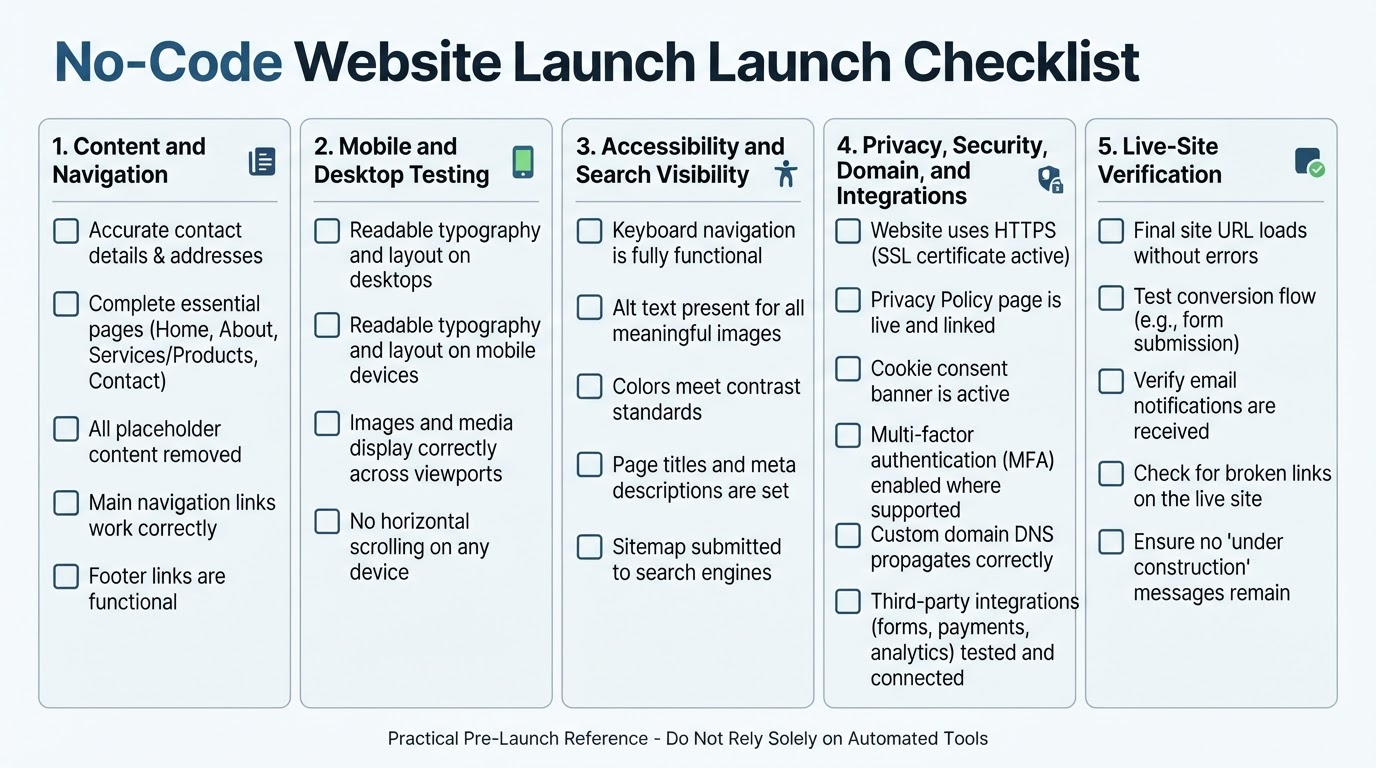
Run a Launch Checklist
Publishing the site is only one step in the launch process. Before making the URL public, preview the site at mobile and desktop widths and test it in more than one browser where practical.
Check navigation, links, spelling, images, headings, forms, notifications, and important calls to action. Use keyboard navigation to test focus order, menus, buttons, and form controls. Confirm privacy information, analytics behavior where relevant, HTTPS, domain settings, and third-party integrations.
After the final publish or domain connection, open the public site rather than relying only on the editor preview. Test the live URL again and record the platform name, domain, renewal dates, administrator accounts, integrations, and backup or export process.
Maintain the Website After Launch
A website is an ongoing project. Content, links, forms, integrations, analytics, domain registration, privacy information, and account security settings need periodic review.
Regularly check forms, links, contact notifications, important content, and integrations. Periodically review mobile usability, accessibility, search visibility, privacy disclosures, and account permissions.
Before renewal, confirm domain ownership, billing, plan features, storage, and whether the platform still fits the site's needs. Whenever the business or project changes, update services, prices, operating details, calls to action, and supporting content.
Conclusion
Making a website without coding is practical for many portfolios, landing pages, blogs, student projects, local business sites, and simple stores. The most reliable approach is to define the site's purpose first, choose a platform that fits its actual requirements, build only the pages and features you need, and test the published result on different devices.
Before launch, review forms, links, accessibility, privacy, security, domain configuration, and search visibility settings. After launch, keep the content accurate, monitor integrations, protect account access, and assign responsibility for ongoing maintenance.