

Most "best AI tools for students" lists are just the same 15 logos reshuffled. They rarely answer the question you actually have, which isn't "what's the best AI tool" — it's "what should I open right now for this task."
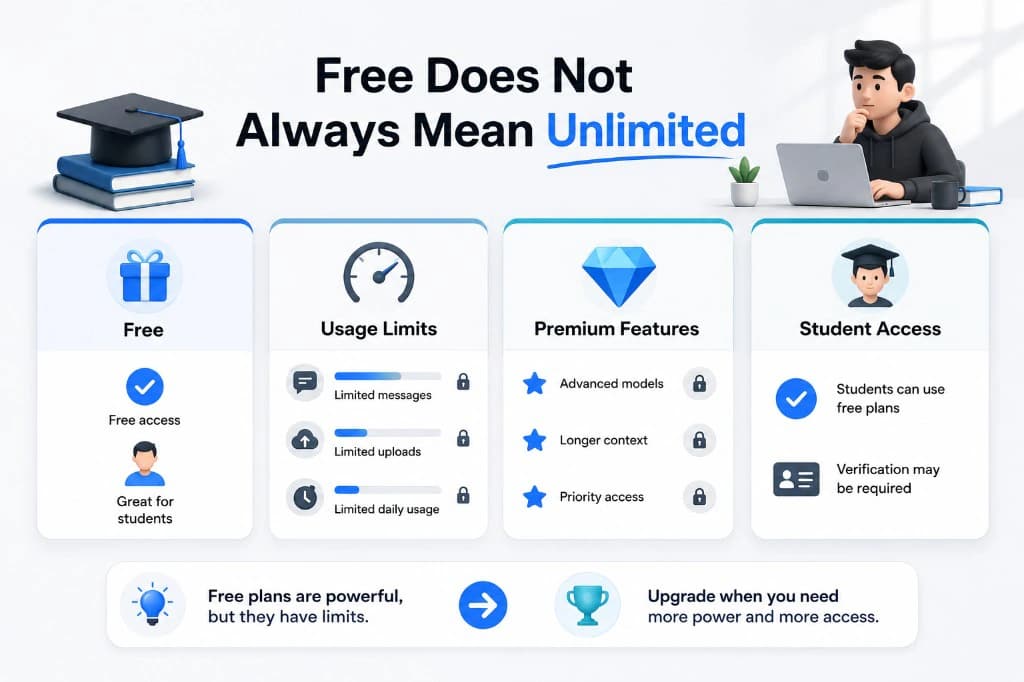
Free plans also change constantly. A tool that was generous in January can quietly shrink its limits by June. So instead of ranking tools, this guide is organized by what you're trying to do, with the current free-plan reality for each one — not the marketing page version.
One honest note up front: free-tier limits, pricing, and student offers shift often, and providers don't always publish exact numbers. We've checked everything below against official product pages and help centers as of early September 2026, but always confirm current terms on the provider's own page before relying on a specific detail — especially anything with a dollar figure or a message count attached.
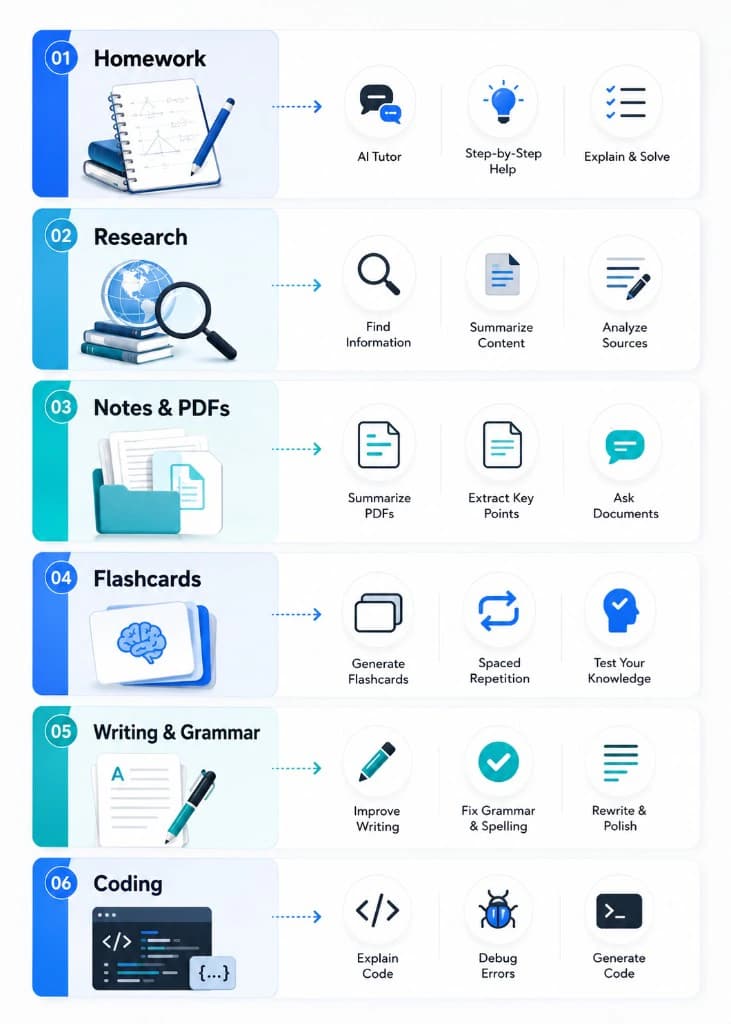
Quick answer: which free tool for which task
| Task | Reach for | Why |
|---|---|---|
| General homework help & explanations | ChatGPT (Free) or Claude (Free) | ChatGPT Free now offers unlimited everyday text chat; Claude Free includes a usage window plus web search and file uploads |
| Research with citations | Perplexity (Free) | Built around sourced, linkable answers |
| Studying from your own notes/PDFs/slides | Google NotebookLM (now Gemini Notebook) (Free) | Grounds its answers in the sources you upload and cites them back to you |
| Flashcards from existing decks | Quizlet (Free) | Huge library of community-made decks for standard exams |
| Turning your own notes into flashcards | Gemini Notebook or Claude/ChatGPT | Quizlet's AI note-to-flashcard feature (Magic Notes) requires Quizlet Plus |
| Grammar and clarity editing | Grammarly (Free) | Solid basic checker; plagiarism/AI detection require Grammarly Pro |
| Coding assignments | GitHub Copilot (Student plan) | Free for verified students, with its own usage allowances |
| Office-style work (Word/Excel/PowerPoint) | Microsoft Copilot | Free Copilot Chat if your school's Microsoft 365 Education license supports it and your admin enables it; the full in-app Copilot add-on is a separate paid license |
1. General homework help and explanations
ChatGPT (Free) made a real change in August 2026: OpenAI's own free-tier documentation now describes everyday text chat as unlimited, subject to standard abuse-prevention limits, running on the GPT-5.6 Luna model with a basic "Think" mode for harder questions. That covers explaining concepts, drafting outlines, translating, and working through problems. What's still capped on the free tier is everything around the edges — image generation, file uploads, voice, and Deep Research each have their own separate limits, and OpenAI has been rolling out ads to Free and Go-tier accounts in a growing number of countries.
Claude (Free) takes a different approach. Anthropic doesn't publish an exact message count or context-window size for the free plan — its own pricing page describes free-plan usage only in relative terms, stating that Pro gives "at least 5x more usage per 5-hour session" than Free. In practice, that means Free runs on a rolling 5-hour usage window that resets automatically, with a warning as you approach it. The free plan does include Claude Sonnet 5 (Anthropic's mid-tier model, and the default on both Free and Pro since June 2026), plus web search, file uploads, and Projects — features that used to sit behind a paywall. There's no dedicated individual student discount from Anthropic; some universities have separate Claude for Education partnerships, so it's worth asking your school if one exists.
Gemini (Free) runs on Google's current Flash-tier model with solid everyday performance, and it's the one most tightly integrated with Google Docs and Gmail if that's already your ecosystem. Google has also run region-specific student offers for its paid Google AI plans (which add a stronger model, more storage, and higher NotebookLM limits) — availability, eligible countries, and what's actually included have all shifted more than once in 2026, so check gemini.google.com/students directly rather than trusting an older screenshot or a different article's numbers.
The practical takeaway: if you chat a lot but rarely upload huge files, ChatGPT Free's unlimited text is the more predictable default. If your workflow depends on a large context window for long documents, don't assume Claude Free has one — that's a Pro-and-up feature, so check current plan details before counting on it.
2. Research that needs real sources
Perplexity (Free) is built differently from a general chatbot — every answer comes with linked citations, which makes it useful for early-stage research and fact-checking before you go find the original sources yourself. The free plan is genuinely usable for casual lookups; heavier users tend to notice the cap on "Pro Search" runs fairly quickly.
Perplexity also runs an Education Pro plan — per Perplexity's own Help Center, this is offered to verified students and educators at a discount off the standard Pro price, adding education-specific features on top of everything in regular Pro. The discount percentage and price have been reported differently across third-party trackers over the past year, so check the current rate directly on Perplexity's student verification page rather than an older screenshot. Verification runs through SheerID.
3. Studying from your own class materials
This is the task most generic listicles miss, and it's arguably where AI helps students the most: turning your lecture slides, readings, and notes into something you can question and review, grounded in what you actually gave it rather than the open web.
Google NotebookLM (now Gemini Notebook) (Free) — Google renamed the tool in mid-2026, though old NotebookLM links and the earlier name still work — is purpose-built for this. Upload your own PDFs, slides, or links as "sources," and it's designed to ground its answers in those sources and cite the exact passage it drew from, rather than pulling in outside information. As with any AI tool, it's worth spot-checking a citation occasionally rather than assuming every answer is perfectly grounded. The free tier currently includes up to 100 notebooks, 50 sources per notebook, roughly 50 chat queries a day, and a handful of daily Audio/Video Overviews (the auto-generated podcast-style or video summaries it's become known for) — each source is also capped at 500,000 words or 200MB. Google has periodically run offers giving verified students in eligible countries a free period of the higher paid tiers; check the current offer and eligible-country list on Google's own page before assuming it applies to you.
If your school's Microsoft 365 Education license supports Copilot Chat and your IT admin has turned it on, students may get a similar "grounded in your own materials" experience at no extra cost through Microsoft's Study and Learn tools — worth one email to your IT desk to confirm whether it's already switched on for you (more on the Copilot licensing distinction in the section below).
4. Flashcards and memorization
Quizlet (Free) is still the best place to find an existing deck — its community library for standardized exams (AP, MCAT, USMLE-style content, and more) is the largest of its kind, and using someone else's well-made deck costs nothing. Quizlet's AI note-to-flashcard feature, Magic Notes, requires the paid Quizlet Plus plan, and the free tier's Learn-mode practice rounds are capped per day.
If you need to turn your own notes into flashcards rather than search for an existing deck, it's often more practical to paste your notes into ChatGPT, Claude, or Gemini Notebook and ask for a set of question-and-answer pairs in a format you can drop into any flashcard app.
5. Writing and editing
Grammarly (Free) remains free-forever for real-time grammar, spelling, and basic tone suggestions, plus a monthly allowance of AI-generated prompts, and it works across Google Docs, Gmail, and most places you type. The catch: plagiarism checking and AI-content detection are Pro-only features, along with full-sentence rewrites and a much larger monthly AI-prompt allowance — so don't rely on the free plan for either of the former specifically. Grammarly doesn't offer a standing free upgrade for students, but it does run a standard student discount on Pro through verification.
6. Coding assignments
GitHub Copilot's Student plan is free for verified students through GitHub Education (part of the GitHub Student Developer Pack) — this is confirmed directly in GitHub's own documentation. Verified students get access to Copilot's features at no cost, though GitHub re-evaluates eligibility on a recurring basis rather than granting permanent access. Some third-party trackers report the free student tier as including unlimited code completions plus a monthly allowance of AI credits for chat and agent-style help with automatic model selection rather than manual model picking — worth confirming your exact current allowance in your own GitHub account, since GitHub's plan structure for Copilot has changed more than once in 2026. Sign-ups for the student plan were also paused for several weeks earlier in the year before reopening, so if enrollment looks unavailable, check GitHub's own education pages rather than assuming the program ended.
7. Office-style work: Word, Excel, PowerPoint
Microsoft's Copilot lineup is genuinely confusing, and it's worth being precise about which version you might actually have access to as a student:
- Copilot Chat (the standalone chat experience) can be available to students at no additional cost, but only if your school's tenant holds an eligible Microsoft 365 Education license (such as A1, A3, or A5) and your IT administrator has specifically enabled it for students. It isn't switched on automatically just because your school uses Microsoft 365.
- Copilot for Microsoft 365 — the version that adds AI features directly inside Word, Excel, PowerPoint, and Outlook — is a separate, paid add-on license that institutions purchase on top of a qualifying base plan. This is not free for students by default, even at schools with Microsoft 365 Education.
- Outside of a school-provided license, Microsoft has also run individual student promotions on Microsoft 365 Personal, which bundles Copilot features into the consumer Office apps at a discounted student rate. The exact terms (discount size, whether any period is fully free, and eligibility) have changed during 2026, so check Microsoft's current student offer page rather than relying on an older headline number.
The short version: don't assume "free Copilot" just because your school uses Microsoft — ask your IT department specifically which version, if any, is enabled for students.
Using free AI tools responsibly
A few ground rules that hold up across every tool on this list:
- Use AI to understand, not to skip understanding. Ask it to explain reasoning, not just produce a final answer you can submit as-is.
- Check your school's actual policy. "Undisclosed AI-generated work" and "AI-assisted studying" are treated very differently by most instructors — know which one you're doing.
- Don't treat chatbot answers as verified fact. Especially for research, citation-based tools like Perplexity or Gemini Notebook (which show you the exact source) are more trustworthy for anything you'll cite yourself — but even then, it's worth spot-checking a citation now and then.
- Re-check limits before an exam crunch. Free-tier caps and even plan names are exactly the kind of thing that change without much notice — confirm current limits a few days before you're depending on a tool, not the night before.
The bottom line
There's no single "best" free AI tool for students in 2026 — there's a right tool for what you're doing right now. For open-ended explanation and homework help, ChatGPT's now-unlimited free text chat is the more predictable option, while Claude Free is a solid alternative with its own strengths. For anything that needs real citations, Perplexity and Gemini Notebook are built for it in different ways. For flashcards, lean on Quizlet's existing decks rather than its paid AI generator. And before paying for anything — especially a Microsoft or Google product — it's worth checking exactly what your school's license already includes, since "free" often depends on a setting your IT department controls, not just which company made the tool.
FAQ
Sources
- OpenAI — ChatGPT Pricing
- OpenAI — What is ChatGPT Plus? (Help Center)
- Anthropic — Claude Pricing
- Google — Upgrade Gemini Notebook (Help Center)
- Google — Google Workspace Updates: NotebookLM is now Gemini Notebook
- Perplexity — What is Education Pro? (Help Center)
- Grammarly — Grammarly Prices and Plans
- GitHub — Access GitHub Copilot for free as a student (Docs)
- GitHub — Plans for GitHub Copilot (Docs)
- Microsoft — Learn about Microsoft 365 Copilot in Education
- Microsoft — Microsoft 365 Copilot Licensing (Microsoft Learn)
Pricing, limits, and student offers for third-party AI tools change frequently and vary by region. Claims in this article were checked against the official product pages, help centers, and documentation listed above as of early September 2026 — always confirm current terms on the provider's own page before relying on a specific number.